HeyGen Translate guide 2026: localizing video without reshooting
HeyGen Translate is useful for teams that already have a good video in one language and want to reuse it in other markets without reshooting. The official page mentions translation into 175+ languages and dialects, voice cloning, lip-sync and subtitles. That can save real time, but localization quality still depends on pronunciation, terminology and context review.
Quick verdict for a small team
HeyGen makes sense for marketing, education and internal videos where speed and a consistent speaker matter. I would not rely on automation alone for legal, medical, financial or reputation-sensitive videos.
- Strong for short product videos, training and global campaigns.
- Risky around technical terms, names, numbers and cultural references.
- Best paired with a brand glossary and a native-speaking reviewer.
What the official source shows
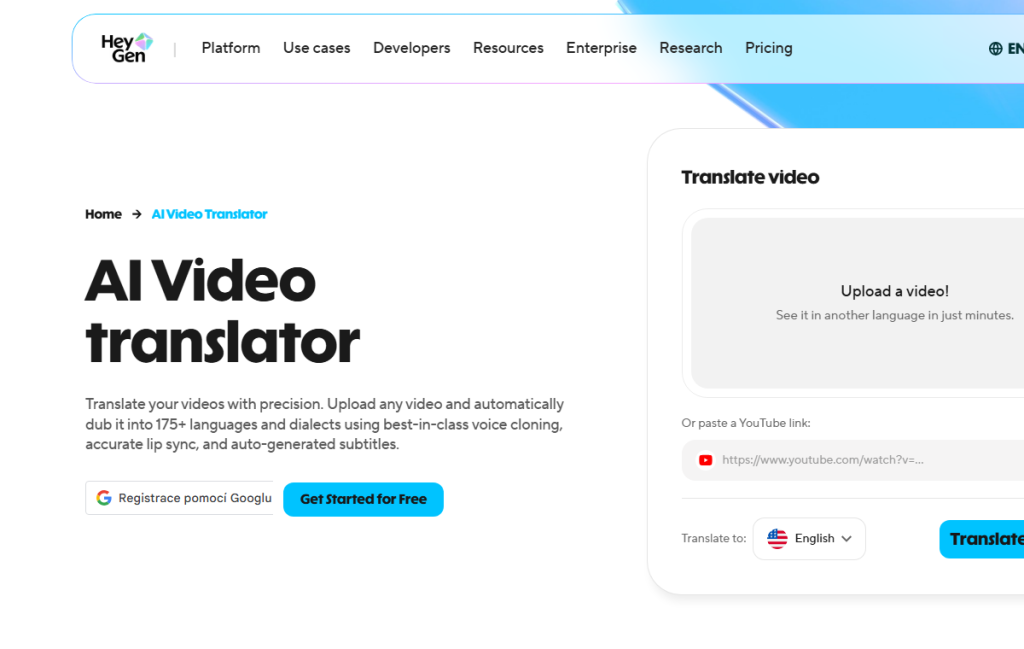
The official HeyGen Translate page describes uploading video or pasting a YouTube link, translating into 175+ languages, preserving voice, lip-sync, subtitles and brand glossary controls. The glossary matters because product names and protected terms are where automatic translation often fails.
- Voice cloning helps consistency but needs consent and review.
- Lip-sync improves the experience but cannot fix a poor translation.
- Brand glossary matters for product names, features and internal terms.
Where it makes sense in practice
A typical use case: record a product demo in Czech or English and prepare versions for Germany, Poland or Spanish-speaking customers. For internal training, one source video can be expanded to multiple branches quickly.
- Start with clean audio, no music over speech and one main speaker.
- Prepare product names, protected terms and pronunciation notes before translation.
- After translation, check subtitles, lip-sync and voice naturalness.
Recommended workflow
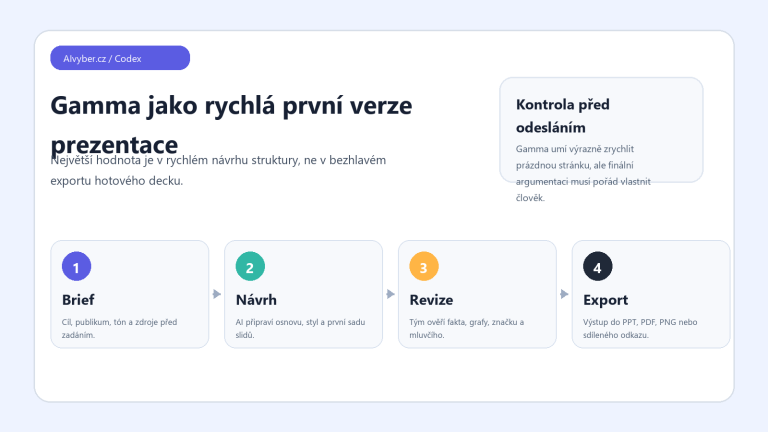
The best workflow treats HeyGen as a localization tool, not the single source of truth. AI does the heavy lifting; people decide what is correct.
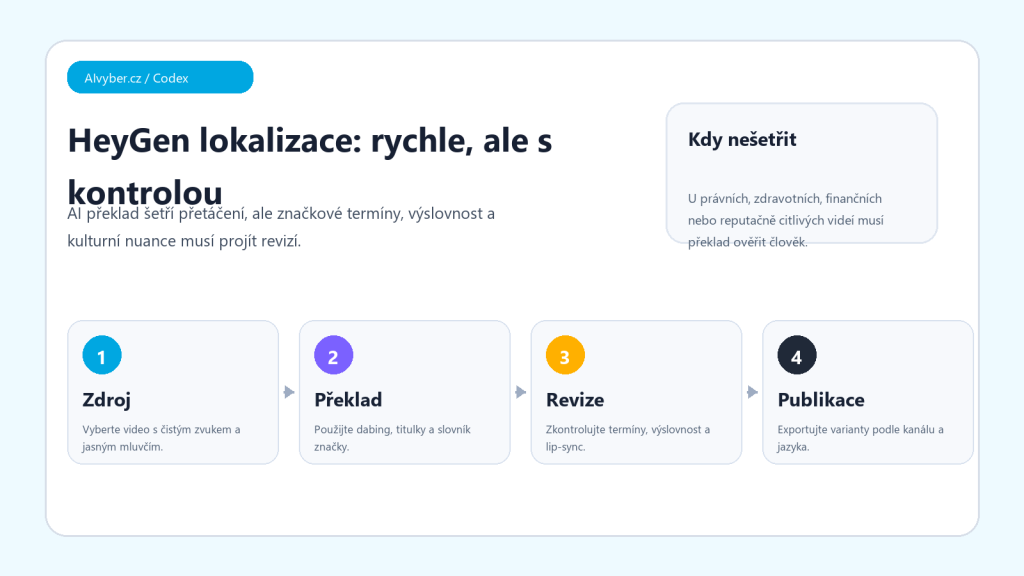
- Choose the source video and remove sections that should not be localized.
- Prepare glossary, name pronunciation and non-translatable terms.
- Generate one pilot language first.
- Have a person who knows the language and product review it.
- Only after approval scale to more languages and channels.
Limits and quality checks
AI dubbing can sound fluent while shifting meaning. For Czech and smaller languages, check declension, stress, pacing and terminology. Also handle consent for voice use and label synthetic content where appropriate.
- Do not only read subtitles; listen to the full video.
- For expert content, require a reviewer checklist.
- Before publishing, verify rights to the video, voice and music.
Who should consider it
HeyGen Translate is useful for teams with repeated training, product demos or marketing videos that want to test another language quickly. I would not use it as an unchecked replacement for professional localization when mistakes can cost trust or money.
Recommended AI stack for implementation
| Service | Service description | Offer |
|---|---|---|
| NordVPN | VPN service for privacy protection and secure connections. | Open offer |
| Semrush | SEO and marketing platform for analysis and traffic growth. | Open offer |
| Notion | Workspace for notes, documentation, and project management. | Open offer |
| Hostinger | Web hosting and domains for fast website launch. | Open offer |
| Canva | Online design tool for graphics, presentations, and social media. | Open offer |
| Adobe | Creative tools for graphics, video, and digital content. | Open offer |
| Fiverr | Marketplace for freelancers and external specialists. | Open offer |
Note: We use affiliate links for listed services. If you purchase through them, we may earn a commission at no extra cost to you.
Quality control for AI video translation
HeyGen Translate is useful for fast localization, but quality depends on the source video. The best input has clean speech, minimal music under the voice, and simple sentence structure. If the original has noise, overlapping speakers, or long improvised sentences, the AI translation will need much more manual review.
- Before translation, prepare a glossary of brand names, people, products, and terms that should not be translated literally.
- After generation, review meaning, captions, line length, lip-sync, and places where the voice sounds unnatural.
- For important videos, have the final version reviewed by a native speaker or a subject-matter expert.
For internal training, a fast mode may be enough. For ads, onboarding, or public product communication, plan for more precise review and manual translation edits.
Useful links: HeyGen Video Translator, HeyGen translation guide, HeyGen video translation API.