Gamma AI review 2026: when prompt-based presentations really save time
Gamma is most useful when a team already understands the subject but is losing time to structure and blank-slide work. The official site positions Gamma around presentations, documents, websites, social content and graphics; in practice, that means a first version appears much faster than in a traditional slide tool. This review treats Gamma as a workflow tool, not as a magic machine for finished decks.
Quick verdict for a small team
I would use Gamma as a strong first-draft accelerator. It fits internal updates, workshop decks, educational material and quick project summaries. It does not replace strategy, reliable data or a person who knows what the audience needs to understand.
- Biggest upside: fast structure, visual rhythm and useful export options.
- Biggest risk: a polished deck can hide weak reasoning.
- Practical conclusion: use it for the draft, not for unchecked final delivery.
What the official source shows
The official Gamma website highlights presentations, documents, websites, social media, API creation and graphics. For teams, the important part is export to PPT, PDF, PNG and Google Slides, plus brand and theme controls. The Gamma Help Center describes Generate, Paste and Import modes, which is the practical difference between prompting from scratch and reworking existing notes.
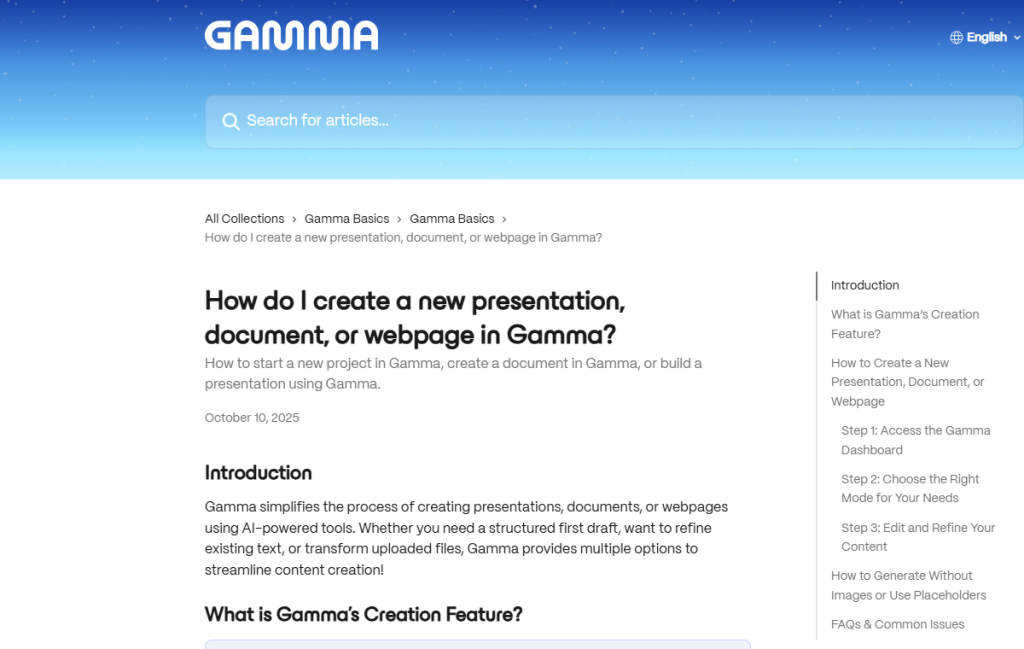
- Generate fits cases where you start from a topic and need an outline.
- Paste is better when you already have notes, a brief or source text.
- Import helps when an older document should become a new presentation.
Where it makes sense in practice
In a small company I would deploy Gamma for repeated formats: monthly reporting, workshop decks, research summaries, onboarding material or draft landing pages. The value is not only slide generation; it is getting to a version the team can discuss quickly.
- Marketing gets a first campaign narrative and can test the tone.
- Sales prepares a deck for a specific customer segment.
- HR or leadership turns long notes into a clear internal asset.
Recommended workflow
A good workflow starts before the prompt. The more concrete the input, the less time is wasted on fixing style, order and level of detail.
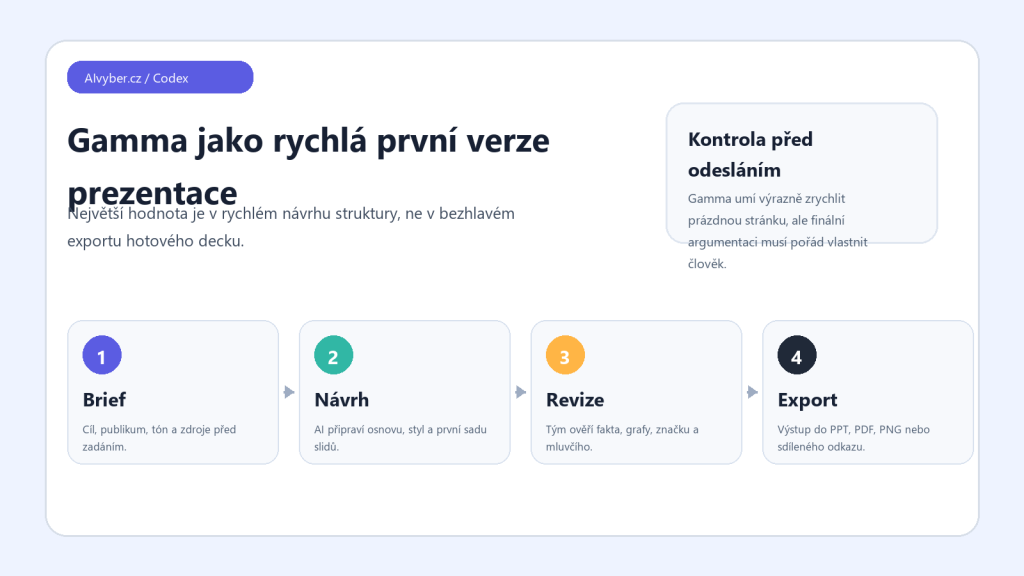
- Define the goal, audience and decision the deck should support.
- Prepare sources: bullets, a table, meeting notes or an older deck.
- Let Gamma create the first structure and check the logic.
- Rewrite slide titles, claims and numbers manually; AI should not own the facts.
- Export only after checking brand, sources, charts and deck length.
Limits and quality checks
The main limitation is familiar: the output can look finished before the substance is accurate. For sales, investor or legal-sensitive decks, I would not let Gamma invent evidence, financial conclusions or delicate wording on its own.
- Check numbers, customer names, citations and competitive claims.
- For brand work, verify fonts, tone and logo rules.
- Before PPT export, check that layout and images did not break.
Who should consider it
Gamma is a good fit for teams that create presentations often and want to reduce the first two hours of work to minutes. I would not use it as an unchecked deck factory. The best result comes when Gamma drafts the structure and a human turns it into a precise argument.
Recommended AI stack for implementation
| Service | Service description | Offer |
|---|---|---|
| NordVPN | VPN service for privacy protection and secure connections. | Open offer |
| Semrush | SEO and marketing platform for analysis and traffic growth. | Open offer |
| Notion | Workspace for notes, documentation, and project management. | Open offer |
| Hostinger | Web hosting and domains for fast website launch. | Open offer |
| Canva | Online design tool for graphics, presentations, and social media. | Open offer |
| Adobe | Creative tools for graphics, video, and digital content. | Open offer |
| Fiverr | Marketplace for freelancers and external specialists. | Open offer |
Note: We use affiliate links for listed services. If you purchase through them, we may earn a commission at no extra cost to you.
How to know whether Gamma actually saves time
Gamma saves the most time on the first presentation structure, not on final argumentation. A good test is not “generate a pretty deck,” but “create 8 slides for a specific audience, with a clear decision at the end.” If the output only needs text and brand edits, the tool helped. If you must rewrite the logic of the presentation, the time saving is questionable.
- Before prompting, write the target audience, meeting context, main decision, and three key pieces of evidence.
- After generation, check whether each card moves the story forward or only repeats generic phrases.
- Before sharing, export to the format the team actually uses: PPTX, PDF, Google Slides, or a web link.
Teams should also watch branding, card-count limits, and export options by plan. A prompt-generated presentation is a useful first draft, but a sales or investor deck still needs a sharp human story.
Useful links: Gamma product page, Gamma pricing and exports.