AI generator of social media posts from a single topic
Introduction
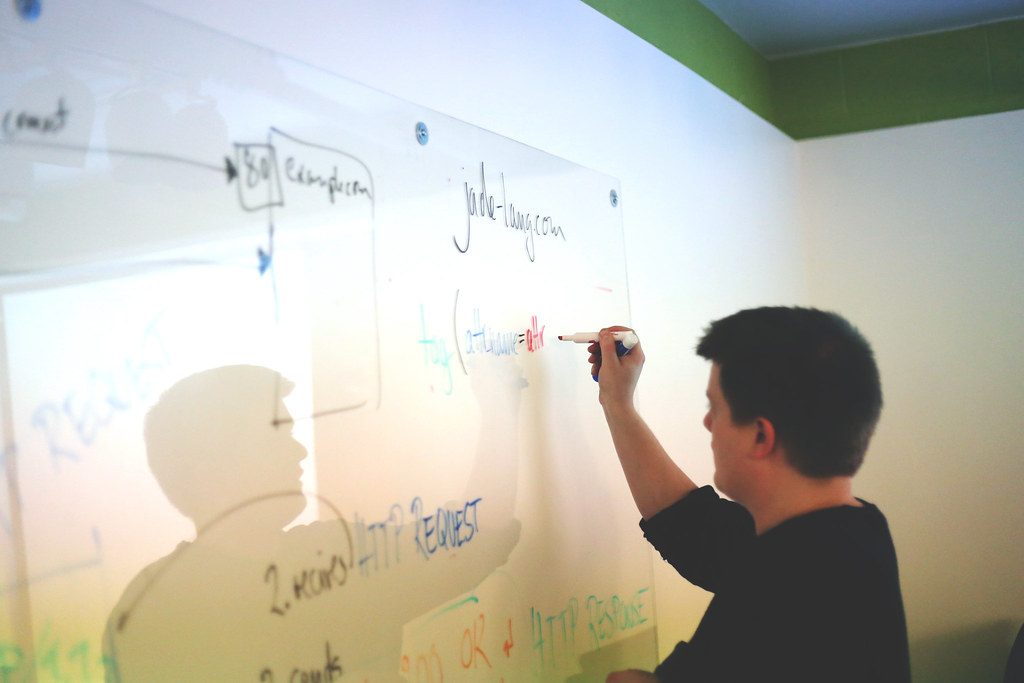
In today’s digital age, content on social media is becoming a key element for marketing and communication with the target audience. However, with the growing amount of information, it is difficult to keep up with the production of quality content. In this article, we will show step by step how to build an AI social media post generator that creates relevant and attractive posts based on a single input topic.
Project goal

The goal of this project is to create a simple but functional AI post generator that can generate posts for platforms such as Facebook, Twitter, or Instagram based on a given topic. The generator will use artificial intelligence to automate the content creation process, saving time and making marketing efforts more efficient.
Prerequisites
- Basic knowledge of programming in Python.
- An OpenAI account for access to the GPT-3 model API.
- An account on a social media management platform, e.g. Hootsuite or Buffer.
- Installation of libraries such as
requestsandjson.
Implementation steps
Step 1: Set up the working environment
The first step is to set up the working environment where we will develop our generator. We recommend using Python as the programming language.
- Action: Install Python and the required libraries.
- Input: Terminal command:
pip install requests json. - Output: Verify the installation using
python --version. - Success metric: Python and the libraries are successfully installed.
Step 2: Register and obtain an API key
To generate content, we will need access to the OpenAI API, which will allow us to use the GPT-3 model.
- Action: Sign up at OpenAI and create an API key.
- Input: Your email address and password for registration.
- Output: An API key that you save for later use.
- Success metric: API key successfully obtained.
Step 3: Create the basic project structure
We will create the basic project structure, which will include a script for generating posts.
- Action: Create the file
ai_post_generator.py. - Input: File and directory names for the project.
- Output: An empty Python script ready for further modifications.
- Success metric: The script is created and ready for editing.
Step 4: Implement the content generation function
At this stage, we will implement a function that uses the OpenAI API to generate content based on the given topic.
- Action: Add the following code to
ai_post_generator.py:
import requests

def generate_post(topic):
    api_key = 'YOUR_API_KEY'
    headers = {'Authorization': f'Bearer {api_key}', 'Content-Type': 'application/json'}
    data = {
        'model': 'text-davinci-003',
        'prompt': f'Create a post on the topic: {topic}',
        'max_tokens': 150
    }
    response = requests.post('https://api.openai.com/v1/completions', headers=headers, json=data)
    return response.json()['choices'][0]['text']
Step 5: Integration with a social media management platform
The next step is integration with a social media management platform so that we can automatically publish generated posts.
- Action: Sign up at Hootsuite and create an account.
- Input: Hootsuite API key, which you obtain in the account settings.
- Output: Access to the Hootsuite API for publishing posts.
- Success metric: Hootsuite account successfully connected.
Step 6: Publish the generated post
In the final step, we will implement a function that publishes the generated post on social media.
- Action: Add the following code to
ai_post_generator.py:
def publish_post(content):
    url = 'https://api.hootsuite.com/v1/messages'
    headers = {'Authorization': 'Bearer YOUR_HOOTSUITE_API_KEY', 'Content-Type': 'application/json'}
    data = {'text': content}
    response = requests.post(url, headers=headers, json=data)
    return response.json()
Testing
After completing the implementation, it is important to test the entire process. Run the script and enter a topic, for example "Healthy lifestyle." Verify that the generated post is relevant and correctly published to Hootsuite. Also monitor any errors in the API calls and log them for future analysis.
Deployment
Once the generator has been successfully tested, you can deploy it to a production environment. We recommend setting up a regular posting schedule, for example using a cron job on the server that will run the script at regular intervals.
Limitations
It is important to realize that the generator has its limits. The quality of the generated content depends on the quality of the GPT-3 model’s training data. It may happen that the generated posts will not always be perfect or relevant. In addition, it is necessary to monitor API call limits, which may affect the publishing frequency.
FAQ
- How can I improve the quality of generated posts?
Experiment with different prompts and setmax_tokensfor longer or shorter posts. - Is it possible to use the generator for multiple topics?
Yes, the generator is flexible and you can use it for any topic you enter. - What are the costs of using the OpenAI API?
Prices vary depending on usage; we recommend checking OpenAI pricing.
Conclusion
In this article, we showed step by step how to create an AI social media post generator. This project will allow you to generate content efficiently and save time. With a little effort and experimentation, you can achieve great results and improve your social media presence.
Recommended AI stack for implementation
Select tools according to your budget and level of automation. Below is a direct overview of services for implementing the project.
| Tool | Offer |
|---|---|
| NordVPN | Open offer |
| Semrush | Open offer |
| Make | Open offer |
| Hostinger | Open offer |
| Fiverr | Open offer |
| Adobe | Open offer |
| Canva | Open offer |
| Jasper | Open offer |
Recommended next step
Links in the article
Sources of illustrative images
- Stock photo: source
The custom illustrative image was created using the OpenAI Images API.
| Service | Service description | Offer |
|---|---|---|
| NordVPN | VPN service for privacy protection and secure connections. | Open offer |
| Semrush | SEO and marketing platform for analysis and traffic growth. | Open offer |
| Make | Advanced visual automation for workflows and integrations. | Open offer |
| Hostinger | Web hosting and domains for fast website launch. | Open offer |
| Fiverr | Marketplace for freelancers and external specialists. | Open offer |
| Adobe | Creative tools for graphics, video, and digital content. | Open offer |
| Canva | Online design tool for graphics, presentations, and social media. | Open offer |
| Jasper | AI tool for marketing copy and content campaigns. | Open offer |
Note: We use affiliate links for listed services. If you purchase through them, we may earn a commission at no extra cost to you.
Doporučení ke čtení

AI idea: internal legislative radar (Czech Republic + EU) with alerts to Teams and Slack

AI onboarding for new employees: a practical system for the first 30 days
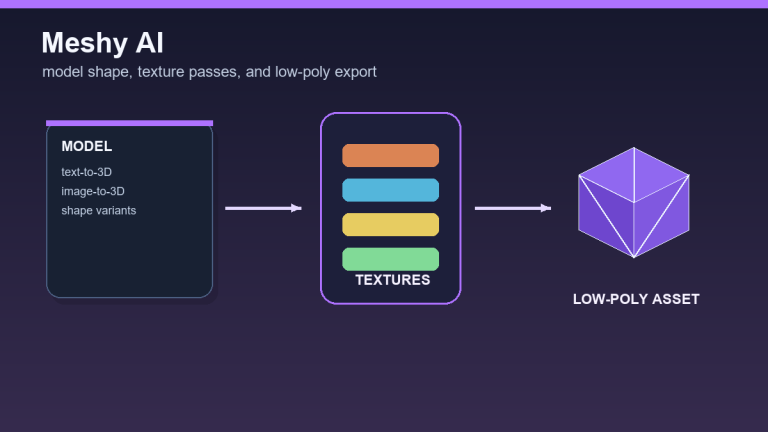
Meshy AI review 2026: generating 3D models, textures, and low-poly assets