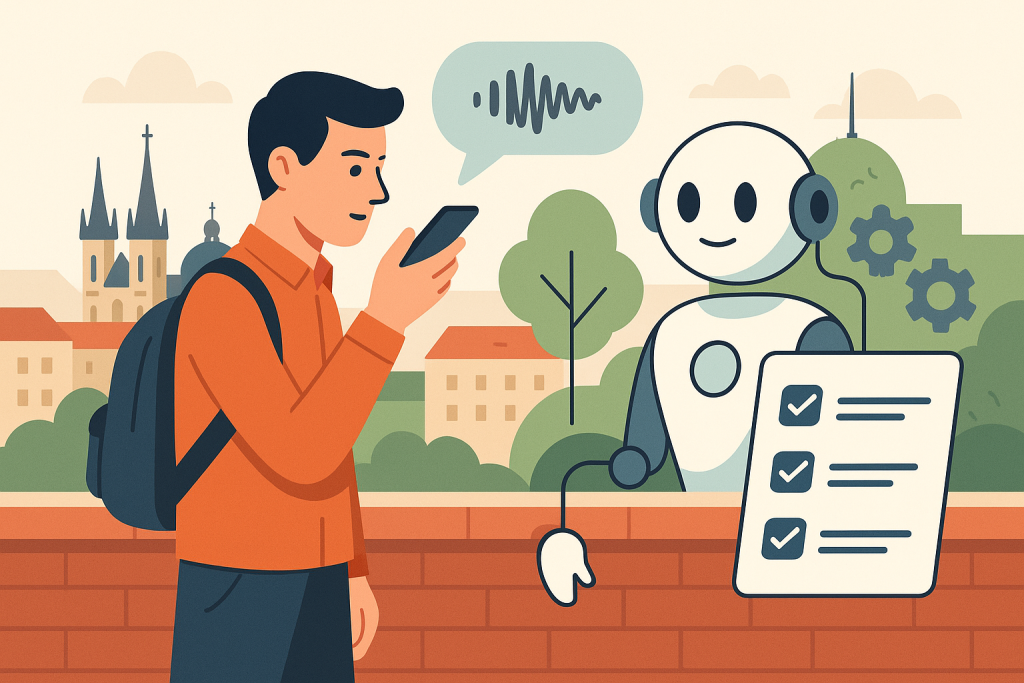
AI assistant for converting voice notes into tasks: mobile -> text -> To-Do
Introduction
In today’s world, where efficiency is key, more and more people rely on technologies that help them organize their tasks and notes. In this article, we will focus on creating an AI assistant that can convert your voice notes from a mobile device into specific tasks in a To-Do system. This guide will walk you step by step through the entire process, from planning to deploying a functional MVP (Minimum Viable Product).
Project goal
The goal of this project is to create an AI assistant that:
- accepts voice notes from a mobile device,
- converts them into text using a speech recognition API,
- analyzes the text and identifies tasks,
- integrates with a popular To-Do system for task management.
Prerequisites
Before starting the project, it is good to have the following prerequisites:
- Basic programming knowledge (Python or JavaScript).
- A Google Cloud Platform account to use the speech recognition API.
- An account on a task management platform such as Todoist or Microsoft To Do.
- A mobile device with a voice recording function.
Implementation steps
Step 1: Set up Google Cloud Speech-to-Text API
Action: Create a project on Google Cloud Platform and enable the Speech-to-Text API.
Input: Project name, e.g. "Voice Assistant".
Output: An API key for access to the Speech-to-Text API.

Success metric: Successful acquisition of the API key and API activation.
Step 2: Recording voice notes
Action: Create a simple mobile app (e.g. using React Native) that allows recording voice notes.
Input: A recording button that starts audio recording.
Output: A saved audio file in WAV or FLAC format.
Success metric: Successful recording and saving of the audio file.
Step 3: Convert speech to text
Action: Use the API key to send the audio file to the Google Cloud Speech-to-Text API for conversion to text.
Input: Audio file and API key.
Output: Text output from speech recognition.
Success metric: Text conversion accuracy (e.g. at least 80% correctly recognized words).

Step 4: Text analysis and task identification
Action: Implement a simple text analysis algorithm that identifies keywords and phrases representing tasks.
Input: Text output from the previous step.
Output: A list of identified tasks.
Success metric: Task identification success rate (e.g. at least 70% of tasks correctly recognized).
Step 5: Integration with a To-Do system
Action: Use the API of the selected To-Do system (e.g. Todoist API) to add the identified tasks to your task list.
Input: Task list and API key for Todoist.
Output: Confirmation of successful addition of tasks to the To-Do system.
Success metric: Number of tasks successfully added to the To-Do system (e.g. 100% success rate).
Step 6: Create the user interface
Action: Design a simple user interface for the mobile app that allows users to see added tasks and play back recorded notes.
Input: Interface design (e.g. using Figma).
Output: A functional user interface with the ability to display tasks and play notes.
Success metric: User satisfaction (e.g. at least 80% positive ratings).
Testing
Testing is a key part of the process. Perform the following tests:
- Testing the recording and conversion of voice notes to text.
- Testing text analysis and task identification.
- Testing integration with the To-Do system.
Each test should have clearly defined inputs and expected outputs that you will verify.
Deployment
Once everything has been tested and works, you can deploy the app to platforms such as Google Play or the Apple App Store. Make sure you have all the necessary certifications and comply with user privacy rules.
Limitations
It is important to realize that this project has certain limitations:
- Speech recognition accuracy may be affected by audio quality and accent.
- The speech recognition API may have limits on the number of requests per day.
- Text analysis may be limited in identifying more complex tasks.
FAQ
What technologies will I need?
You will need Google Cloud Platform, the Todoist API, and mobile development tools such as React Native.
How can I improve speech recognition accuracy?
Ensure a high-quality microphone and a quiet recording room for better results.
Conclusion
This guide provided you with a step-by-step plan for creating an AI assistant to convert voice notes into tasks in a To-Do system. With a little effort and the right tools, you can create an effective solution that makes your everyday task organization easier.
Recommended AI stack for implementation
Choose tools according to your budget and level of automation. Below is a direct overview of services for implementing the project.
| Tool | Offer |
|---|---|
| NordVPN | Open offer |
| Semrush | Open offer |
| Make | Open offer |
| Hostinger | Open offer |
| Fiverr | Open offer |
| Adobe | Open offer |
| Canva | Open offer |
| Jasper | Open offer |
Links in the article
Sources of illustrative images
The custom illustrative image was created using the OpenAI Images API.
| Service | Service description | Offer |
|---|---|---|
| NordVPN | VPN service for privacy protection and secure connections. | Open offer |
| Semrush | SEO and marketing platform for analysis and traffic growth. | Open offer |
| Make | Advanced visual automation for workflows and integrations. | Open offer |
| Hostinger | Web hosting and domains for fast website launch. | Open offer |
| Fiverr | Marketplace for freelancers and external specialists. | Open offer |
| Adobe | Creative tools for graphics, video, and digital content. | Open offer |
| Canva | Online design tool for graphics, presentations, and social media. | Open offer |
| Jasper | AI tool for marketing copy and content campaigns. | Open offer |
Note: We use affiliate links for listed services. If you purchase through them, we may earn a commission at no extra cost to you.
Doporučení ke čtení
AI idea: internal legislative radar (Czech Republic + EU) with alerts to Teams and Slack
AI generator of social media posts from a single topic

Secure AI workflow for teams of up to 20 people: minimum standards in practice