Fireflies.ai for sales meetings: CRM notes without manual rewriting
Fireflies.ai is an AI tool for meetings, transcripts, summaries and automation around calls. Its official site highlights meeting intelligence, work tool integrations and CRM note filling. For sales teams, automatic CRM updates are tempting, but that is exactly where bad data can appear.
Quick verdict for a small team
Fireflies makes sense when salespeople spend hours rewriting meeting notes and follow-ups. It can reduce administration significantly, but CRM should not accept unchecked summaries. AI notes are a draft, not final truth.
- Strong for transcripts, summaries, tasks and searchable meeting history.
- Risky around sensitive information, pricing commitments and legal wording.
- Best when a person confirms next steps and CRM fields.
What the official source shows
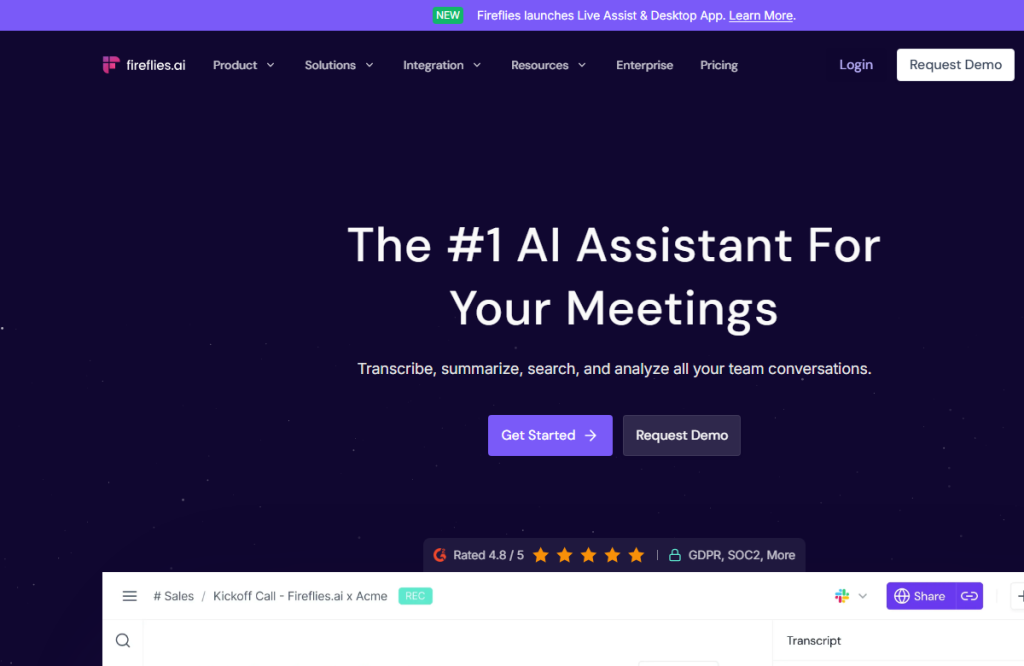
Fireflies.ai describes use across meetings, email, chat and CRM. The site mentions integrations with work tools and automatic CRM notes and call logs. The Fireflies integrations page adds context for connecting to apps teams already use.
- CRM integration is valuable when it sends structured, verified data.
- Meeting intelligence helps find decisions across calls.
- Without sensitive data rules, automation can create compliance problems.
Where it makes sense in practice
For a sales team, I would configure three outputs: a summary for the salesperson, a follow-up email draft and a CRM update proposal. Each output deserves a different trust level. A summary can be fast; CRM fields need human confirmation.
- Before the meeting, inform participants about recording and processing rules.
- After the meeting, check decisions, commitments, prices and deadlines.
- Send only verified next steps, owners and relevant notes to CRM.
Recommended workflow
A good workflow separates transcript, interpretation and system update. When everything is merged automatically, mistakes become harder to see.
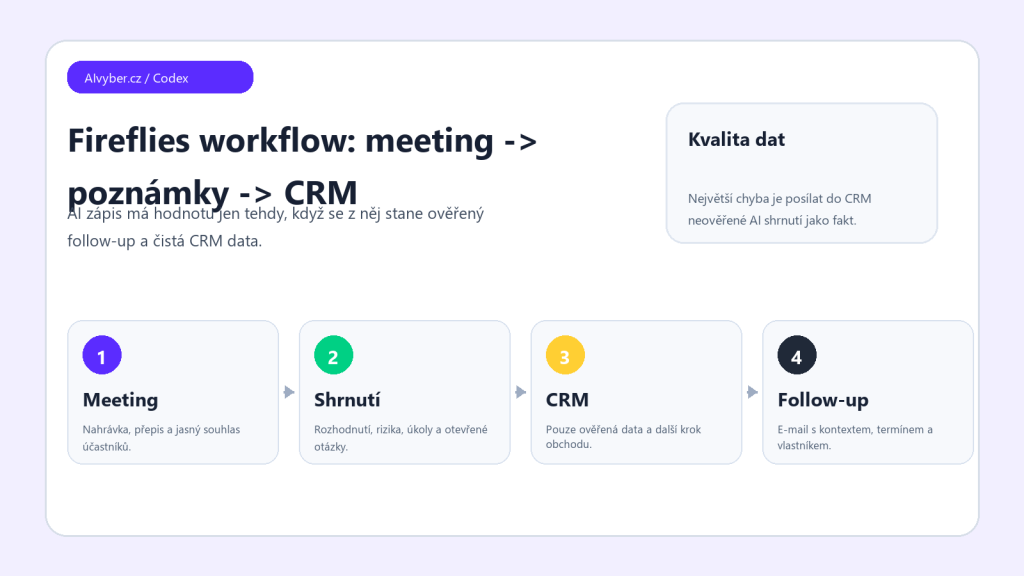
- Record only where there is clear consent and business reason.
- Let Fireflies prepare transcript, summary and tasks.
- The salesperson checks key commitments and fixes errors.
- CRM updates are sent only after human approval.
- Review note quality and wrong fields weekly.
Limits and quality checks
AI notes can misread names, companies, amounts or irony. Context is an even bigger issue: a customer may mention something as a possibility, while AI writes it as a commitment. Sales rules need to be explicit.
- Do not let AI change deal stage automatically without confirmation.
- Sensitive meetings and legal discussions need special rules.
- For international calls, check languages, accents and technical terms.
Who should consider it
Fireflies is useful for teams with many sales and customer meetings that want better history and follow-up. I would not configure it as 'everything automatically into CRM'. The best value comes when AI reduces admin work and humans keep data quality.
Recommended AI stack for implementation
| Service | Service description | Offer |
|---|---|---|
| NordVPN | VPN service for privacy protection and secure connections. | Open offer |
| Semrush | SEO and marketing platform for analysis and traffic growth. | Open offer |
| Notion | Workspace for notes, documentation, and project management. | Open offer |
| Hostinger | Web hosting and domains for fast website launch. | Open offer |
| Canva | Online design tool for graphics, presentations, and social media. | Open offer |
| Adobe | Creative tools for graphics, video, and digital content. | Open offer |
| Fiverr | Marketplace for freelancers and external specialists. | Open offer |
Note: We use affiliate links for listed services. If you purchase through them, we may earn a commission at no extra cost to you.
CRM workflow worth setting up first
Fireflies.ai becomes most valuable when meeting notes do not end as yet another standalone note. Before rollout, define what should be created after each sales meeting: summary, tasks, next steps, risks, customer objections, and fields that should sync to the CRM. Without this template, the output may look good but remain hard to use.
- For sales teams, define a shared vocabulary: lead, opportunity, follow-up, decision maker, blocker.
- After a meeting, check action steps, deadlines, and the assigned owner first.
- For sensitive meetings, handle participant consent, access rights, and data retention rules upfront.
A practical test is to connect Fireflies to only one CRM pipeline step and measure whether the salesperson actually saves time after the meeting. If the note must be rewritten, the template or integration needs adjustment.
Useful links: Fireflies integrations, Fireflies product page, Fireflies Google Docs integration.
Links in this article
Doporučení ke čtení

MCP in practice for SMBs: how to connect AI with CRM, helpdesk, and documents without vendor lock-in

Price comparison of AI video generators 2026: credits, limits, real costs
Gamma AI review 2026: when prompt-based presentations really save time