When AI Doesn’t Help in a Team: 5 Scenarios Where It Increases Costs Instead of Saving Them
Deploying AI in a team only makes sense when it shortens work without adding new layers of control, corrections, and risk. This is exactly where it is decided whether it is a real saving or just more expensive operations wrapped in a modern interface. In practice, the teams that fail most often are those that buy a tool before calculating the cost of integration, people’s time, and errors caused by automation without sufficient oversight. For related context, see AI for accountants in the Czech Republic: document checks, item matching, and an audit trail without chaos.
The article breaks down five specific scenarios in which AI inside a team increases costs instead of saving them. For each one, it states exactly what to do, for whom the recommendation is relevant, and when the given approach is not worth using. Prices and time estimates are listed as indicative where possible, because they vary depending on team size, the chosen service, and security requirements. For related context, see AI for salespeople: an assistant for preparing a discovery call and proposal draft.
If you are dealing with how to choose tools with real-world use in mind, the overviews on AIVýběr are also useful, for example the section dedicated to AI tools or articles about ChatGPT, where the difference between quick personal use and controlled deployment in a team is clearly visible.
1. When licenses and integration cost more than the time saved

The first expensive mistake is very simple: the team buys an AI tool for dozens of people but does not verify how much work will actually disappear. The budget then includes not only licenses, but also permission settings, connections to internal systems, unified templates, security policy, and access management.
A typical example is an office team that buys premium AI features in several applications at once: separately for writing texts, separately for meetings, separately for searching documents, and separately for email. Each tool looks cheap, but the total is often unpleasant. For example, Microsoft Copilot for Microsoft 365 or paid business versions of major chatbots are commonly priced per user per month; for larger teams, this indicatively quickly amounts to hundreds to low thousands of euros per month just for licenses. If you also need single sign-on, audit logs, or data-sharing restrictions, deployment costs rise further.
Practical scenario
A marketing team of 20 people pays for business licenses for text generation and meeting summaries. In reality, the tool is actively used by six people, another eight use it only occasionally, and the rest hardly at all. On top of that comes IT time for account management and managers’ time for checking output quality. Saving a few hours a week is then not enough to cover the full costs.
What to do: before buying for the whole team, run a four-week pilot with a small group and measure three things: how many minutes of work the tool actually saved, how many minutes it added in checks, and how many outputs could be used without intervention. Without these three numbers, ROI is not supported by anything.
For whom: heads of marketing, internal communications, HR, and customer support, where licenses are often purchased quickly and in larger numbers.
When not to use it: if the team still does not have unified processes, documents, and approval responsibility. AI will not solve chaos in source materials; on the contrary, it will make it more expensive.
It is also important that integration into existing workflows may require major rebuilding. If people are still working in several separate systems and the data is not consistent, AI only adds another layer on top of the mess. This is exactly the situation where you pay for technology, but not for results.
2. When the team does not know how to use the tool and expensively fumbles around

The second scenario is often underestimated: the company buys AI, but does not cover the real cost of training. The result is not neutral. It is not just that people do not use the tool to its full potential. They often use it incorrectly, get weak answers, enter inappropriate data into it, or generate outputs that they then have to rewrite again. This does not eliminate the cost, but multiplies it.
With common generative tools, the problem is not that they are too complicated to open. The problem is operational discipline: how to write prompts, how to verify facts, when to use the company source of truth, how to handle personal data, and when not to rely on an automatic summary. Without this, the team often mistakes the speed of creating text for the speed of delivering a usable result.
Practical scenario
Customer support starts using AI for suggested email replies. But the operators do not have internal rules on what the tool may receive as input and when the text must be manually adjusted. Some replies sound fluent, but miss the mark in terms of content because the model does not know the current complaint conditions or new exceptions. Corrections, escalations, and customer dissatisfaction consume more time than was saved on the first draft.
What to do: introduce short, mandatory operational training with three specific outputs: a list of allowed and prohibited inputs, a catalog of typical tasks, and a control checklist before sending the output. It makes sense to repeat the training when the tool or internal policy changes.
For whom: support, sales, HR, junior content teams, and anywhere AI generates text that goes on to a customer or candidate.
When not to use it: if the organization is not able to define its own rules for working with data and responsibility for incorrect output. Without governance, training is just a formal item.
The cost of training is not just the course itself. It also includes the time of senior staff who prepare examples, revisions of internal templates, and subsequent supervision. Even so, it is usually cheaper than months of quiet underuse. Insufficient training is exactly what often leads to a team paying for a license while the real work is still done manually.
3. When AI produces errors that people then have to hunt down at great expense

The third scenario is the trickiest, because at first glance it looks like a saving. AI creates a draft quickly, but then the hidden cost of checking kicks in. With generative models, this is not just about factual hallucinations. It also includes misunderstood instructions, inaccurate wording of conditions, false certainty in legal and product texts, or an overly confident meeting summary that leaves out a key conclusion.
Over-reliance, meaning excessive dependence on AI without human oversight, is expensive precisely because the errors arrive late. The text may look professional, but be substantively flawed. At that point, the team is not paying for creation, but for checking, corrections, and sometimes reputational damage.
Practical scenario
This is exactly where internal knowledge work often fails. A product manager lets AI prepare a summary of customer feedback from hundreds of tickets. But the model confuses several similar problems, overestimates the frequency of one type of issue, and underestimates another. Development then addresses a priority that does not reflect reality. A lost sprint ends up being more expensive than a manual analysis of a data sample.
What to do: for tasks that affect decision-making, introduce the rule “AI proposes, a human confirms.” In practice, this means mandatory validation on a representative sample, ideally with a predefined error tolerance. If the tool stays within it, deployment continues; if not, the task must be returned to manual mode.
For whom: product teams, analysts, legal and compliance departments, finance, and procurement.
When not to use it: if an error could directly affect a contractual obligation, regulatory duty, pricing, or safety. There, a cheap draft easily turns into an expensive incident.
The same problem also applies to false-positive outputs. For example, in automatic risk classification or anomaly detection, AI may flag too many cases for manual review. Investigating false alarms then costs more than if the team had worked with a more conservative filter or simpler rule-based logic.
4. When maintenance, updates, and process changes eat up the budget

The fourth scenario appears after the initial enthusiasm. The tool is deployed, the pilot looks good, but then operations begin. Model changes arrive, new versions, different limits, API modifications, security reviews, prompt rewrites, automation tuning, and checks on whether results have dropped in quality after an update. All of this is work that often nobody priced into the business case.
In other words: AI is not a one-time purchase. It is a service with ongoing administration. For workflows connected via API, costs rise further due to token usage monitoring, error handling, fallback scenarios, and testing after model changes. Even with ready-made no-code applications, it is necessary to watch knowledge base management, access rights, and versions of internal documents.
Practical scenario
A sales team builds internal assistance on top of company materials. It works well in the first month. But after several updates to the source materials, the tool starts returning outdated information because nobody set up regular source refreshes and indexing checks. Salespeople use old price lists and invalid terms. The subsequent corrections to proposals, explanations to customers, and internal reviews create more work than the original manual lookup of information.
What to do: even before full deployment, assign an operations owner. It must be clear who is responsible for updating sources, quality control, access management, and evaluating whether the system is still meeting its goal. Without this role assignment, AI in a team quickly degrades.
For whom: companies that want to connect AI to internal documents, CRM, helpdesk, or a knowledge base.
When not to use it: if nobody is available who has the mandate and time to manage the system continuously. Without an operational owner, a pilot turns into an unmanaged cost.
In larger implementations, workflow restructuring is added on top. In some places, approvals need to change; elsewhere, a new intermediate layer for output control is created. And once AI affects multiple departments, coordination costs rise. That does not mean the deployment is wrong. It only means that time savings must not be calculated in isolation from operating costs.
5. When AI opens up legal, personnel, and reputational risks
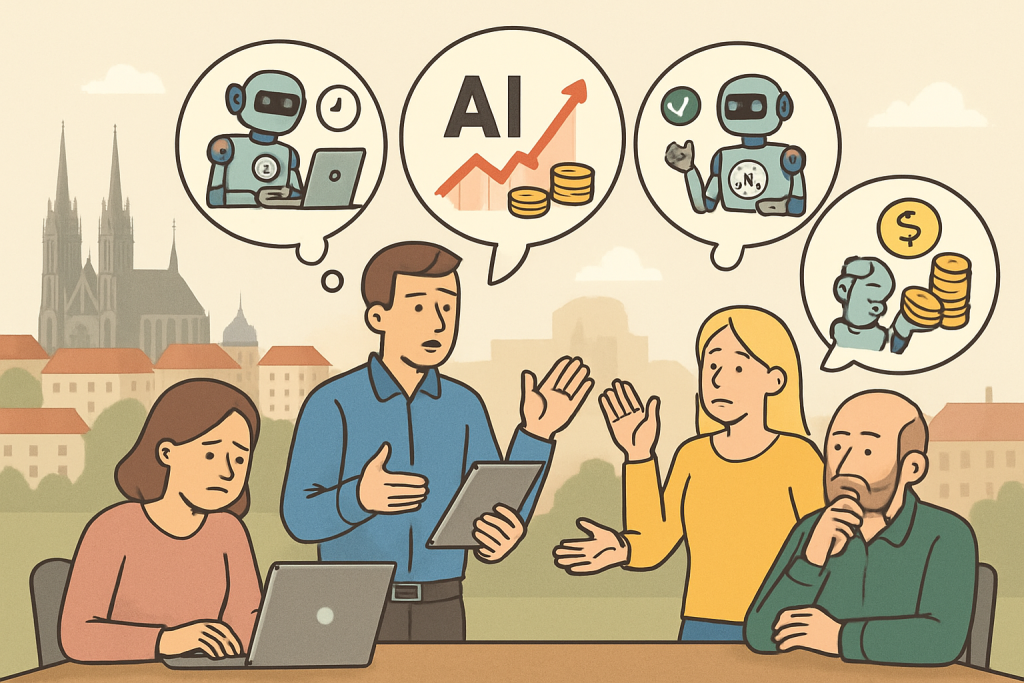
The fifth scenario is not purely technological. Even well-functioning AI can increase costs because of how it affects work with people and data. The most common problem is the protection of personal data, confidential information, and internal documents. If a team feeds sensitive content into an external service without rules, the saving of minutes can turn into a legal cost, an internal audit, or the need to change the entire process.
Another dimension is personnel. AI can lead to role reshuffling, fears about jobs, and hasty organizational changes. If a company reduces capacity before verifying the stability of the new workflow, it may later have to expensively buy external help or pay for correcting errors caused by overloading the rest of the team. In extreme cases, severance pay and legal costs are added.
Practical scenario
An HR team starts using AI for CV pre-screening and creating candidate summaries. If inputs, archiving, and human review are not clearly set, there is a risk not only of poor selection, but also of disputes over process transparency. And if personal data enters the tool without an appropriate legal framework, the cost is no longer operational, but compliance-related.
What to do: divide tasks by risk. Low-risk use: internal brainstorming, note transcription, a first draft of general text without sensitive data. Higher risk: HR, legal, finance, contracts, health data, customer databases. For the second group, set separate approval and legal review.
For whom: HR, legal departments, management, and anyone working with personal data or non-public documents.
When not to use it: if you are not sure where the data goes, how long it is retained, and what contractual terms the service offers for business use. Unclear data flows are a red flag.
Alongside legal risks, there is also reputation. In public-facing outputs, AI can easily create text that is formally correct but inappropriate in tone, insensitive, or too generic. The costs then are not in the license, but in repairing the relationship with the customer or candidate.
How to tell that AI is not financially worth it in a team
The most practical signals are surprisingly measurable. If two or more of the following phenomena appear, it is reasonable to reconsider the deployment:
- less than half of the licenses are actively used every week,
- more than 20 to 30% of the time saved by generation is consumed by checking and corrections,
- the team has no operations owner or documented rules for working with data,
- AI outputs cannot be audited retrospectively according to sources and versions of source materials,
- AI affects high-impact decision-making without mandatory human validation,
- the license budget is growing faster than the number of actually automated tasks.
What to do: once a month, evaluate adoption, quality, and error rate on one page: number of active users, the three most common use cases, the share of outputs used without edits, and a list of incidents.
For whom: team managers and operations leads who must justify the budget.
When not to use it: if AI serves only as a loose personal assistant without a shared team process. There, detailed reporting is unnecessarily cumbersome.
Limits: when the problem is more in the implementation than in AI itself
It would be a mistake to conclude from the previous scenarios that AI is inherently an expensive mistake. Often the problem is that the wrong type of benefit is expected from it. Generative models are often excellent for a first draft, summary, transcription, classification of simpler inputs, or help with wording. They are weaker where you need full reliability, stable rules, and a clear audit trail.
Another limit is the quality of input data. If a team has chaotic documents, outdated templates, and contradictory internal sources, AI will not build order on top of that. It will only produce inconsistent outputs very quickly. And finally, there is also an organizational limit: some teams want to solve writing, analytics, research, approvals, and compliance with a single tool. That is usually too broad an assignment.
What to do: choose use case by use case, not an “AI strategy” without boundaries. Start where the output is easy to check and the risk of error is low.
For whom: small and medium-sized teams that do not have their own AI specialists and need to quickly verify the benefit.
When not to use it: when management expects immediate company-wide savings without changes to processes, training, and administration. That is more of a recipe for budget disappointment.
FAQ
Is the biggest cost of AI the license?
Often not. The license is visible, but hidden costs arise in integration, training, administration, quality control, and error handling. In smaller teams, the time of senior people may be more expensive than the software itself.
When is it worth buying a business plan instead of individual accounts?
When you need user management, security settings, central billing, audit capabilities, or work with more sensitive data. For loose experimentation by individuals, a business plan may be unnecessarily expensive. But for team processes, it is often safer.
How quickly can you tell that an AI pilot is failing?
Usually within four to six weeks. Warning signals are low usage, unclear use cases, a high share of manual corrections, and a missing operations owner.
Does it make sense to use AI in HR or legal?
Yes, but rather for low-risk tasks: transcription, summarization, work with general text, or drafting an outline. Not for final decisions without human review and without clear rules for working with data.
What metric should you track first?
The most practical one is “time to usable output.” It is not enough to measure how quickly AI generates something. What matters is how quickly the output is actually ready to be sent or used for a decision.
Conclusion
AI in a team does not make work more expensive because it is automatically bad. It makes work more expensive when it replaces a well-thought-out process with only faster generation of text or decisions. The most common bill comes in five forms: oversized licenses, insufficient training, expensive error correction, underestimated maintenance, and legal or personnel risks.
The practical rule is simple: do not buy AI based on promises, but based on tasks you can measure. If the tool does not shorten the path to a usable result, or shortens it only at the cost of more control and new risks, it is not a saving. It is just moving the cost elsewhere. And that is a difference every team should calculate before handing out licenses across the whole company.
Recommended AI stack for implementation
Choose tools according to your budget and level of automation. Below is a direct overview of services for implementing the project.
| Service | Service description | Offer |
|---|---|---|
| NordVPN | VPN service for privacy protection and secure connections. | Open offer |
| Semrush | SEO and marketing platform for analysis and traffic growth. | Open offer |
| Notion | Workspace for notes, documentation, and project management. | Open offer |
| Hostinger | Web hosting and domains for fast website launch. | Open offer |
| Fiverr | Marketplace for freelancers and external specialists. | Open offer |
| Adobe | Creative tools for graphics, video, and digital content. | Open offer |
| Canva | Online design tool for graphics, presentations, and social media. | Open offer |
| Jasper | AI tool for marketing copy and content campaigns. | Open offer |
Note: We use affiliate links for listed services. If you purchase through them, we may earn a commission at no extra cost to you.
Sources of illustrative images
The custom illustrative image was created using the OpenAI Images API.
Doporučení ke čtení

AI for HR in 2026: candidate screening, bias risks, and auditable decision-making
Recraft AI review 2026: brand visuals, vectors and mockups without slow rework

How to build an internal AI helpdesk for customer support without programming