AI for HR in 2026: candidate screening, bias risks, and auditable decision-making
AI in HR in 2026 is no longer just about faster resume sorting. The real difference emerges where the recruitment team knows exactly which steps can be automated, which must remain under human control, and how to document every decision retrospectively. This is exactly where value and risk diverge. A well-configured screening process shortens time-to-hire and standardizes recruiters’ work. A poorly configured screening process, on the other hand, quietly transfers historical inequalities into new hiring decisions, and does so without a defensible explanation.
For HR teams, it is therefore crucial to separate three layers: candidate screening, bias risk management, and auditable decision-making. It is not enough to buy a tool with an “AI matching” feature. You need to know what inputs the model is based on, which attributes must not influence the outcome, how long you retain the data, who can intervene in the recommendations, and how you will document why a candidate was moved forward or rejected.
If you want to get a broader overview of enterprise tools, it makes sense to start with the overview of AI tools on AIVýběr. For orientation in regulation and practice, the content in the AI in business section is also useful, where the difference between a product feature and truly operational enterprise deployment is often clearly visible.
What is actually being automated in HR in 2026

Illustrative context for the topic continues below.
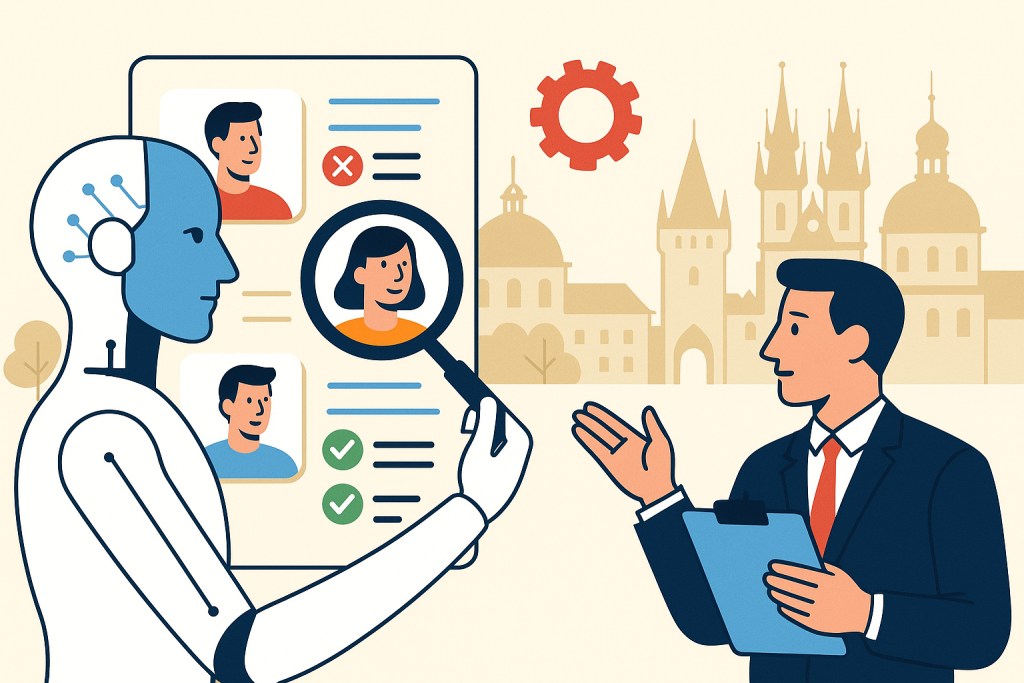
Under the label “AI for recruitment,” completely different tasks are often mixed together. In practice, it makes sense to divide them into four groups:
- CV parsing and normalization – converting different resume formats into a unified structure,
- candidate-to-role matching – comparing skills, experience, location, languages, and other criteria with the position requirements,
- work communication – profile summaries, suggested follow-up questions, interview scheduling,
- recruitment analytics – tracking the funnel, drop-off points, time to hire, and shortlist quality.
Real services used in HR include, for example, Workday, Oracle HCM, iCIMS, Greenhouse, SmartRecruiters, or Eightfold AI. Each of them covers a different part of the process. For example, an ATS typically handles workflow and candidate records, while a matching platform focuses on recommending suitable profiles and internal mobility.
What to do: First, break recruitment down into individual decision points and determine for each whether it is an administrative task, a recommendation, or a final decision. Deploy AI primarily for administration and recommendations, not for automatic rejection without review.
Who it’s for: Internal HR teams in companies with roughly 100 employees or more, where a larger volume of repeated hiring already exists and multiple recruiters work with similar roles.
When not to use it: If you hire only a few people per year and each role is significantly different, the return on more complex AI screening is usually low and manual evaluation may be more accurate.
As a rough guide: enterprise ATS platforms with advanced AI features are commonly priced individually. For mid-sized companies, total annual costs often range approximately from the lower to higher tens of thousands of euros depending on the number of users, modules, and integrations. For specialized screening add-ons, pricing is approximately tied to the number of open positions or processed candidates.
Candidate screening: where AI saves time and where it starts introducing risk
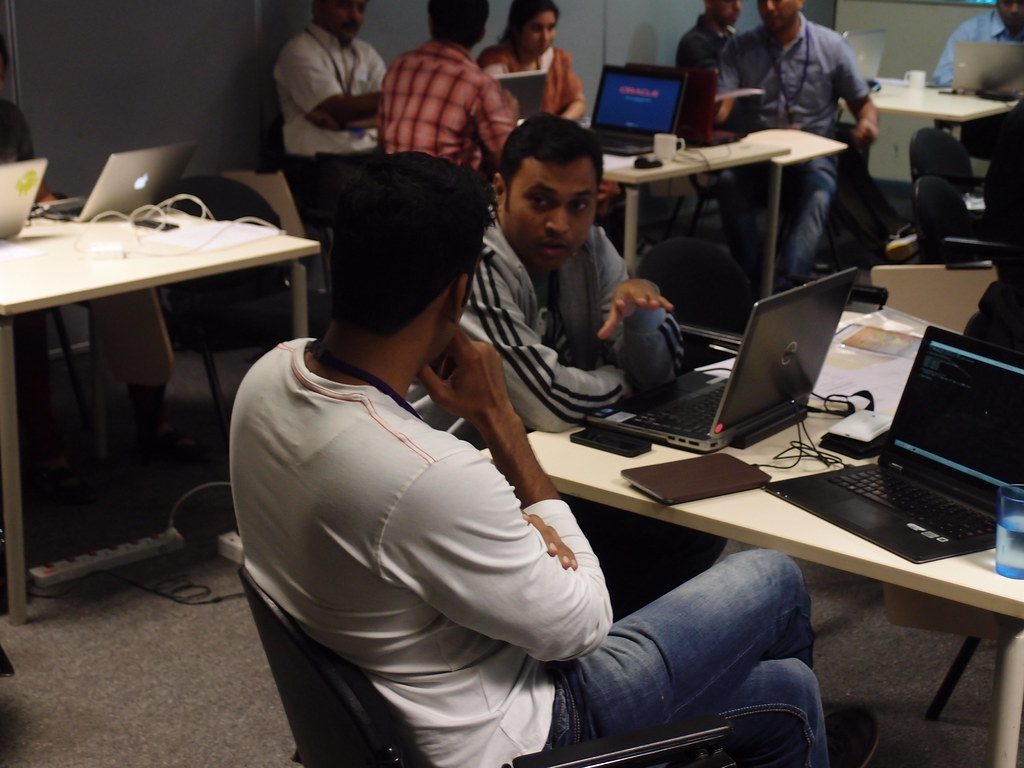
The biggest benefit of AI in screening is not that it “selects the best person.” The benefit lies elsewhere: it shortens the time needed for pre-screening and standardizes the way a recruiter reads large volumes of profiles. This is especially useful for roles with a high number of applications, for example in customer support, sales, operations, junior IT, or shared services.
What AI should evaluate and what it should not
It is safer to let the system work with clearly documentable criteria:
- number of years of relevant experience in a specific area,
- required certifications or licenses,
- language proficiency, if necessary for the role,
- technologies, tools, or methodologies explicitly listed in the role description,
- location availability or shift work availability, if it is a legitimate job requirement.
By contrast, high risk arises if the model indirectly evaluates signals linked to protected or sensitive characteristics: name, age inferred from graduation year, gender, maternity break, nationality inferred from language or location, or “cultural fit” without a precise definition.
What to do: Create a scorecard for each role with 5 to 7 criteria that are measurable and defensible. AI can rank candidates according to alignment with these criteria, but rejection must be confirmed by a human.
Who it’s for: Companies with a high volume of applications per position, typically hundreds of CVs per month, where manual sorting takes up a significant part of HR capacity.
When not to use it: For roles where potential, a non-traditional career path, or portfolio-based work without a standardized CV is decisive, for example in creative positions, research, or early startup roles.
The practical outcome is usually simple: the recruiter gets a shorter shortlist, but must also see why the candidate was recommended. If the system offers only a score without explanation, that is weak for an HR process. From an auditability perspective, you need at minimum a list of the criteria used, weights or priorities, and a change log.
Bias risks: how they arise and why they cannot be solved with a single switch

Bias in HR does not arise only “in the model.” It arises across the entire chain: in historical data, in the job description, in the filtering method, in who trains the system, and in what is considered a successful candidate after hiring. If a company historically preferred a narrow applicant profile, the model may reproduce that preference even if it does not explicitly work with gender or age.
Typical sources of bias in recruitment
- historical data on hired people – the model learns from the past, not from an ideal future,
- proxy variables – for example, address, school, or gaps in a CV may indirectly stand in for protected characteristics,
- imbalanced training data – insufficient representation of certain groups,
- poorly defined objective – if “success” means only quick manager approval, the model adapts to process convenience, not quality of hire,
- language bias – especially in free-text analysis and generative summaries.
Importantly, removing the name from a CV is not enough on its own. The model may reconstruct discriminatory patterns from other signals. That is why, in practice, a combination is used: limiting input attributes, testing outcomes across groups, human review, and regular reassessment.
What to do: Introduce a quarterly bias review. For each role, compare progression rates across relevant groups where this makes legal and procedural sense, and at the same time review the reasons for rejection. If a rule repeatedly proves problematic, adjust the scorecard or remove it entirely.
Who it’s for: Larger employers, staffing agencies, and organizations with international recruitment, where bias can appear at scale and with greater reputational impact.
When not to use it: Do not use a model if the vendor cannot document what inputs the system uses, how recommendations are generated, and how outcome review can be performed. A “black box” without documentation is highly risky for HR.
In practice, it is reasonable to require from the vendor at minimum: technical documentation of functions, a description of data inputs, a retention policy, log export options, human intervention settings, and information on whether customer data is used for further model training.
Auditable decision-making: what must be traceable
Auditability in HR does not just mean archiving CVs. It means being able, months later, to document which rule led to a recommendation, who made the final step, what inputs were used, and whether the model settings changed in the meantime. This is crucial during an internal audit, a candidate complaint, and compliance checks with regulation and internal rules.
Minimum audit trail for AI screening
- the version of the model or algorithmic module used at the time of the decision,
- the list of input data included in the evaluation,
- the criteria and their priority or weight, if the system uses them,
- the model output and the human decision separately,
- a timestamp for every candidate status change,
- the identity of the user who confirmed rejection or progression,
- the reason for the decision in a standardized form.
This is one of the points worth insisting on even when selecting an ATS. Some systems have strong workflow but weak log export capabilities or do not separate machine recommendations from human intervention. For HR and legal teams, that is a significant shortcoming.
What to do: Set a rule that no candidate may be definitively rejected solely on the basis of an AI score without a stored reason and human confirmation. In the ATS, create mandatory fields for the rejection reason and decision type.
Who it’s for: Regulated industries, larger corporations, and companies with centralized HR governance, where there is strong pressure for process traceability.
When not to use it: If your current system does not support an audit log, history export, or separation of recommendations from final decisions, do not use AI scoring for the decision phase. At most, use it for internal indicative prioritization.
In practice, this also means properly configured roles and permissions. A recruiter may see recommendations and work with candidates, but changes to scorecards, weights, and integration rules should be limited to a narrow group of administrators. Without that, after six months you may not know who changed the evaluation parameters.
Regulation and compliance: what HR must watch in 2026
In the European environment, AI in recruitment can no longer be treated as a purely technical add-on. HR must deal with the overlap of several areas: personal data protection, labor law framework, internal governance, and rules for the use of AI systems in risk scenarios. Recruitment belongs among sensitive areas precisely because it directly affects access to employment.
Alongside GDPR, it is also important to monitor the practical impact of European AI regulation and related obligations around risk management, documentation, and human oversight. So when dealing with vendors, do not just ask “does it do matching?” but above all:
- is it possible to disable automatic decisions and keep only recommendations,
- how system and change documentation is handled,
- where data is physically processed and stored,
- how long candidate data is retained and how deletion works,
- whether sensitive attributes can be separated from evaluation inputs,
- how incidents and result disputes are handled.
What to do: Prepare a vendor checklist for legal, security, and HR teams before purchase. Without this checklist, it is easy for the business side to buy a “smart” ATS that will not be defensible in an audit.
Who it’s for: Companies that purchase HR technology through procurement, IT, and legal simultaneously, typically medium-sized and large organizations.
When not to use it: If the vendor refuses to contractually confirm key data processing conditions, describes subcontractors unclearly, or cannot document security and operational standards.
Official information should be verified directly with providers and European institutions. For products, pay particular attention to their trust centers, security documentation, and data processing addendum, not just marketing materials on product pages.
How to choose a tool: features, integrations, and indicative pricing
You will find three main options on the market. Each makes sense for a different type of organization.
1. ATS with integrated AI features
For example, Workday, Oracle HCM, iCIMS, or SmartRecruiters. The advantage is a unified environment, workflow, and reporting. The disadvantage is usually higher cost, longer implementation, and less flexibility outside their ecosystem.
2. Specialized matching and talent intelligence platforms
For example, Eightfold AI. Matching, internal mobility, and work with a skills graph tend to be stronger. But you need well-managed ATS integration and clearly defined usage rules.
3. Standalone generative tools for recruiter productivity
This includes tools such as Microsoft 365 Copilot or ChatGPT Enterprise, if they are used for creating summaries, recruitment communication, or preparing questions. These tools do not replace an ATS or an audit log on their own. They are suitable as a supplement, not as a decision layer.
Indicative pricing: Microsoft 365 Copilot costs approximately tens of euros per user per month, while ChatGPT Enterprise is priced individually. For enterprise ATS and matching platforms, pricing is commonly handled through a quote based on the number of employees, recruiters, locations, and modules. Implementation and integration costs can be just as significant as the license itself.
What to do: Before selection, prepare a three-level brief: mandatory features, prohibited scenarios, and required evidence of auditability. Without this matrix, you will be comparing marketing promises instead of usability.
Who it’s for: HR leads, TA managers, CIOs, and procurement teams selecting solutions for multiple countries or multiple business units.
When not to use it: Do not acquire a robust enterprise platform just because of one pain point, such as interview scheduling or CV parsing. It is often cheaper and less risky to solve a narrow problem with a narrow tool.
If you are also dealing with a broader comparison of generative tools for business operations, the overview of ChatGPT on AIVýběr can be useful, as well as other specialized categories on the site. For HR, however, it is always essential to separate supportive writing and summarization from actual decision-making about candidates.
Practical scenarios: where AI in HR makes sense
Scenario 1: Recruiting for customer support in multiple cities
The company hires dozens of people quarterly, receives hundreds of applications, and needs to quickly filter language requirements, shift availability, and location availability. AI can automatically extract relevant data from CVs, flag mismatches with minimum requirements, and prepare a shortlist for the recruiter. Result: shorter time to first contact and less chaos in manual sorting.
What to do: Set binary minimum conditions and separate them from preferences. For example, English B2 and shift work yes/no, call center experience only as a plus.
Who it’s for: High-volume recruitment in operations, retail, logistics, and customer support.
When not to use it: If candidate quality is determined mainly by a short practical test or trial task, CV matching alone may be misleading.
Scenario 2: Internal mobility in a large company
A matching platform helps find internal candidates for open roles based on skills, project history, and completed training. This is often beneficial because internal data is usually more consistent than external CVs.
What to do: Connect the system to HRIS, LMS, and internal project profiles, but keep separate any information that should not feed into career recommendations.
Who it’s for: Enterprises with multiple departments, branches, and an extensive role structure.
When not to use it: If internal skills data is not maintained and employees do not keep their profiles updated, outputs will be outdated and not very trustworthy.
Scenario 3: Recruiter as a “copilot,” not an automatic judge
Generative AI summarizes a candidate profile, prepares a set of follow-up questions, and suggests a comparison with the role requirements. This saves the recruiter time, but the final judgment is still made by the recruiter.
What to do: Use generative AI only with an internally approved prompt and without entering data that is not necessary for the given task.
Who it’s for: Small and medium-sized HR teams that want to increase productivity without a complete ATS change.
When not to use it: If employees enter candidate data into public accounts without company governance, logging, and contractual safeguards for processing.
Limits: what AI in HR will not solve and where it is better to consciously limit it
AI cannot reliably evaluate motivation, team dynamics, or future performance in a specific company context. It can work with patterns in data, but it does not know organizational reality, manager quality, or the actual conditions of the role unless you have described them well.
I also consider it problematic when companies want AI to infer personality traits from free text, video, or voice. That is exactly where the risk of inaccuracy, cultural bias, and poor defensibility tends to be high. If a vendor promises that it can accurately estimate candidate suitability from facial expressions, tone of voice, or vocabulary, extraordinary caution is warranted.
What to do: Define red lines. These typically include fully automated rejection, inferring sensitive characteristics, personality assessment from biometric or behavioral signals, and the use of unverified “fit scores” without explanation.
Who it’s for: All employers regardless of size. These limits are not a matter of budget, but of responsible process design.
When not to use it: Do not use AI for final selection where the number of candidates is low and the cost of a wrong decision is high, for example in key leadership roles or specialist positions in a narrow market.
A good rule is: the higher the impact on a person’s career and the harder the model is to explain, the less room there is for decision automation.
FAQ
Is it legal to use AI for candidate screening?
Yes, but only on the condition that the process is set up in compliance with personal data protection, internal rules, and applicable regulation. Human review, proportionality of the data used, and the ability to document the outcome are key.
Can AI automatically reject candidates?
Technically yes, but from a process and legal perspective it is risky. Without an audit trail, clear rules, and human oversight, this approach should not be used.
How can bias in AI screening be reduced?
Limiting input attributes, using a measurable scorecard, regularly testing outcomes, manually reviewing rejections, and revising historical data all help. CV anonymization alone is usually not enough.
What metrics should be tracked after deployment?
Time to shortlist, time to hire, the share of candidates advanced by a human versus AI recommendation, reasons for rejection, the rate of recruiter disagreement with AI, and where legitimate and feasible, disparities between groups.
Is generative AI such as a chatbot enough instead of an ATS?
No. A chatbot or copilot helps with text and summarization, but it does not handle workflow, consents, audit logs, reporting, or candidate process management.
Conclusion
In 2026, the competitive advantage will not be that HR “has AI.” The advantage will be that it has precisely defined where AI helps, where it ends, and how its output is controlled. Candidate screening makes sense where it saves time on repeatable tasks and relies on defensible criteria. But as soon as the system starts replacing judgment without explanation, the benefit quickly disappears.
If I had to summarize the practical rule in one sentence, it would be this: automate administration, support decision-making, but do not automate responsibility. That is exactly what will distinguish usable AI HR processes from those that only look modern until someone asks them for an explanation.
Recommended AI stack for implementation
Choose tools according to your budget and level of automation. Below is a direct overview of services for implementing the project.
| Service | Service description | Offer |
|---|---|---|
| NordVPN | VPN service for privacy protection and secure connections. | Open offer |
| Semrush | SEO and marketing platform for analysis and traffic growth. | Open offer |
| Make | Advanced visual automation for workflows and integrations. | Open offer |
| Hostinger | Web hosting and domains for fast website launch. | Open offer |
| Fiverr | Marketplace for freelancers and external specialists. | Open offer |
| Adobe | Creative tools for graphics, video, and digital content. | Open offer |
| Canva | Online design tool for graphics, presentations, and social media. | Open offer |
| Jasper | AI tool for marketing copy and content campaigns. | Open offer |
Note: We use affiliate links for listed services. If you purchase through them, we may earn a commission at no extra cost to you.
Links in the article
Sources of illustrative images
The original illustrative image was created using the OpenAI Images API.