Secure data sharing with AI tools: what a small team needs to have in place right away
Today, AI tools in small teams often stand in for research, document summaries, text drafting, spreadsheet work, and quick processing of materials from clients. The problem is not that people use them. The problem is that they start using them before the company defines what data may be entered into them, who should have a paid account, how files should be shared, and when AI should not be used at all.
At the same time, the security minimum does not have to be complicated. For a team of five to thirty people, it is realistic to introduce a few rules that reduce the risk of data leaks, confusion over access, and accidental sending of sensitive information to services that are not intended for it. It is important to distinguish between ordinary productivity and work with data subject to contractual confidentiality, personal data, or trade secrets.
This overview sticks only to the practical minimum: what to set up immediately, where the limits are, and in which situations it is better to leave AI out. If you are also dealing with tool selection and category comparisons, it makes sense to follow up with overviews on aivyber.cz and thematic articles about AI tools, but the security rules themselves should exist independently of whichever model or application you are currently using.
1. First divide company data into three classes, otherwise you will not be able to enforce the rules

The most common mistake small teams make is simple: everything is treated as “internal,” and as a result no one knows what is still okay to share with AI and what is not. The practical minimum is to introduce three data classes. First: public and publication data. Second: internal operational data without sensitive personal data and without contractual restrictions. Third: sensitive data, meaning personal data, non-public contracts, pricing, client databases, security documentation, source code with secret keys, and everything covered by an NDA.
What to do: Write down specific examples for each class on one page and add a simple rule: only first-class data may be entered into ordinary AI chats without further approval, second-class data only in anonymized or shortened form, and third-class data not at all. If the team works with client documents, add a fourth status as well: “only in an approved company environment.”
Who it is for: Small agencies, accounting firms, e-shops, SaaS teams, and internal marketing and sales. In other words, anywhere people routinely copy text into chat and speed matters more than a formal process.
When not to use this: It is not enough in environments where you already have mandatory formal information classification, for example in healthcare, banking, or public administration. There, this division is useful only as a simplified working aid, not as a replacement for a compliance regime.
The decision rule must be specific. If a document contains personal ID numbers, payroll data, non-public prices, access credentials, API keys, full client lists, or unpublished terms and conditions, it does not belong in a publicly accessible AI interface. If it contains only text intended for publication, a general brief without identifiers, and internal notes without sensitive context, it can be used under the conditions described below.
2. Choose the service usage mode according to the type of data, not according to the popularity of the tool

The same brand may offer very different security modes. What matters is not whether the team prefers ChatGPT, Claude, Microsoft Copilot, or Google Gemini, but which version of the service it uses and what contractual and technical conditions come with it. For a small team, there is a crucial difference between an employee’s personal account and a company workspace with centralized administration.
For example, ChatGPT in work plans offers a team environment and account management; Claude has team and enterprise variants; Microsoft Copilot makes different sense for companies already operating in Microsoft 365; Google Gemini is relevant where the company manages work through Google Workspace. Conditions change, so it is always necessary to verify the current service documentation.
What to do: Approve only two types of use. First: ordinary chat for public or anonymized data. Second: a company workspace with administration if internal documents are to be used. You should prohibit the use of employees’ personal accounts for company content. This is a simple rule that removes a large part of the chaos.
Who it is for: Teams that already pay for AI or plan to within the next few weeks. As soon as shared prompts, repeated workflows, and work on company documents arise, personal accounts stop making sense.
When not to use this: If the company is only testing whether it will use AI at all and works exclusively with public data. At such a stage, a limited pilot with one administrator and a clear ban on sensitive inputs may be enough. Even then, however, there must be no impression that personal accounts are a long-term solution.
Indicative prices vary by service and billing country, but for team plans they often run in the tens of dollars or euros per user per month. A typical range is approximately USD 20 to 30 per month per user for basic paid team variants; in enterprise modes the price is usually individual. This is only an indicative figure that must be verified on the official pricing page of the specific service.
3. Ban direct entry of sensitive data and teach the team minimal anonymization

A large part of the risk does not arise because an employee wants to break the rules. It arises because in a rush they paste an entire client email, a CRM export, or a spreadsheet with identifiers into the chat. Yet in most cases AI does not need to know the client’s full name, exact price, phone number, or complete dataset in order to complete the task.
What to do: Introduce a mandatory minimum of anonymization. Before entering anything into AI, remove the names of natural persons, emails, phone numbers, addresses, personal ID numbers, order numbers, contract numbers, bank details, access credentials, and specific client names if they are not necessary for the task. For business data, replace exact amounts with ranges and product names with general categories if the purpose allows it.
Who it is for: Marketing, customer support, HR, sales, and project management. In other words, roles that work with large amounts of text and want to use AI for summaries, transcription, or drafting responses.
When not to use this: It will not help where the sensitivity lies in the context itself. A typical example: a non-public acquisition, a personnel decision before announcement, a security incident, or a legal dispute. Even after anonymization, the description may still make it obvious what situation it concerns. In such a case, the material should not be put into an ordinary AI chat at all.
The rule must be quick to apply. If anonymization takes more than three minutes and without it the document would contain personal data or protected business information, the employee should move the task into an approved internal process or not use AI. That is more practical than a vague instruction about “careful use.”
4. Accounts, access, and audit: the minimum is SSO, 2FA, and eliminating shared logins
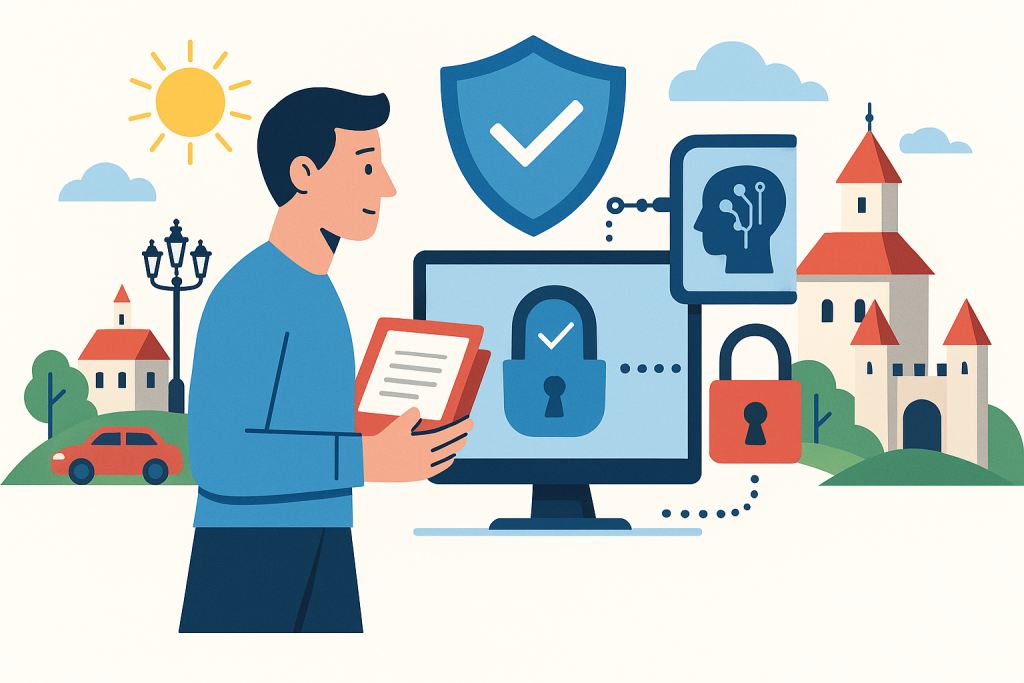
The security of AI tools does not begin with the prompt, but with the account. In small companies, the bad habit of shared logins such as “marketing@company” or passing passwords between people still survives. As soon as someone uploads a document or creates their own assistants through such an account, you lose oversight of who did what and whether access really ended after an employee left.
What to do: Every user must have their own account, multi-factor authentication must be enabled, and ideally sign-in should go through the company identity provider, for example Microsoft Entra ID or Google Workspace, if the service supports it. The administrator must be able to remove users, transfer ownership of shared resources, and check active licenses. Ban shared logins completely.
Who it is for: Teams of five people and up, but also smaller companies that work with external contractors. As soon as more than one person has access to the tool, individual accounts are not a luxury but a basic control.
When not to use this: There is practically no exception. The only limited case is a short internal test by one person without company data. As soon as the service is used in live operation, a shared account is wrong.
If the company already pays for Microsoft 365 or Google Workspace, it makes sense to prefer a setup that relies on the existing identity and user management. Not because it is fashionable, but because of the speed of onboarding and offboarding, central policies, and visibility into who has access to what. For a small team, this is often the cheapest realistic path to management without additional specialized infrastructure.
5. Documents and files: define what may be uploaded, where, and for how long
Many teams address prompt security but forget attachments. Yet uploading a PDF contract, a spreadsheet export, or a presentation with non-public data is often riskier than a short text query. If the tool allows work with files, you must clearly define which types of documents may be uploaded and which may not.
What to do: Write down a list of allowed and prohibited attachments. Allowed items may include public articles, internal methodologies without sensitive data, depersonalized call transcripts, or presentations intended for publication. Prohibited items should include contracts with non-public addenda, CRM exports, payroll materials, customer databases, security reports, and source files containing secret keys or internal architecture.
Who it is for: Teams that use AI for document summaries, transcription of notes, checking text structure, or working with PDFs and spreadsheets.
When not to use this: If you need to process entire client archives, large volumes of personal data, or documentation subject to a contractual ban on further processing. There, simple permission for attachments in a standard AI tool is not enough; you need separate legal and technical assessment.
Add a retention rule as well. If the service allows conversation history, shared spaces, or stored files, define whether work chats are deleted after 30, 60, or 90 days. For a small team, it is realistic to set a shorter retention period and store important outputs in internal storage rather than leaving everything scattered in the AI tool’s history. Specific options depend on the service and plan, so it is necessary to verify what administrative choices it actually offers.
6. Do not use AI as the place where the single version of truth is created
Security is not only about data leaks. It is also about where final materials remain. If the team leaves drafts, summaries, and decision-making materials only in conversations with AI, an operational problem arises: documents are not traceable, are not versioned, and may disappear from the workflow after an account or license change. That is an unnecessary risk for a small company.
What to do: Introduce a rule that final outputs are stored in the company system, for example in SharePoint, OneDrive, Google Drive, Notion, or an internal wiki, not only in chat. AI serves for drafting, analysis, or transformation, but the approved version must be in a standard document repository with access rights and change history.
Who it is for: Companies that already have repeated workflows: sales offers, meeting notes, content plans, internal procedures, or customer responses.
When not to use this: For one-off, low-risk experiments on public data, there is no need to formalize every conversation. But as soon as the output affects a client, a contract, public communication, or an internal decision, it must have standard storage and an owner.
This rule also reduces dependence on a specific vendor. If you change the service or plan after six months, you will not lose your own know-how in the form of important outputs and internal materials. On aivyber.cz, this is also covered long-term in articles about AI assistants, but from a security perspective the main point is that AI should not be the only archive of work content.
7. For more sensitive use, create an approval regime with two questions, not a complicated form
When the process is too cumbersome, people bypass it. A small team therefore does not need a long form or a committee. It needs a short approval regime for cases where an employee is unsure whether they may enter data into AI. Two mandatory questions that they must be able to answer before using the tool work well.
What to do: Introduce the rule: if a document contains personal data, contractually protected content, non-public prices, security details, or client data, the user must ask the responsible person two things. First: can the task be completed with anonymization or an extract? Second: is there an approved environment for this type of document, or should AI not be used at all? It is enough to briefly record the answer in an internal channel or ticket.
Who it is for: Companies without a separate legal or security department. Typically where the approving role is performed by an operations manager, CTO, DPO, or the company owner.
When not to use this: It is not suitable as a substitute for formal assessment in highly regulated activities. If it concerns special categories of personal data, health data, bank identification, or legally regulated documents, the standard compliance process must take over.
The decision rule should be unambiguous. If the task cannot be performed well without the full text of the document and at the same time the document falls into a sensitive class, you do not use a standard AI chat. This helps avoid the most common improvisations of the “I’ll upload it just this once” type.
8. Practical scenarios: what is reasonable and what is already over the line
The marketing team is preparing an article from an internal outline
An internal outline without non-public figures, without client details, and without personal data usually falls into the second data class. It can be used in a company AI workspace or, after simplification, also in a standard approved chat. What to do: remove client names, non-public metrics, and exact business results. Who it is for: content and marketing teams. When not to use this: when the article is based on a non-public product roadmap or embargoed information.
Customer support wants to summarize a long email exchange
If the emails contain full contact details, orders, complaints, and customer history, they cannot be entered into a standard chat without modification. What to do: create a depersonalized extract: the problem, timeline, and desired output. Who it is for: support and account management. When not to use this: if the matter involves a dispute, a refund with legal impact, or a complaint containing personal data on a larger scale.
HR wants to prepare a summary of candidate CVs
CVs commonly contain personal data, employment history, and other identifiers. What to do: use AI only on depersonalized profiles or in a pre-approved mode if you have an environment legally and procedurally prepared for it. Who it is for: internal HR and recruitment. When not to use this: when you do not have a clearly documented legal basis, retention rules, and internal approval of the procedure.
A developer wants AI to review logs and a piece of code
This is a common and underestimated scenario. Logs may contain tokens, internal URLs, user identifiers, and security details. What to do: before entering them, remove keys, tokens, session identifiers, internal hostnames, and production data. Who it is for: development and DevOps. When not to use this: during analysis of a security incident, a production outage with sensitive traces, or when working with private repositories without an approved regime.
9. Limits: what this minimum does not address and where a higher level is already needed
The security minimum is a good start, but it is not full protection. By itself, it does not address legal assessment of personal data processing, contractual addenda with the vendor, data processing location, detailed logging for audit, shadow IT management, or technical restriction of data transfer through endpoint devices. It also does not address the quality of model responses, hallucinations, or responsibility for the factual correctness of the output.
What to do: if the team works with extensive personal data, regulated documentation, or client data at scale, move from the “minimum” to a formal assessment. That means checking the vendor’s contractual terms, retention settings, administrative options, any DPA documents, and the internal legal framework.
Who it is for: Companies in HR, law, finance, healthcare, B2B services with NDAs, and software companies processing production customer data.
When not to use this: As an excuse that writing one-page rules is enough and the job is done. As soon as AI enters key processes or work with more sensitive data, you need a higher level of governance.
It is also important not to fall for the mistaken impression that a paid plan automatically means risk-free use. A paid account is only a prerequisite for better administration and often also better contractual conditions. You still have to monitor what you send to the tool, who has access, and which outputs become part of the company’s records.
FAQ
Is it enough to tell employees not to put sensitive data into AI?
No. Without specific examples, people will not recognize the boundary in the same way. You need at least three data classes, a list of prohibited inputs, and a simple decision rule for unclear situations.
Is it safer to use a paid plan than a free one?
Usually yes, but not automatically. The main advantage of paid team plans is administration, user management, a company workspace, and sometimes different data processing terms. Without internal rules, however, even a paid plan will not solve the problem.
Can a small team use AI on internal documents?
Yes, if the documents do not contain prohibited types of data or are anonymized in advance and the team uses an approved company environment. As soon as personal data, NDA content, or non-public business information is involved on a larger scale, stricter assessment is necessary.
How long should conversation history be retained?
For a small team, the shortest practical period makes sense, for example 30 to 90 days, and important outputs should be moved to internal storage. Specific options, however, depend on the tool and plan.
Is it okay to upload a client presentation and have it summarized?
Only if the presentation does not contain prohibited data and the client does not contractually exclude it. In most B2B relationships, it is safer to work with an extract or an anonymized version. Non-public strategies, prices, and roadmaps do not belong in a standard AI chat.
Conclusion
A small team does not need a robust security program at the start. It needs four things that can be introduced quickly: dividing data into clear classes, banning personal accounts for company work, mandatory anonymization of ordinary inputs, and a rule that final outputs belong in internal storage, not only in AI chat. Add to that a simple approval regime for unclear cases.
As soon as these basics are missing, people improvise and the risk grows mainly because of habit and haste. But if you set the minimum immediately, you gain a practical framework in which AI can be used quickly and without unnecessary gambling with company data. And that is more important for a small team than chasing the highest possible number of tools or the newest model.
Recommended AI stack for implementation
Choose tools according to your budget and level of automation. Below is a direct overview of services for implementing the project.
| Service | Service description | Offer |
|---|---|---|
| NordVPN | VPN service for privacy protection and secure connections. | Open offer |
| Semrush | SEO and marketing platform for analysis and traffic growth. | Open offer |
| Make | Advanced visual automation for workflows and integrations. | Open offer |
| Hostinger | Web hosting and domains for fast website launch. | Open offer |
| Fiverr | Marketplace for freelancers and external specialists. | Open offer |
| Adobe | Creative tools for graphics, video, and digital content. | Open offer |
| Canva | Online design tool for graphics, presentations, and social media. | Open offer |
| Jasper | AI tool for marketing copy and content campaigns. | Open offer |
Note: We use affiliate links for listed services. If you purchase through them, we may earn a commission at no extra cost to you.
Links in the article
Sources of illustrative images
The original illustrative image was created using the OpenAI Images API.
Doporučení ke čtení

Secure AI workflow for teams of up to 20 people: minimum standards in practice

Case study: how a B2B agency reduced proposal preparation time by 50% with AI workflow
The Best AI Tools for Accountants in the Czech Republic 2026: Document Verification, Matching, and Audit Trail