Secure AI workflow for teams of up to 20 people: minimum standards in practice
Small teams adopt AI faster than large organizations because they do not have several rounds of internal approvals or a separate security department. But that is exactly why they more often run into the same problem: AI starts being used before basic rules for data, access, and output control are created. The result is usually not a dramatic attack, but an ordinary operational error — sensitive text pasted into the wrong chat, an export shared through a personal account, or an automatically generated document that nobody fact-checked.
For a team of up to 20 people, the goal is not to build a complex governance program. It needs a minimum that is realistically sustainable: clearly state what types of data must not be entered into AI, who may enable integrations, which tools have a company account, how outputs are verified, and what to do when an error occurs. If these minimums are not written down and operationally enforceable, an AI workflow is just a set of improvisations.
In this article, I focus on practical security standards for small teams. Not abstract ethics, but specific operations: service selection, handling secrets, auditability, usage scenarios, and the limits beyond which deploying AI without additional measures no longer makes sense.
1. Start with data classification, not model selection

The first decision should not be “which model is best,” but “what data is allowed into AI at all.” In a small team, the most practical approach is a four-level classification: public data, internal operational data, sensitive business data, and regulated or highly sensitive data. Each category must have a simple usage rule.
- Public data: marketing copy, public documentation, published price lists. These can be used in almost any approved AI tool.
- Internal operational data: unpublished notes, internal processes, backlog. Only in company accounts with user management.
- Sensitive business data: offers, margins, roadmaps, non-public contractual terms. Only in tools with administration, access control, and clearly described data processing.
- Regulated or highly sensitive data: special-category personal data, health data, access credentials, secret keys, entire contracts without redaction of sensitive parts. Do not put these into standard AI chats.
What to do: Write a one-page table: “data type → allowed tool → prohibited usage method.” If the team uses, for example, ChatGPT, Google Gemini for Workspace, or Claude, assign exactly which data categories are allowed for each tool.
Who it is for: Teams that share documents across roles — typically product, marketing, sales, and customer support within one company.
When not to use this: If you work with non-anonymized health data, secret keys, payment data, or complete HR documentation, a simple internal table is not enough. In that case, you need an assessment of the specific service, contractual terms, and often a separate technical solution.
The important thing is that the classification must be operationally usable within 30 seconds. If an employee cannot tell during normal work whether they may paste text into AI, the rule is too complex and will be bypassed in practice.
2. Use only company accounts with user management and eliminate shadow usage

The most common weakness of small teams is not the model itself, but account chaos. People use personal registrations, connect files from their own cloud, and after leaving the company, data remains in private space. The minimum standard is simple: no work use of AI through a personal account unless the company has provided an explicit exception for a specific type of data.
Compared to personal versions, company accounts have three essential advantages: centralized user management, the ability to disable or restrict connectors, and better control over how data is handled. With services such as ChatGPT Business, Microsoft 365 Copilot, and Gemini for Google Workspace, what matters is precisely that they can be connected to company identity and account management.
As a rough guide, prices for business AI plans range from about USD 20 to 35 per user per month depending on the service and license type; for some products, AI add-ons are charged on top of an existing office license. This is an indicative figure, because pricing and packages change and some offers are negotiated individually.
What to do: Introduce a list of approved AI services and require SSO or at least membership management through the company email domain. At the same time, prohibit sharing outputs through personal cloud storage and block automatic connection of unapproved add-ons.
Who it is for: Teams where more than five people use AI and outputs go to customers or into internal decisions.
When not to use this: If AI is being tested by a single person on public data in a purely experimental mode and nothing is being stored in company processes, full enterprise management may temporarily be unnecessarily cumbersome. Even then, however, it must be clear that this is not a production workflow.
The rule is practical: as soon as AI produces something that is stored in CRM, documentation, an offer, or customer communication, it must happen in a company account, not in a personal space.
3. Restrict inputs: anonymization, redaction, and a ban on secrets in prompts

A large part of security is decided before the query is even sent. A small team does not need a complex DLP system, but it must have minimum input hygiene. That means three rules: do not enter secrets, reduce identifiers, and upload only the necessary scope of text.
Secrets primarily mean API keys, private certificates, passwords, tokens, full connection strings, and internal login credentials. These never belong in a standard AI chat. Not even “just to explain an error.” For customer or HR texts, the minimum is to redact names, emails, phone numbers, addresses, contract numbers, and other direct identifiers unless they are necessary for the task.
The practical difference between a safer and a risky procedure is often small. Instead of “here is the entire thread with the customer and their details, suggest a reply,” use “here is an anonymized summary of the complaint and the contractual constraints, suggest a reply in three variants.”
What to do: Introduce an internal anonymization template: [CUSTOMER_1], [AMOUNT], [DATUM], [PRODUKT]. For development teams, add a rule that .env files, production logs with tokens, and full database exports must not be entered into AI.
Who it is for: Support, sales, HR, finance, and development — roles that routinely work with texts containing identifiers or access information.
When not to use this: When the task loses its meaning without the original sensitive data and at the same time you do not have a tool with corresponding contractual and technical safeguards. A typical example is legal analysis of the full text of contracts with non-public addenda in a standard public chat.
This is where a hard decision rule makes sense: if the task can be solved after redacting sensitive fields without losing more than 20% of its meaning, redaction is mandatory. If not, the task moves to another tool or outside AI.
4. Approve integrations and connectors, because they are what expand the risk
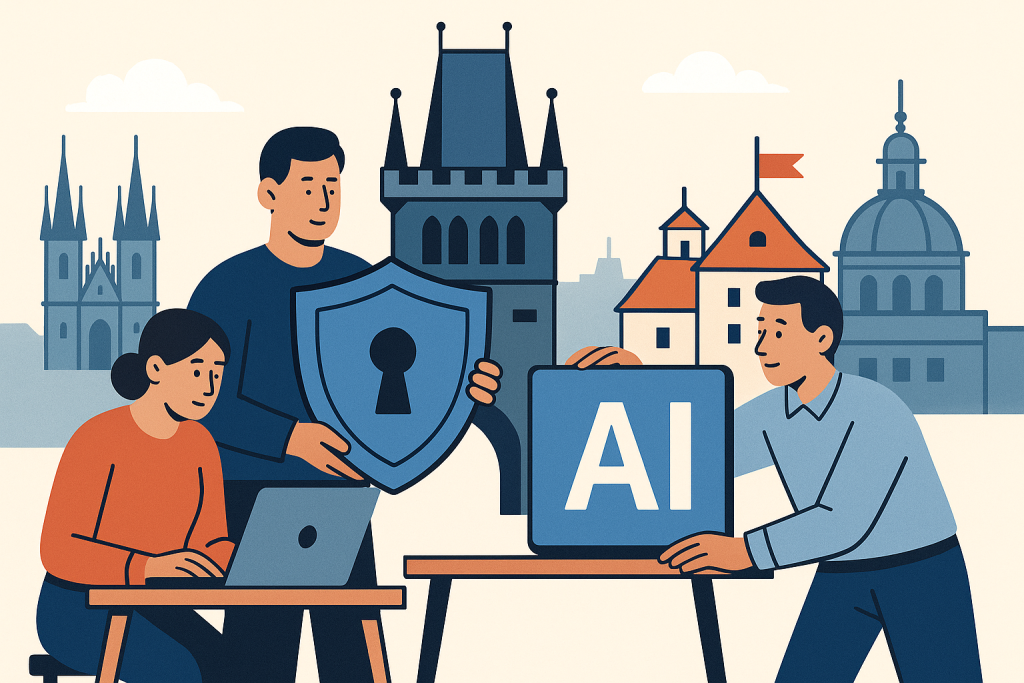
The chat itself is only part of the problem. Connectors to email, documents, storage, code repositories, and internal knowledge bases have a much greater impact. When AI gets access to SharePoint, Google Drive, Confluence, or GitHub, the volume of data it can work with increases significantly. That is useful, but without restrictions it is also dangerous.
Services such as Microsoft 365 Copilot benefit from the permissions the user already has in the tenant. That is both an advantage and a trap: if folder and team site permissions are too broadly open in the company, AI only accelerates them. Similarly, with Gemini for Workspace or search over internal documents, order in access rights matters more than the model’s “smartness.”
What to do: Allow connectors only from an approved list. Start with one storage location and one knowledge base. For each connector, define an owner, purpose, and user group. If nobody can explain why AI should read a given source, the connector does not get enabled.
Who it is for: Teams that want to use AI over internal documentation, helpdesk, wiki, or repositories.
When not to use this: If your document permissions are not cleaned up and employees have long-term access “just in case to almost everything.” In such an environment, AI only makes an old problem more visible and increases its impact.
The practical minimum is a review of access rights before enabling a connector. For a small team, it is enough to check shared folders, external sharing, and access of former employees once per quarter. Without that, any “AI over company data” is premature.
5. Separate assistive use from automation without a human
Security rules must distinguish between two modes. The first is assistive use: AI suggests text, a summary, an outline, or a piece of code, and a human checks the result before use. The second is automation: AI itself triggers steps, writes into systems, or communicates externally without ongoing human approval. It is precisely the second mode that requires a significantly stricter standard.
In a small team, it is reasonable to set the minimum like this: assistive use is allowed for low-risk tasks on approved data; autonomous actions are allowed only where an error will not cause legal, financial, or reputational damage and where logging exists as well as the ability to reverse the action.
This also applies to automations via Zapier or Make. Both services are real and common in small teams, but their strength — connecting multiple applications — also means a larger risk surface. If AI writes through them into CRM, ticketing, or a billing system, it is no longer a harmless experiment.
What to do: Introduce a “human-in-the-loop” rule for everything that goes to the customer, changes data in systems, or creates a financial commitment. Leave automation without approval only for internal summaries, classification, or suggestions that do not themselves send a final result anywhere.
Who it is for: Teams that connect AI with CRM, helpdesk, marketing automation, or internal reporting.
When not to use this: If an error can automatically change a price, delete a record, send a legally significant message, or expose non-public data. In that case, full automation without a human is inappropriate.
A simple rule works better than general caution: anything that creates an obligation, changes source data, or communicates externally must not happen without human approval.
6. Every output must have an owner and a verification rule
An AI output is not a source of truth. That is a familiar sentence, but in practice it is often too general. A small team needs specific verification rules by output type. Otherwise, responsibility dissolves among everyone and is carried by no one.
For customer-facing texts, verify facts, prices, deadlines, and contractual claims. For internal analyses, verify calculations, source data, and the time validity of information. For code, check dependencies, licenses, security flaws, and tests. In every category, it must be stated who the final approver is.
What to do: Create three checklists of no more than five points: for business text, for internal analysis, and for code. For example, for business text the checklist may be: 1) the price is correct, 2) the deadline is correct, 3) there are no unsupported promises, 4) it does not contain someone else’s sensitive data, 5) it was approved by the account owner.
Who it is for: All teams that use AI to create outputs with practical impact — from marketing to engineering.
When not to use this: When you need a formal expert assessment with legal responsibility, for example a legal opinion or medical recommendation. There, AI may help prepare materials, but not replace the authorized work of a professional.
A good minimum rule is: without the name of an approver, the AI output is not complete. This can be enforced very simply, for example with a required field in a ticket or a note in a document.
7. Logging and trace retention: without an audit, there is nothing to investigate
A small team often underestimates logging because it says to itself that “everyone knows who did what.” That only holds until the first error. When sensitive information gets into the wrong document or automation behaves unexpectedly, you need to find out at least three things: who triggered the action, what data they used, and where the result went.
It is not necessary to keep every prompt forever. But the minimum is to have an audit trail for production workflows: the tool used, time, user, input source, and output destination. For automations via Zapier or Make, keep run and error logs. For company AI accounts, use admin overviews and history if the service offers them.
What to do: For all approved workflows, specify where the audit trail is stored and how long it is retained. A practical minimum is 90 days for standard internal workflows and a longer period where AI works with business or contractual communication; this is an indicative operational figure, not a universal legal standard.
Who it is for: Teams that have at least one production automation or use AI in processes that affect customers.
When not to use this: If retaining full inputs would itself increase risk, for example with very sensitive documents. In that case, store only metadata and workflow identification, not the full content.
Logging is not extra bureaucracy. It is a condition for being able to close an incident sensibly within hours, not days.
8. Minimum incident response for AI: what to do within 60 minutes
An incident in an AI workflow in a small team usually takes the form of an operational error: someone enters sensitive text into the wrong tool, automation sends an incorrect output, or a connector exposes a broader set of documents than it should. The response must be short and unambiguous, not dependent on improvisation.
The minimum procedure for the first hour is this: 1) stop further workflow runs or disconnect the connector, 2) determine the scope of affected data, 3) find out whether it involved an approved company account or unmanaged use, 4) block sharing of the output, 5) document the timeline, 6) decide on internal and possibly contractual notification.
What to do: Write a one-page runbook with contact details for the tool owner, account administrator, and team lead. For each approved service, note in advance where integrations are disabled, access is removed, and logs are retrieved.
Who it is for: Small companies without a security department, where incidents are handled by the team lead, operations, or the IT administrator.
When not to use this: If the company is subject to strict regulatory procedures with formally prescribed incident management. In that case, the internal shortened runbook is only a supplement to the mandatory process, not a replacement.
The decision rule should be strict: as soon as there is suspicion that sensitive business or personal data has gone to an unapproved tool, the workflow is stopped immediately and only then is the cause addressed. Not the other way around.
9. Practical scenarios: what is still reasonable and what is not
The marketing team prepares campaign copy drafts
Reasonable use: AI creates five variants based on a public brief, tone of voice, and approved pricing. The final text is approved by a marketer. A company account in ChatGPT or Claude can be used.
Do not use it like this: Entering non-public product changes, embargoed information, or entire customer CRM exports for segmentation in a standard chat.
Sales summarizes meeting notes and prepares a follow-up
Reasonable use: An anonymized note without personal data and without non-public pricing exceptions. AI suggests the structure of a follow-up email, and the salesperson adds specific numbers and commitments manually.
Do not use it like this: Letting AI independently send a summary with contractual promises or discounts without approval.
Customer support classifies tickets
Reasonable use: AI classifies the type of problem and suggests an internal category. The final reply to the customer is approved by an agent. Integration via Zapier or Make is possible if the automation does not send anything by itself.
Do not use it like this: Sending automatic replies to complaints, refunds, or security incidents without human review.
Developers use AI when working with code
Reasonable use: AI explains an error on an isolated code snippet, suggests a test, or a refactor. The output goes through code review and a security check. Repository integrations are enabled only after a permission review.
Do not use it like this: Entering production secrets, entire internal repositories without restrictions, or blindly adopting third-party code without verifying license and security.
10. Limits: where minimum standards are not enough
The minimums described work for standard small teams and medium-risk use. But they are not enough in four situations.
- Highly regulated data: healthcare, parts of financial services, especially sensitive HR matters. Here, detailed legal and technical assessment of the specific service is already needed.
- Fully autonomous decision-making: AI independently approves, rejects, prices, or communicates legally significant decisions. This is outside the scope of the minimum standard.
- Extensive internal integration: dozens of connectors, multiple systems of record, complex roles and permissions. In that case, lightweight management is no longer enough; ongoing oversight is required.
- Lack of basic IT hygiene: if you do not have account management, access reviews, user offboarding, or order in documents, AI will not solve the problem, only accelerate it.
What to do: As soon as any of these four conditions appears, stop expanding AI workflows and first fix the basics: identities, access, document permissions, and automation approvals.
Who it is for: Company owners and team leads who tend to skip operational discipline and go straight to “deploy AI everywhere.”
When not to use this: When you expect AI to replace non-existent processes. AI is not a tool for remediating organizational chaos.
FAQ
Is it enough to ban entering personal data and consider security solved?
No. The risk is not only personal data, but also trade secrets, non-public prices, roadmaps, access credentials, secret keys, and unmanaged connectors to internal systems.
Is it safer to use Microsoft 365 Copilot than a standard public chat?
In a corporate environment, often yes, because it works within Microsoft 365 identity and permission management. But it is not automatically safe. If you have overly broad folder permissions, Copilot does not solve that problem.
Does a team of up to 20 people need a separate AI policy?
Yes, but a short one. Ideally 1–2 pages with rules for data, approved tools, connectors, output approval, and incident response. A long document without operational steps is less useful than short and enforceable rules.
Can free versions of AI tools be used?
Only for public or test data and only outside production workflows. As soon as AI works with internal materials or multiple users, it makes sense to move to a business plan with account management. A free version is suitable for testing, not for a team standard.
Do we have to log full prompts?
Not always. In more sensitive scenarios, it is sometimes better to store only workflow run metadata. What matters is that you can trace who triggered what, over which source, and where the result went.
Conclusion
A secure AI workflow in a small team does not depend on one “correct” service, but on several hard operational minimums. First determine what data is allowed into AI. Then use only company accounts, restrict inputs, approve connectors, separate assistance from automation, assign responsibility for outputs, and retain an audit trail. Finally, have a simple incident procedure.
If only one rule should remain from the whole article, it is this: anything you would not thoughtlessly send to an external supplier by email should not be entered into an AI tool without a clearly approved mode. For a team of up to 20 people, this is an understandable boundary from which security can be built practically, not formally.
Recommended AI stack for implementation
Choose tools according to your budget and level of automation. Below is a direct overview of services for implementing the project.
| Service | Service description | Offer |
|---|---|---|
| NordVPN | VPN service for privacy protection and secure connections. | Open offer |
| Semrush | SEO and marketing platform for analysis and traffic growth. | Open offer |
| Make | Advanced visual automation for workflows and integrations. | Open offer |
| Hostinger | Web hosting and domains for fast website launch. | Open offer |
| Fiverr | Marketplace for freelancers and external specialists. | Open offer |
| Adobe | Creative tools for graphics, video, and digital content. | Open offer |
| Canva | Online design tool for graphics, presentations, and social media. | Open offer |
| Jasper | AI tool for marketing copy and content campaigns. | Open offer |
Note: We use affiliate links for listed services. If you purchase through them, we may earn a commission at no extra cost to you.
Links in the article
Sources of illustrative images
The custom illustrative image was created using the OpenAI Images API.
Doporučení ke čtení

Prompt Injection in Practice: Step-by-Step Red-Team Testing of an Internal AI Bot
The Best AI Tools for Accountants in the Czech Republic 2026: Document Verification, Matching, and Audit Trail
Tripo AI vs Meshy: which 3D model generator fits games, prototypes, and printing