NordVPN in practice: 20 specific situations where you protect your data and privacy
VPN is often described in general terms: it encrypts the connection, hides the IP address, and helps protect privacy. In practice, however, users are not interested in the definition but in specific situations: what exactly changes when I connect to airport Wi‑Fi, open a corporate cloud, log in to online banking, or let a child use a tablet in a hotel? This is exactly where it makes sense to look at using the NordVPN service without marketing shorthand and purely through the lens of everyday scenarios.
NordVPN is a commercial VPN service designed for computers, phones, and other devices. In addition to the encrypted tunnel itself, it also offers accompanying features, such as protection against malicious domains, support for multiple platforms, the option to install it on a router, or solutions for safer access to a home network. None of this is an end in itself, however. The real benefit only becomes clear when a person is dealing with a specific risk: from eavesdropping on an unsecured network to unwanted profiling to restricted access to sensitive data while working on the road.
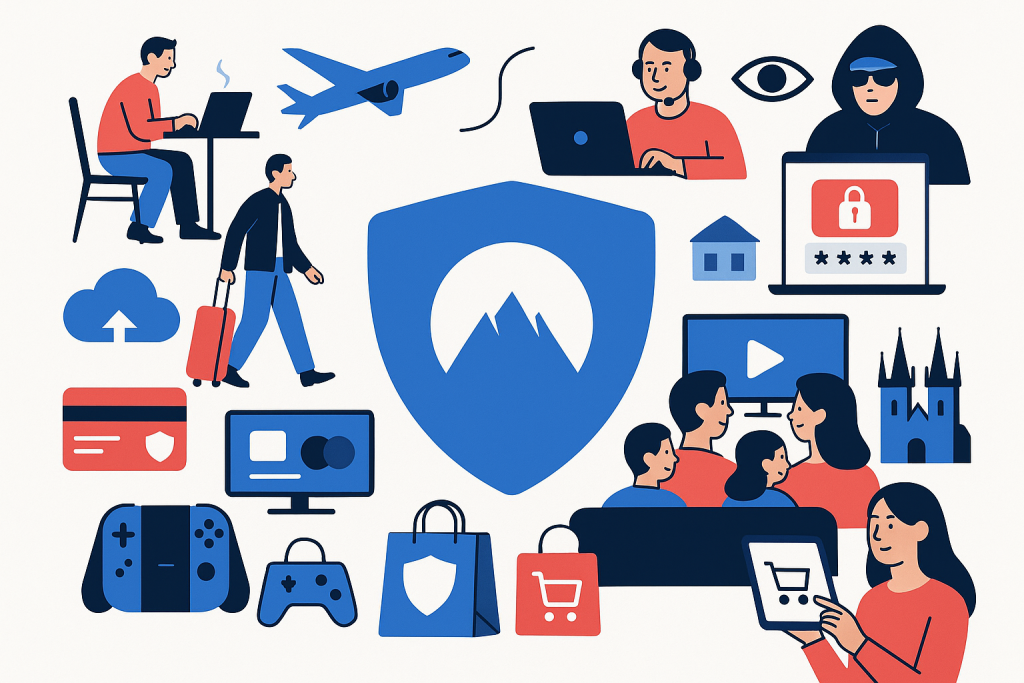
This article therefore presents 20 specific situations in which NordVPN can make practical sense. For each one, we will focus on the real problem, how it is used, and what can and cannot be expected from a VPN. The text is intentionally narrowly focused: public Wi‑Fi, travel, remote work, login protection, online banking, cloud services, streaming services, family devices, smart TVs, gaming consoles, online shopping, phishing, and tracking.
How NordVPN helps in practice
Before we move on to the individual scenarios, it is useful to briefly clarify what a VPN actually does. After turning on the app, the device’s internet traffic is routed through an encrypted tunnel to the VPN provider’s server. The internet provider, the local network administrator, or another entity between you and the VPN server then cannot see the normal form of the transmitted data and has a harder time determining which services you use. External services also see the IP address of the VPN server, not directly your home or hotel address.
That does not mean absolute anonymity or universal protection against all threats. If you log in to your account on Google, Facebook, Microsoft, or another service, your identity is still tied to the account, login, cookies, and other data. A VPN also does not replace antivirus software, a password manager, or common sense when opening suspicious links. Even so, in many situations it can significantly reduce the attack surface.
1. Public Wi‑Fi in a café: basic protection against eavesdropping
A classic scenario: you are sitting in a café, your laptop is connected to a public network, and you need to handle email, open a company document, or log in to several web services. The modern web is largely protected by HTTPS, but public Wi‑Fi remains an environment where you do not want to transmit more data than necessary without additional protection. The network operator, the access point administrator, or an attacker on a compromised network may monitor traffic metadata, attempt page spoofing, or exploit weakly secured services.
In practice, NordVPN makes sense here as the first layer after connecting. Ideally, the app should launch automatically when connecting to an unknown network. That way, the user does not have to remember to manually turn on the VPN every time they move between cafés, coworking spaces, or a hotel lobby. The benefit is not that the VPN magically fixes a poorly designed web application, but that it encrypts traffic from the device all the way to the VPN server. This significantly reduces the value of what someone on the local network can intercept.
Practical tip: on public Wi‑Fi, combine NordVPN with multi-factor authentication on key accounts, for example on a Google account, Microsoft account, or accounts in password managers such as 1Password or Bitwarden. A VPN addresses the network layer, but identity protection also depends on strong authentication.
2. Airports and train stations: quick connection without trusting foreign infrastructure
At airports and train stations, you often connect in a hurry. The network may be overloaded, sometimes requires a captive portal, and users can easily fall into the impression that if the network is “official,” it is automatically safe. Yet such places are inherently unpredictable: a high concentration of people, unknown devices around you, and minimal control over who is using the network.
NordVPN is useful here mainly because, after the initial Wi‑Fi login, it separates your data sessions from the local infrastructure. If you need to open a boarding pass, sync the cloud, or send work attachments, it is sensible to activate the VPN before you start doing anything more sensitive. In practice, this means less dependence on how well the operating mode of the public network itself is secured.
When traveling, it is also useful to have a plan B ready: if the captive portal or airport network temporarily conflicts with the VPN, first complete the Wi‑Fi login and only then activate the tunnel. This is a common procedure and is not a flaw of the VPN itself, but a characteristic of some public networks.
3. Hotel network: work and personal accounts on one connection
Hotel Wi‑Fi networks are a typical compromise between convenience and security. You often use them for several days in a row, while mixing private and work activities on them. A video call in the morning, logging into company storage in the afternoon, streaming and booking transport for the next day in the evening. Long-term use of one foreign network increases the importance of consistent protection.
NordVPN helps here mainly by turning the hotel network into essentially just a transport layer. If you enable automatic connection and keep the VPN active throughout your stay, you minimize the risk that you will perform some sensitive activity unprotected simply because you forgot about protection at that moment. In practice, this is more important than technical parameters on paper: the best security habit is the one that works without unnecessary friction.
Hotels also often present a problem with smart TVs and other devices in the room. If you log in to your own streaming accounts on a foreign device, it is sensible to log everything out after departure and ideally use your own device, such as a laptop, phone, or streaming stick. A VPN protects the transmission, but it does not address physical access by hotel staff to the TV or locally stored sessions on a foreign device.
4. Business trip abroad: protection when switching networks
On a business trip, you move during a single day between mobile data, airport Wi‑Fi, a hotel network, and perhaps even a company branch office. Each such switch is a potential moment when the device communicates via a different path and exposes different metadata. In this scenario, NordVPN is useful not only because of “privacy,” but also because of a consistent security mode across environments.
Practically, this means that both your laptop and phone work similarly regardless of where you currently are. From the perspective of applications, traffic still goes through an encrypted tunnel, reducing the need to think about which network is “trustworthy enough.” For a worker handling client materials, contracts, internal dashboards, or CRM access, this predictability is very valuable.
If the company uses its own enterprise VPN or a Zero Trust approach, for example via Cloudflare Zero Trust, Zscaler, or Cisco, it is important to check compatibility and internal policy. A commercial VPN such as NordVPN may be suitable for basic transmission protection, but some companies require exclusively their own tunnel.
5. Remote work from a coworking space: protection for internal tools and calls

Coworking centers look professional, but from a networking perspective they are shared environments with dozens to hundreds of users. During remote work there, you often open tools such as Google Workspace, Microsoft 365, Slack, Make, Jira, or Figma. Although all these services use their own encryption, a VPN adds another layer of protection between your device and the coworking network.
The practical significance is twofold. First, you encrypt metadata and DNS queries toward the VPN provider instead of the local network. Second, you make attempts at local traffic analysis or exploitation of weaknesses in the surrounding environment more difficult. For video calls via Zoom, Google Meet, or Microsoft Teams, a VPN may slightly increase latency, but with a quality connection the impact is usually tolerable in normal practice.
It is also worth using separate work profiles, screen locking, and a password manager. A VPN does not protect against someone looking over your shoulder at an open dashboard or you leaving your laptop unattended on a table.
6. Logging into accounts while traveling: a smaller footprint, lower risk
Login credentials are among the most sensitive types of data you send over the internet. Today, passwords are typically transmitted over HTTPS and often supplemented with a second factor, but when traveling and using foreign networks, it makes sense to reduce the risks around associated metadata as well. NordVPN will not magically stop phishing if you enter your password on a fake website, but it can help with the network transmission itself and limit the visibility of your activities to local infrastructure.
A typical example: in a hotel, you log in to Gmail, corporate SSO, an e-shop, and a password manager. Without a VPN, some information about the connection remains available to the local network provider. With an active VPN, you place your trust primarily in the VPN operator, not the hotel infrastructure. That may not be the universally right choice for everyone, but for many users it is a more practical and safer model.
A suitable combination for login protection is: NordVPN + password manager + multi-factor authentication + a security key, for example via standards supported by the FIDO Alliance. A VPN is important here, but it works best as part of a broader security framework.
7. Online banking away from home: when a VPN makes sense
Online banking is an area surrounded by many myths. Some users believe that a VPN is suspicious to a bank and should not be used at all. Others expect that a VPN alone will protect their money from fraud. The truth is more sober. Modern online banking is already strongly secured by default, but if you log in from a public or hotel network, a VPN can make very good sense as an additional protection for the transmission layer.
A practical scenario: you are traveling and need to check account activity, confirm a payment, or upload a document to online banking. If you use the bank’s official app and also have NordVPN active, you reduce trust in the foreign network and add an encrypted tunnel on top of standard HTTPS. This is especially useful when you are not sure about the quality of the local infrastructure.
On the other hand, you need to take into account that some banks may evaluate a VPN connection as unusual and request additional verification. This is not a flaw, but part of behavioral fraud detection. If the bank blocks access, it is advisable to use mobile data or temporarily choose a different server. It certainly does not mean that a VPN should bypass the bank’s security mechanisms.
8. Access to cloud storage: protecting sensitive files during synchronization
Cloud storage is now a common part of both work and personal life. We synchronize documents via Dropbox, Google Drive, Microsoft OneDrive, Box, or perhaps storage in a corporate environment. Synchronization clients often run in the background, and the user may not even realize how much data the device is currently uploading or downloading.
NordVPN is practical here especially outside the home and office. If a device on a foreign network is automatically synchronizing contracts, budgets, presentations, or personal documents, it is sensible for that communication to take place through an encrypted tunnel. Although the cloud services themselves use HTTPS, a VPN again reduces the informational footprint relative to the network you are on.
In a work environment, it makes sense to complement a VPN with client-side encryption or restrictions on access to sensitive folders. If a company works with highly sensitive data, a combination with device and identity management tools such as Microsoft Entra ID or Okta may make sense.
9. Sharing files with clients: protection when sending attachments and links
Many small businesses and freelancers deliver materials to clients by email, via a cloud link, or through specialized services such as WeTransfer. If such sending takes place from a hotel, coworking space, or foreign public network, NordVPN makes sense as prevention against metadata and network sessions unnecessarily “sitting” on foreign infrastructure.
The greatest benefit is in routine work. The user does not think about whether they are sending a sensitive spreadsheet or just a banner draft; the VPN is active and traffic is consistently protected. In practice, this is more valuable than selectively turning it on only for “important” tasks, because people often misjudge what is security-sensitive.
At the same time, a VPN does not replace access management. If you send a public link without a password or with too long an expiration period, the problem is in the sharing settings, not in the transmission layer. Data protection in the cloud depends both on encryption during transmission and on permissions after delivery.
10. Streaming while traveling: privacy and connection consistency
Streaming services are often associated with bypassing regional restrictions, but in practical and legitimate use, the main point is privacy and connection security on foreign networks. If you open Netflix, Max, Disney+, Prime Video, or YouTube in a hotel or apartment, it is still an activity that the local network does not necessarily need to map in detail.
NordVPN can help here by routing traffic through a tunnel and reducing the visibility of which services you use and when. This is especially valuable where shared accommodation or campus networks aggregate traffic and the user does not want to expose their habits unnecessarily. A second benefit is that you can use the familiar app environment without constantly thinking about whether the network is “safe only for video” and “unsafe for work.”

However, it is fair to add that streaming services actively enforce their licensing terms. Functionality over a VPN may vary, and it is not appropriate to promise universal availability of everything everywhere. The practical significance of a VPN here therefore rests mainly on connection protection and a lower degree of tracking on foreign networks.
11. Smart TV in an apartment or cottage: protecting accounts and traffic
From a security perspective, smart TVs are often the weakest link in a home or vacation network. They tend to have limited update options, are shared by the family, and often remain logged into accounts. If the TV runs on a system such as Google TV, Android TV, Roku, or Samsung Smart TV, direct VPN support may vary. In practice, this is often solved by installing it on the router.
This is an important scenario especially at a cottage, in a rented apartment, or in a household where multiple people use the TV. If NordVPN is configured directly on the router, it protects traffic even where the app cannot be easily installed. The advantage is clear: streaming apps, system updates, and other network communication of the TV go through an encrypted tunnel without the need to deal with each device separately.
At the same time, it is advisable to regularly check which accounts are logged into the TV and log them out after returning from foreign accommodation. A VPN protects the transmission, not session management in the TV’s user interface.
12. Gaming consoles: safer network connection via the router
Gaming consoles such as PlayStation, Xbox, or Nintendo Switch usually do not have full native support for VPN apps. That does not mean the topic is irrelevant to them. Consoles communicate with manufacturers’ servers, download updates, link accounts, store payment details, and often share a network with other devices in the household.
In practice, NordVPN can be used via the router, so you protect the console without interfering with its system. This makes the most sense on shared networks, in student dorms, rentals, or anywhere you do not want the local infrastructure to profile device traffic unnecessarily. For online gaming, however, you need to take into account that a VPN may increase latency. That is why it makes sense to distinguish between a mode for downloads, updates, and general console use, and a mode for competitive multiplayer, where ping is critical.
The practical conclusion is simple: for privacy protection and network consistency, a VPN on the router can be useful, but for the most sensitive competitive scenarios, it is always necessary to test the impact on responsiveness.
13. Family household: unified protection for multiple devices at once
In a family, it is common to combine a work laptop, children’s tablets, parents’ phones, smart TVs, and sometimes even a NAS or camera system. The security discipline of individual users tends to vary. One family member updates carefully and uses a password manager, another clicks the first link in an email, and a third automatically connects to any open Wi‑Fi. This is exactly where the advantage of a more centralized approach becomes clear.
In such an environment, NordVPN can be used either on individual devices or on the router. Router mode is especially practical where you want to protect devices without a native app as well. The result is more uniform: the entire home network has a consistent VPN exit, and parents do not have to deal with whether the child turned protection on manually. This is useful, for example, when traveling, when the family moves between apartments and various public networks.
However, it is important not to overestimate the role of a VPN in parental controls. If you want to filter content or manage screen time, it is more appropriate to combine a VPN with tools such as Google Family Link or Apple Family Sharing. A VPN protects traffic and privacy; it does not by itself solve educational and operational household rules.
14. Child’s tablet on a hotel network: less tracking, lower risk
A child’s tablet is paradoxically often one of the least monitored devices, even though it runs games, videos, a browser, and various third-party apps. On a hotel network, it can become a fairly open communication point. If a child is watching a video, installing an update, or clicking ad elements in free apps, it is advisable to harden network communication as much as possible.
In such a situation, NordVPN helps in two ways: first, it encrypts the tablet’s traffic relative to the hotel network; second, in combination with protective features for blocking malicious domains, it can reduce some risky traffic. Of course, this is not a substitute for parental controls or antivirus hygiene, but in combination with limited permissions and official app stores, it is a reasonable additional layer.
In practice, it is worth having an automatic mode preset on family devices for unknown networks. This removes dependence on whether a parent, stressed from traveling, remembers that the child’s tablet should be protected just like the work laptop.
15. Online shopping while traveling: protection of payment sessions and less profiling
Today, we commonly shop online from a phone while waiting for a train, from a hotel room, or from an apartment abroad. We log in to e-shops, compare prices, fill in delivery addresses, and sometimes save payment cards. Each such step creates a fairly valuable set of data: who you are, what you buy, where you do it from, and what device you use.
NordVPN makes sense here on two levels. The first is protection of transmission on a foreign network, especially when logging into an account and during the payment process. The second is limiting local tracking and profiling by the network you are currently on. For example, if you browse multiple stores on public Wi‑Fi, you do not want the local infrastructure to easily map your shopping behavior.
At the same time, it should be remembered that a VPN does not address risks on the side of the e-shop itself. If you shop in a dubious store without clear terms or enter data on a spoofed payment gateway, the problem is not the absence of a VPN, but the trustworthiness of the target service. Safe shopping also depends on verifying the store and using official payment interfaces.
16. Booking hotels, flights, and transport: protection of personal and travel data
When making bookings, you enter exceptionally sensitive information: name, contact details, stay dates, sometimes ID numbers, and payment information. Whether you use Booking.com, Airbnb, Skyscanner, KAYAK, or carriers’ websites, it is sensible to address the network side of the matter as well, especially if you complete the booking away from home.

NordVPN is practical here mainly on public and shared networks. If you are changing a flight at the airport, modifying a booking in a hotel, or buying a ticket at a train station, the encrypted tunnel reduces dependence on the trustworthiness of the local infrastructure. Another advantage is consistent behavior across countries, where public network standards may vary.
Phishing is also common with bookings. A user receives an email pretending to be a request to pay the remainder of a stay, or a fake SMS with a link to “confirm the booking.” A VPN alone will not detect such fraud, but in combination with malicious domain blocking and caution when verifying URLs, it can form a useful part of the defense.
17. Phishing prevention: where a VPN helps and where it ends
Today, phishing may be a more practical threat than classic Wi‑Fi eavesdropping. The attacker does not try to break encryption, but to convince the user to hand over the data themselves. The message pretends to be from a bank, delivery service, cloud storage provider, or streaming platform. What role can NordVPN play here?
It is important to be precise: a VPN alone will not automatically save you from phishing. If you open a convincingly spoofed page and voluntarily enter your password or code, the encrypted tunnel does not solve the problem. NordVPN’s benefit may be indirect, especially if you use its accompanying protective features aimed at blocking known malicious domains and risky websites. This can stop some fraudulent attempts before the page even loads.
In practice, however, it is crucial to combine a VPN with other habits: checking the website address, using a password manager that will not autofill a password on a fake domain, and multi-factor authentication. For example, if Bitwarden or 1Password does not offer to autofill login details where it would normally work, that is a practical signal for immediate caution.
18. Limiting advertising and network tracking: more practical privacy in everyday use
Tracking on the internet does not happen only through accounts and cookies, but also through IP addresses, network characteristics, and traffic metadata. A VPN is not an absolute anonymization tool here, but it can reduce some of the data that your internet provider, the operator of a public network, or other entities along the route can see about you. This is practically important especially away from home, where you have no control over who manages the network and how long metadata is retained.
NordVPN helps because external services do not see your local IP address directly, but the IP address of the VPN server. This reduces the link between a specific physical connection and your activity. In combination with blocking some trackers and malicious domains, it is possible to achieve noticeably cleaner and more private browsing, especially on a phone and laptop used while traveling.
At the same time, if you are logged into large ecosystems such as Google, Apple, Meta, or Amazon, a significant part of profiling happens at the account level. So a VPN helps, but it will not by itself make you an “invisible” user.
19. Remote access to a home network and devices: a safer alternative to improvisation
Many users want to access their home NAS, computer, or internal services while traveling. The worst option is often quickly exposing ports to the internet without sufficient security. If the user takes advantage of remote access features offered within the NordVPN ecosystem, for example solutions for safer device-to-device connections, they get a more practical and less risky way to reach home without crude network improvisation.
A real-world scenario: you are in a hotel and need to download project materials from your home computer, connect to a NAS, or make a printer on your home network accessible. Instead of publicly exposed services, you can use a secured connection between your own devices. The benefit is clear: a smaller exposure surface to the internet and simpler access management.
Of course, discipline is still necessary here as well. Devices at home must be updated, protected by a strong password, and ideally also by multi-factor authentication where available. A VPN is a safer transport path, not a substitute for endpoint management.
20. Combining phone, laptop, and router: a scenario for frequent travelers
The most interesting use of NordVPN often does not lie in one specific device, but in a combination of multiple layers. A frequent traveler may have a VPN on both their phone and laptop, and at the same time a preconfigured travel router. In a hotel or apartment, they first log the router into the local network, and all their own devices then connect only to its private Wi‑Fi. This significantly simplifies both operation and the security mode.
Such an arrangement makes sense especially for people who carry multiple devices while traveling: a work laptop, private phone, tablet, e-reader, smartwatch, or streaming stick. Instead of repeatedly configuring each of them, central protection takes place on the router, while on the laptop and phone the VPN can also remain active independently in case they become separated from the router.
This is an example of a scenario where a VPN stops being “one button in an app” and becomes part of thoughtful digital hygiene. This is exactly where its practical value is shown best: less improvisation, lower risk of human error, and consistent protection across days and places.
Limits of NordVPN: what not to expect from the service
To make the picture complete, it is necessary to clearly name the limits. NordVPN does not protect against all types of attacks. It will not prevent you from entering your password on a phishing page, it does not replace security updates for the operating system, and it will not protect an account that has a weak or reused password. If the device itself is compromised by malware, a VPN will not solve the problem.
The second limit is trust in the VPN provider. Instead of your internet provider or local network, you entrust part of your network trust to the VPN service operator. That is why it makes sense to choose an established solution with clearly described infrastructure, clients for major platforms, and transparent information about how the service works. The same applies to the need to monitor whether the VPN interferes with certain specific work or banking processes.
The third limit is performance. A VPN may increase latency and slightly reduce connection speed, especially if you choose a more distant server or are on a poor-quality network. For normal browsing, email, and cloud work, this is usually not critical, but for competitive gaming or very sensitive video calls, performance needs to be tested in the specific environment.
And finally, a VPN is not an excuse for bad habits. You still need to use up-to-date software, multi-factor authentication, a password manager, trustworthy apps, and caution toward unexpected links or attachments.
FAQ
Is NordVPN suitable for public Wi‑Fi?
Yes, this is exactly where it belongs among the most practical uses. On public networks, it helps encrypt traffic between the device and the VPN server and reduces dependence on the trustworthiness of the local infrastructure.
Can I safely use online banking through NordVPN?
In most cases yes, especially while traveling and on public networks. However, you need to take into account that some banks may evaluate a VPN connection as unusual and request additional verification.
Will a VPN protect me from phishing?
Not by itself. A VPN can help block some known malicious domains, but if the user enters data on a fake website, it will not solve the problem. Against phishing, checking addresses, a password manager, and multi-factor authentication are essential.
Does NordVPN make sense for streaming?
Yes, if you want to protect privacy and traffic on foreign networks. However, the functionality of specific streaming services may vary depending on their rules and licensing restrictions.
Can NordVPN be used on a smart TV or gaming console?
Often yes, indirectly, typically through a router. This is a practical solution for devices that do not support a full VPN app or have limited configuration options.
Is a VPN enough as the only protection for remote work?
No. A VPN is an important network layer, but for remote work you also need strong passwords, MFA, an updated system, trustworthy devices, and ideally company access management as well.
Will NordVPN slow down the internet?
Some impact on speed and latency is normal, because traffic passes through an additional layer. With well-chosen settings, the impact is usually small for normal work, but for gaming and sensitive video calls it is advisable to test the service.
Is it better to have NordVPN on the device or on the router?
It depends on the scenario. On the device, you get greater flexibility and easier control. On the router, you protect multiple devices at once, including TVs and consoles. In practice, a combination of both approaches often works well.
Conclusion
NordVPN makes the most sense when we do not view it as an abstract “anonymity tool,” but as a practical network layer for specific situations. Public Wi‑Fi, hotel and airport networks, remote work, logging into accounts, online banking, cloud synchronization, streaming, family devices, as well as smart TVs and consoles — in all these scenarios, it can bring a real reduction in risk and better control over who sees your traffic.
At the same time, it is important to remain realistic. A VPN is not a universal shield against everything. It works best as part of broader security hygiene that includes multi-factor authentication, a password manager, updated devices, and caution toward phishing. But if you travel often, work outside the office, or simply do not want to leave your data habits at the mercy of every foreign network, NordVPN is among the services that have a clearly graspable purpose in everyday practice.
Recommended AI stack for implementation
| Service | Service description | Offer |
|---|---|---|
| NordVPN | VPN service for privacy protection and secure connections. | Open offer |
| Semrush | SEO and marketing platform for analysis and traffic growth. | Open offer |
| Make | Advanced visual automation for workflows and integrations. | Open offer |
| Hostinger | Web hosting and domains for fast website launch. | Open offer |
| Fiverr | Marketplace for freelancers and external specialists. | Open offer |
| Adobe | Creative tools for graphics, video, and digital content. | Open offer |
| Canva | Online design tool for graphics, presentations, and social media. | Open offer |
| Jasper | AI tool for marketing copy and content campaigns. | Open offer |
Note: We use affiliate links for listed services. If you purchase through them, we may earn a commission at no extra cost to you.
Links in the article
- NordVPN
- Microsoft
- Google account
- Microsoft account
- 1Password
- Bitwarden
- Cloudflare Zero Trust
- Zscaler
- Cisco
- Google Workspace
- Microsoft 365
- Slack
- Make
- Jira
- Figma
- Zoom
- Google Meet
- Microsoft Teams
- Gmail
- FIDO Alliance
- Dropbox
- Google Drive
- Microsoft OneDrive
- Box
- Microsoft Entra ID
- Okta
- WeTransfer
- Netflix
- Max
- Disney+
- Prime Video
- YouTube
- Google TV
- Android TV
- Roku
- Samsung Smart TV
- PlayStation
- Xbox
- Nintendo Switch
- Google Family Link
- Apple Family Sharing
- Booking.com
- Airbnb
- Skyscanner
- KAYAK
- Apple
- Meta
- Amazon
Sources of illustrative images
The custom illustrative image was created using the OpenAI Images API.
Doporučení ke čtení

How to safely use AI in a company: minimum standards

ChatGPT vs Claude in 2026: a comparison for smaller teams based on real-world scenarios

Secure data sharing with AI tools: what a small team needs to have in place right away