AI workflow for internal documentation: how to stay organized without manual transcription
Internal documentation usually does not fail to get created because nobody wants to write it, but because there is no time left for it in day-to-day operations. Decisions from meetings remain in the calendar, technical notes in chat, process changes in emails, and know-how in the heads of a few people. The result is not just disorder, but also slower onboarding, unnecessary repetition of questions, and a higher risk of errors when handing over work.
AI can solve this problem well, but only if you deploy it as a workflow, not as a one-off text generator. The goal is not to “let the model write something up,” but to reliably convert emerging operational information into a verifiable, versioned, and traceable knowledge base. This is exactly where the combination of meeting transcription, decision extraction, templates, review steps, and publication into a single system makes sense.
If you want to get a clear overview in advance of which categories of tools exist today for similar workflows, it is also worth reviewing the overviews at aivyber.cz. For broader context related to business use of AI, content dedicated to productivity and automation tools is also relevant, for example thematic overviews within AI hubs and categories on the same website.
Why internal documentation fails and what AI should solve first

The most common problem is not the writing itself, but the fragmentation of sources. One piece of information is created in a meeting, another in a ticket, a third in a pull request comment, and a fourth in a private message. When documentation is created only retrospectively, context is missing: who made the decision, when it took effect, who the change affects, and where the original source is. AI should therefore first collect and structure facts, not “invent an article.”
What to do: start with a map of inputs. Write down where knowledge is created in your company: meetings in Zoom or Google Meet, chat in Slack or Microsoft Teams, tickets in Jira or Linear, documents in Notion, Confluence, or Google Docs, incidents in GitHub or GitLab. For each source, determine what should be transcribed automatically, what should be extracted, and where the output should be published.
Who it’s for: mainly for teams of around 10 people and up, where information already flows across multiple roles. Typically product, development, customer support, business operations, and internal IT. For a smaller team, a simpler mode often pays off: good templates and disciplined management of a few key documents without heavy automation.
When not to use it: if you do not yet have one main place designated where documentation will live. If you are simultaneously using Notion, Confluence, Google Docs, and an internal wiki without clear rules, AI will not reduce the mess, it will only speed it up. First choose a primary repository, and only then automate the inflow of content.
A good decision rule is simple: if you repeatedly search for the same information in two or more systems, automation makes sense. But if most important procedures fit into one well-managed wiki and change only rarely, the return on a fully automated workflow will be low.
How to design an AI workflow: collection, extraction, review, publication

A functional workflow has four layers. The first is data collection, meaning meeting transcription, ticket import, or capturing decisions from chat. The second is extraction: the model pulls decisions, tasks, deadlines, process changes, and open questions from the text. The third layer is review, where a person approves or corrects the output. The fourth layer is publication into the knowledge base in a predefined structure.
What to do: set output templates according to the document type. Do not create a “free-form summary” from a meeting, but a structure such as: context, decision, reasons, impact, responsible person, deadline, source link. For process changes, add fields such as “effective from” and “what it replaces.” For technical documentation, keep sections such as prerequisites, steps, rollback, and known limitations.
Who it’s for: for organizations that already have at least a basic documentation standard. It does not have to be perfect, but it must be clear what a decision, runbook, onboarding guide, or postmortem looks like. Without these templates, the model may generate text, but the outputs will be different every week and hard to compare.
When not to use it: for content that requires one hundred percent legal accuracy and at the same time changes frequently according to legislation or contractual terms. For internal legal guidelines, compliance documents, or security policies, AI can help with a summary, but not with the final approved wording without expert review.
A practical rule: automatically publish only low-risk or medium-risk outputs that have a clear source and easy review. Anything that can affect legal liability, access permissions, financial decisions, or security procedures must go through human approval before publication.
What the minimum data flow should look like
The smallest reasonable solution can look like this: a meeting is recorded and transcribed, AI creates draft minutes from it, the responsible person confirms or edits the decisions with one click, and the result is saved to Notion or Confluence. At the same time, tasks are created in Jira or Asana, and the document gets a link to the source recording. This model is simple, auditable, and realistically operable without a development team.
Which tools make sense for individual parts of the process

For meeting transcription and summaries, specialized services such as Fireflies.ai, Fathom, or Otter.ai are often used. These tools support joining meetings, transcription, task extraction, and export to other systems. For the documentation itself, Notion, Confluence, or Google Docs are commonly used.
If you want to build the workflow through automation, Zapier or Make make sense. For more robust enterprise scenarios, native automations in Microsoft 365 are also used, especially Power Automate in combination with Teams, SharePoint, and Copilot features. In companies already built on Atlassian, Confluence plus Jira is often more practical than trying to stitch together multiple parallel ecosystems.
What to do: choose based on where your data already is. If meetings run in Google Meet and the team works in Notion, it makes sense to try Fathom or Fireflies.ai plus Notion integrations. If you run on Microsoft 365, Teams, SharePoint, and Power Automate often work better. If your development and operations are in Jira, prefer Confluence because of the linkage between tickets, changes, and documents.
Who it’s for: for teams that want to start with AI documentation without building their own API integrations. Ready-made tools have the advantage of faster deployment and lower maintenance requirements. This is especially useful for internal IT, product managers, operations managers, and team leads who need results in days, not quarters.
When not to use it: if your internal data must not leave a specific jurisdiction, you have strict data residency requirements, or recording meetings into external SaaS is prohibited. In that case, you first need to verify processing terms, DPA, regional hosting options, and retention rules. Without that, rapid deployment is inappropriate.
Indicative pricing varies by features and number of users. For example, AI note-taking tools often range approximately from USD 15 to 35 per user per month, and higher for enterprise plans; this is only an indicative figure, and the specific price depends on billing, features, and volume. Notion, Confluence, and automation platforms have their own pricing models, typically based on the number of users, automation runs, or advanced permissions.
If you are dealing with a broader selection of AI tools by use case, it is also worth following specialized overviews and comparisons at aivyber.cz, where it is easier to compare whether you need more of a meeting assistant, a corporate knowledge base tool, or an integration layer.
How to turn meetings, chats, and tickets into a usable knowledge base
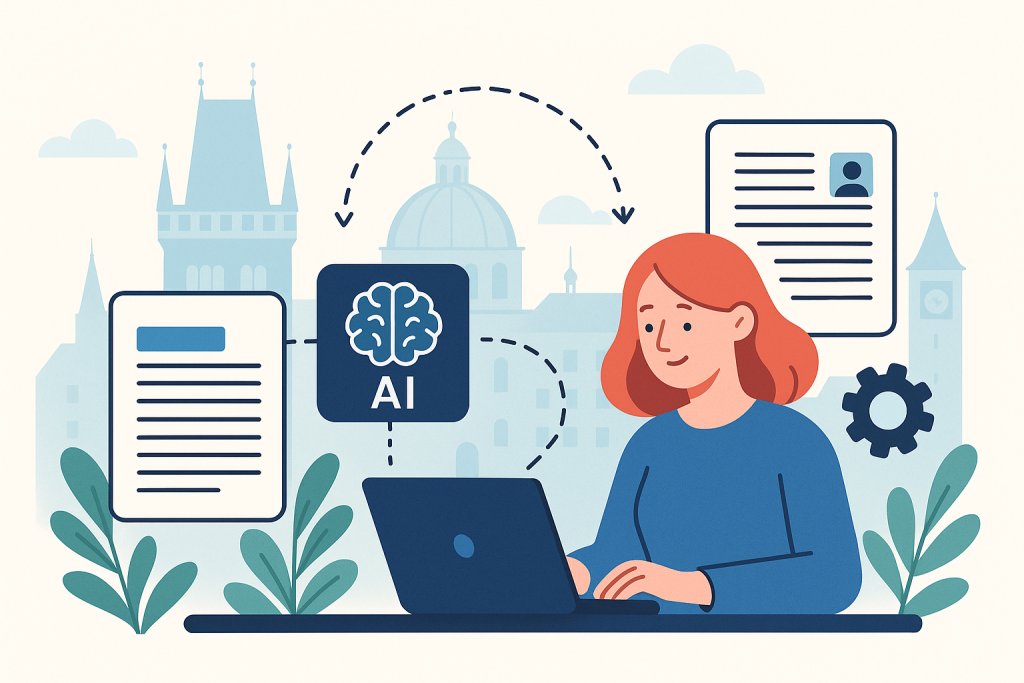
Not everything AI processes belongs in the wiki. A knowledge base should serve repeatedly reusable information, not archive everything anyone has ever said. That is why it is important to distinguish between one-off notes and lasting knowledge. A meeting can result in two different outputs: brief minutes for participants and a separately updated document that carries the valid decision or new procedure.
What to do: introduce output classification. For example: “minutes,” “decision,” “process change,” “runbook,” “FAQ,” “onboarding,” “incident knowledge.” AI should first decide which category the text belongs to, and only then apply the corresponding template. This reduces chaos, where one model creates an article one time and bullet points the next time without a clear document role.
Who it’s for: for companies where the same questions keep recurring in support, internal IT, or product delivery. There it becomes clear very quickly that tickets and incidents can be mined for frequently asked questions, guides, and troubleshooting procedures. Distributed teams also benefit, where part of the decision-making happens asynchronously and without a central note-taker.
When not to use it: when you need to preserve complete conversation history as evidence. A knowledge base is not a communication archive. For audit, HR investigations, or legal disputes, you must preserve original sources, metadata, and access separately. An AI-created summary is a secondary layer, not a replacement for the original.
The practical filter is this: only information that someone else will likely need later and that has at least medium-term lifespan goes into the knowledge base. One-off coordination notes, personal tasks, or partial brainstorming do not belong there, even if AI can write them up nicely.
Scenario 1: Product meetings and roadmap decisions
For product meetings, it makes sense to automatically capture decisions, alternatives, and impact on the backlog. A tool like Fathom or Fireflies.ai creates a transcript and summary, automation sends the draft to Notion or Confluence, and the product manager only adds priorities and links to epics in Jira. The result is not just minutes, but a traceable decision log.
Scenario 2: Incidents and operational runbooks
After an incident, the biggest problem is usually that the fix is done quickly, but the lessons learned do not remain in the documentation. Here, a workflow works well that creates a runbook draft from the incident channel, tickets, and postmortem notes: symptoms, diagnostic steps, fix, rollback, escalation conditions. The responsible engineer only confirms technical accuracy, and the document is published to the operations section.
Scenario 3: Customer support and internal FAQ
If the same question repeats ten times a month in the helpdesk, you have a candidate for a knowledge article. AI can regularly analyze tickets in a system such as Zendesk or Intercom, group recurring topics, and propose an FAQ. A support editor then checks the wording, adds screenshots, and determines whether it is an internal or public article.
Quality management: how to prevent hallucinations, obsolescence, and duplicates
The biggest weakness of AI documentation is not style, but trustworthiness. The model may merge two different decisions, infer a missing detail, or take an invalid procedure as current. The second problem is obsolescence: a document is created correctly, but after two months it no longer reflects reality. The third problem is duplicates, where a similar guide exists in three places and nobody knows which one is valid.
What to do: introduce mandatory metadata. Every document should have an owner, date of last verification, source of information, document status, and date of next review. AI can propose metadata, but the owner must be a specific person or role. Without an owner, documentation quickly degrades into an archive of unverified texts.
Who it’s for: for companies that already feel the pain of outdated procedures. Typically technical teams, customer support, and internal operations, where an incorrect guide means lost time or a direct operational problem. For these teams, it is better to have fewer documents with an accountable owner than hundreds of pages without maintenance.
When not to use it: if you do not want to assign responsibility for reviews. It is not realistic to expect AI to take care of correctness on its own without an internal process. When documents have no owner and no review deadlines, automation only accelerates the creation of unverified content.
A specific rule against duplicates: before creating a new article, have the workflow search for similar documents by title, tags, and embedding-based search. If similarity exceeds a predefined threshold, for example an internally set 80%, AI should propose updating the existing article instead of creating a new one. The threshold value is an internal setting, but the principle is fixed: search first, create only afterward.
Security, access rights, and legal limits
Documentation automation often breaks down on security. Meeting recordings may contain personal data, trade secrets, access information, or internal financial data. If an AI summary is then sent to the wrong space, the problem is bigger than a few saved minutes. Security therefore must not be an afterthought, but an input condition of the design.
What to do: divide content into at least three levels: internally public, team-restricted, and sensitive with manual approval. For sensitive meetings, disable automatic publication and in some cases automatic recording as well. Also verify data retention periods, the option to disable training on customer data, audit logs, and processing terms for each service.
Who it’s for: especially for companies in fintech, healthcare, HR, legal services, or B2B environments with sensitive contractual information. There it is not enough that a tool “has an enterprise plan.” You need to know where the data is stored, who has access to it, how long it is retained, and how history is deleted.
When not to use it: if the team is unable to distinguish between sensitive and non-sensitive meetings or if it uses shared accounts without traceability. In such an environment, it may be safer to disable recording entirely and automate only the subsequent processing of manually taken notes in a controlled system.
The decision rule is practical: if a document contains special-category personal data, access credentials, non-public financial results, or content under NDA with a limited circle of recipients, it must not go into fully automated publication. AI can help here with an internal text draft, but not with unattended circulation.
How to calculate ROI and where to start without an unnecessarily large project
The most common mistake is too broad a scope. A company wants to automate meetings, support, onboarding, the technical wiki, and business handovers all at once. It is better to start with one flow of information where there is high frequency and measurable time loss. Typically product leadership meetings, incident response, or recurring support. There you can quickly verify the benefit without a complex transformation of the whole company.
What to do: choose one process with a clear metric. For example, time spent manually writing meeting notes, number of repeated internal questions, onboarding length, or the share of tickets resolved according to an existing guide. Measure the baseline before deployment and compare the change after 4 to 8 weeks. Without a baseline, you cannot seriously say whether automation helped.
Who it’s for: for teams that need to justify the investment with a budget, not an impression. This applies especially to department heads, operations, and internal IT. If you can show that notes from 20 meetings a month reduced administrative work by, say, several hours a week, deciding on further expansion becomes much easier.
When not to use it: when you expect immediate full autonomy without process adjustments. The first phase usually still requires approvals and template tuning. If the company just wants to “turn on AI and stop worrying about documentation,” the result will either be low quality or problematic from a security perspective.
The indicative economics are fairly straightforward for simple workflows. If a meeting assistant costs approximately USD 20 to 30 per user per month and saves a team lead several hours of administrative work, the return can come quickly. But this is only an indicative figure; the actual benefit depends on meeting frequency, labor cost, and whether the outputs really end up in a used knowledge base, not just in an email summary.
Limits you will hit sooner than expected
The first limit is input quality. If a meeting is chaotic, without an agenda, and full of people talking over each other, AI will not create a high-quality decision record. The second limit is linguistic and terminological accuracy. In an internal environment, abbreviations, project names, and informal references are used, which the model confuses without a glossary. The third limit is change management: people often assume that documentation will “somehow create itself,” and stop taking responsibility for correctness.
What to do: create an internal glossary of terms and rules for meetings. The basics are enough: use project names consistently, state decisions explicitly, and confirm tasks and responsibilities at the end of the meeting. This small amount of discipline improves output quality more than switching to a newer model version.
Who it’s for: for teams where AI already “sort of works,” but the outputs are not reliable enough. Often the problem is not the model, but input chaos and unclear source structure. Process improvement is usually cheaper than buying more tools.
When not to use it: if internal communication is intentionally informal and fast and nobody wants to introduce even minimal documentation discipline. In such an environment, AI will generate a lot of text, but only a small part of it will be usable long term without frustration.
FAQ
Can every meeting be converted into documentation fully automatically?
No. Fully automatic publication is suitable only for low-risk content types and with a clearly defined template. For decisions affecting security, finances, legal obligations, or access rights, a human approver should be mandatory. In practice: automatically create a draft yes, automatically publish everything no.
Is Notion or Confluence better?
If you mainly need a clear internal wiki and a flexible database-style approach, Notion often makes sense. If you already operate in Jira and need a stronger link to development and operational processes, Confluence is usually more practical. The decision rule is not universal: choose the system in which most related processes already live.
Does it make sense to use a general LLM interface without a specialized meeting assistant?
Yes, but mainly where you have your own text sources and do not need native meeting recording. Specialized assistants save time thanks to meeting joining, speaker diarization, summaries, and exports. If you already have transcripts by other means and only need transformation into templates, an automation platform plus a model API may be enough.
How do you know that the knowledge base is bloating and losing quality?
There are three warning signs: users still ask about things that should be in the documentation; there are multiple articles on the same topic; and a significant portion of documents has no owner or date of last verification. At that point, do not add more automation, but perform consolidation and set up archiving.
How much time does the first deployment take?
For a simple scenario, for example an automatic draft of meeting notes into Notion or Confluence, a pilot can take a few days up to two weeks including template and permission testing. For more complex enterprise workflows with multiple sources, approvals, and security rules, expect rather several weeks. The deciding factor is not only the technology, but also the process rules.
Conclusion
Automating internal documentation with AI works when it solves a specific flow of information from source to verified document. The model alone will not solve the problem. You need to clearly determine where the information comes from, what types of outputs should be created, who approves them, where they are published, and when they are re-verified. Without these rules, AI will only accelerate the creation of more textual clutter.
The best start is narrow and measurable: meetings, incidents, or internal FAQ. Introduce templates, metadata, owners, and simple security thresholds. Only when this foundation works should you expand the workflow to other departments. The goal is not more documents. The goal is less manual transcription and more traceable know-how that can actually be used.
Recommended AI stack for implementation
Choose tools according to your budget and level of automation. Below is a direct overview of services for implementing the project.
| Service | Service description | Offer |
|---|---|---|
| NordVPN | VPN service for privacy protection and secure connections. | Open offer |
| Semrush | SEO and marketing platform for analysis and traffic growth. | Open offer |
| Make | Advanced visual automation for workflows and integrations. | Open offer |
| Hostinger | Web hosting and domains for fast website launch. | Open offer |
| Fiverr | Marketplace for freelancers and external specialists. | Open offer |
| Adobe | Creative tools for graphics, video, and digital content. | Open offer |
| Canva | Online design tool for graphics, presentations, and social media. | Open offer |
| Jasper | AI tool for marketing copy and content campaigns. | Open offer |
Note: We use affiliate links for listed services. If you purchase through them, we may earn a commission at no extra cost to you.
Links in the article
Sources of illustrative images
The original illustrative image was created using the OpenAI Images API.
Doporučení ke čtení

Lead scoring from forms using AI: rules that will increase the quality of sales opportunities

Prompt Injection Tests for a Corporate AI Bot: Minimum Security Baseline

AI Mode in Search: how to change your content strategy when the SERP already provides the answers