Safe use of AI in a small business: 12 practical rules for sensitive data
Small businesses today are deploying generative AI faster than they once adopted cloud office suites. The reason is simple: immediate benefits in administration, marketing, customer support, and internal document work. At the same time, however, small businesses often lack a formal security framework. The result is often uncontrolled use of public chatbots, copying parts of contracts into unverified services, unclear responsibility for outputs, and overly broad employee permissions. If a company works with personal data, trade secrets, pricing, technical documentation, or clients’ contractual data, such an approach is unsustainable.
Using AI securely does not mean banning it. It means clearly defining what is allowed, who is responsible for what, which services are approved, how access is configured, how outputs are reviewed, and what to do in the event of an incident. In practice, this is a combination of governance, technical setup, and everyday operational discipline. The following 12 rules are designed for a small business that wants to use AI effectively, but without unnecessary gambling with sensitive data.
1. First, divide data by sensitivity

Illustrative context for the topic continues below.
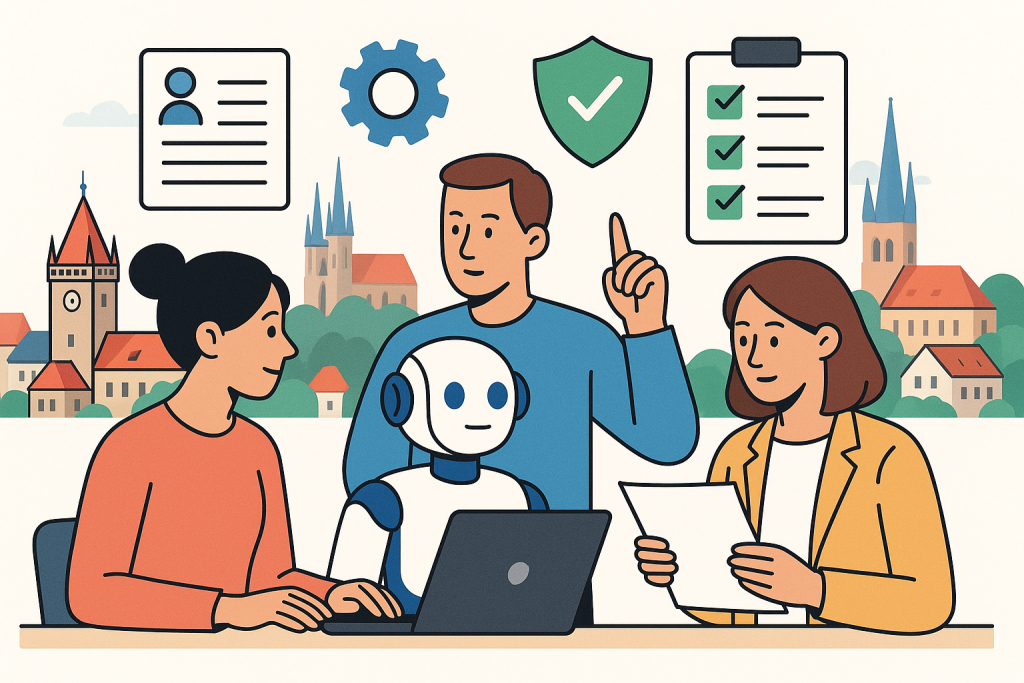
The most common mistake does not lie in choosing the model, but in the fact that the company does not distinguish what data it sends to AI at all. Introduce a simple classification with at least four levels: public, internal, confidential, and highly sensitive. The last category usually includes personal data, health information, payroll records, unpublished financial results, non-public contracts, API keys, access credentials, and know-how with a direct business impact.
For each level, determine whether the data may be used in a public AI service, only in an enterprise version with contractual guarantees, or not at all. The rule must be understandable even to an employee who does not want to study a twenty-page security policy. A typical example: public marketing messages can be analyzed in almost any approved service, but a contract draft containing personal data cannot.
2. Use only approved services and keep a record of them

There should not be a situation in the company where “everyone uses whatever suits them.” Approve a short list of permitted services, define their purpose, and document for each service the basic security parameters, login method, data storage location, available administrator functions, and contractual terms. In a smaller company, three to five tools are usually enough, not fifteen.
Services actually used in practice include, for example, ChatGPT, Google Gemini for Workspace, Microsoft 365 Copilot, Claude from Anthropic, or Atlassian Rovo for working with the company knowledge base. However, the mere existence of a well-known brand is not enough. What matters is which version the company uses, whether it has administration, what the default data processing terms are, and how auditability is handled.
3. For sensitive data, choose enterprise modes, not personal accounts

A large part of the risk arises because employees use personal accounts or free plans. The company then has no central administration, cannot enforce login through the corporate identity, cannot see activity, cannot revoke access when an employee leaves, and often does not even know whether inputs are used for further service improvement. For sensitive data, therefore, use only enterprise or team versions of services with account management, contractual documentation, and the ability to set policies.
A typical minimum is single sign-on via Microsoft Entra ID or Google Workspace, mandatory multi-factor authentication, and a ban on registering for unapproved AI services using a corporate email address. If an employee needs a new tool, it must go through an approval process. In a small company, this does not have to be complicated: a brief form, a security check, and a decision by the responsible person within a few days.
4. Ban the insertion of secrets, login credentials, and full personal data
Some bans should be absolute. Passwords, private keys, seed phrases, access tokens, database exports containing full personal data, and entire non-public contracts without prior assessment must not be entered into AI services. Likewise, employees should not copy complete email threads containing sensitive communication into prompts unless this is explicitly permitted and technically secured.
If it is necessary to work with sensitive text, use the principle of minimization. This means removing names, addresses, personal identification numbers, contract numbers, pricing data, or other identifiers that are not necessary for the task. Instead of a client’s real name, a role or anonymous label is enough. Instead of the entire contract, a specific anonymized passage is often sufficient.
5. Introduce roles and responsibilities, even if the company is small
Secure use of AI needs specific owners. Even in a small company, it is worth dividing at least four roles:
Owner of the AI agenda
Typically the COO, IT manager, or managing director. Approves tools, rules, and decides on exceptions.
Access administrator
Configures accounts, roles, MFA, integrations, and permission removal. In smaller companies, this role is often fulfilled by external IT administration.
Guarantor of legal and data rules
Assesses whether the intended use complies with contracts, personal data protection, and internal data classification.
User responsible for the output
Every employee who uses AI must also be responsible for checking and editing the output and not approving an incorrect or risky version just because it was created quickly.
The key point is that it must be clear that AI is not an autonomous decision-making authority. Responsibility remains with the human and with the company.
6. Set access according to the principle of least privilege
Not every employee needs access to all AI functions and all data sources. The principle of least privilege means that a user receives only the permissions they need for their work. Marketing does not need access to HR documents, an external copywriter does not need the internal sales pipeline, and a temporary customer support worker should not be able to connect an AI assistant to the entire contract repository.
In practice, this means separating roles by team, limiting access to connectors for repositories such as OneDrive, Google Drive, or Confluence, regularly reviewing user groups, and deactivating unused accounts. Special attention is required for integrations with CRM, helpdesk, and accounting systems, because that is where sensitive data is often concentrated.
7. Every AI output must have a defined level of review
Not all outputs require the same degree of review. Create three levels of review:
Low risk
For example, headline suggestions, a summary of a public article, or an internal presentation outline. Standard user review is sufficient.
Medium risk
For example, emails to clients, internal guidelines, or business texts with specific parameters. These require factual review and language editing.
High risk
Legal texts, HR documents, price quotes, responses containing legal or regulatory claims, work with personal data. Here, approval by a second person or a specialist is necessary.
The rule is simple: the higher the impact on the client, contract, finances, or privacy, the stricter the review. AI should speed up work, not bypass validation.
8. Create a standard process for permitted use cases
A security policy should be practical. It is not enough to say that AI is allowed “for work purposes.” The company should write down specific scenarios that are approved and brief rules for each of them. For example:
- summary of an internal meeting without personal data,
- drafting marketing text from public materials,
- categorization of anonymized customer support tickets,
- help with creating an offer outline without stating exact prices and client identifiers,
- searching the internal knowledge base with restrictions based on team permissions.
Conversely, prohibited or conditionally permitted scenarios should be stated just as explicitly. Typically, these include generating final legal documents without review, uploading database exports to public services, or automated decision-making about employees or customers without human oversight.
9. Think about logging, audit, and incident records
A small company often assumes that audit is a topic for corporations. But without basic records, it is impossible to determine afterward who used which tool, when a permission change occurred, or whether an incident arose from an individual’s mistake or poor configuration. For approved services, therefore, enable administrator logs, login records, and permission change records wherever available.
At the same time, prepare a simple process for incident reporting. If an employee accidentally enters sensitive text into the wrong service, they must not hide it out of fear of punishment. They need a clear procedure: immediate reporting, identification of the scope, impact assessment, technical remediation, and, if necessary, legal assessment. A fast response is often more important than a perfect initial estimate.
10. Work with anonymization and data preprocessing
In many cases, it is not necessary to send original data to AI. Introducing simple anonymization or pseudonymization dramatically reduces risk. In customer tickets, names and contact details can be replaced with neutral labels; in contracts, party identifiers and pricing appendices can be removed; in internal reports, data can be aggregated to a higher level.
If the company uses AI over its own knowledge base, it is worth creating an intermediate layer that checks documents for sensitive content before sending them, or at least limiting indexed sources only to safe folders. It is also important to follow the principle that the model should receive only the minimum information necessary to complete the task.
11. Train employees on specific situations, not in general terms
A one-time training session of the type “AI is useful, but be careful with data” does not work. Employees need to know specific situations from their work: what a salesperson may enter into AI when preparing an offer, how an HR specialist should anonymize a résumé, what procedure an accountant should use when summarizing invoices, and what customer support must not do when working with tickets.
The most effective approach is short training supplemented by an internal rules card, sample prompts, and examples of correct and incorrect use. Each team should have several permitted scenarios, several prohibited ones, and a clearly described escalation contact for unclear cases.
12. Reassess the rules regularly
AI services change quickly. Business terms, administrator functions, data retention options, and available integrations all change. What was safe six months ago may not be safe today, and vice versa. A small company should therefore review at least once a quarter the list of approved services, access settings, new connectors, audit logs, and internal incidents or near-incidents.
The reassessment should answer four questions: are we still using only approved tools, do roles correspond to the actual work people do, have unnecessarily broad accesses emerged, and does output review work in practice or only on paper?
Practical scenarios: how to apply the rules in everyday operations
Marketing is preparing a case study
Permitted procedure: the team uses ChatGPT or Gemini for Workspace to draft an outline and refine the language, but works only with publicly approved information about the project. Prohibited procedure: inserting an internal presentation with the client’s non-public results and asking the model to “create a strong story” without prior anonymization and consent.
Customer support is sorting incoming tickets
Permitted procedure: anonymize names, contact details, and order numbers, then use AI for categorization and a draft response outline. The final response to the client is reviewed by the operator. Prohibited procedure: connecting a public chatbot without restrictions to the entire communication archive and letting it generate final responses without human review.
A salesperson is preparing an offer
Permitted procedure: let AI suggest the structure of the offer, the wording of benefits, and a list of questions for the client. Specific prices, margins, contractual exceptions, and non-public business terms are not entered into the tool unless there is an approved secure mode for doing so. Prohibited procedure: entering the complete negotiation history, internal pricing, and competitive analysis into a personal account in an unverified service.
HR is processing résumés
Permitted procedure: remove personal identifiers and use AI to compare skills with the position requirements. The result serves only as supporting material. The final decision is made by a human and can be justified even without reference to the model. Prohibited procedure: automatically rejecting candidates purely based on an AI score without human review.
Limits: what AI will not solve from a security perspective in a small business
No tool by itself can replace access management, data hygiene, or responsible decision-making. If a company has chaos in shared folders, outdated accounts of former employees, or unclear contractual relationships with clients, AI will only highlight these weak points further. Likewise, it is not true that an enterprise plan automatically solves all regulatory and contractual obligations. The company must always assess what data it processes, on what legal basis, and whether the given use is compatible with its obligations.
Another limitation is the reliability of outputs. Even a high-quality model can make a factual error, overlook context, or formulate confident-sounding nonsense. That is why it is essential to separate productivity from trustworthiness: AI can speed up the first draft, but final correctness must be confirmed by a competent human.
Checklist for a small business
- Does the company have data classification with at least four levels?
- Is there a list of approved AI services and their purposes?
- Do employees use only corporate accounts, and is MFA enabled?
- Is the insertion of passwords, tokens, keys, and full personal data prohibited?
- Are the roles defined: AI agenda owner, access administrator, legal/data guarantor?
- Is access configured according to the principle of least privilege?
- Do AI outputs have a defined level of review according to risk?
- Are permitted and prohibited use scenarios described?
- Are logs enabled and is there an incident reporting process?
- Does the company use anonymization or data minimization before sending data to AI?
- Have employees been trained on specific examples?
- Are tools, access, and rules reviewed at least quarterly?
FAQ
Can a small business use public AI chatbots?
Yes, but only for approved scenarios and not for sensitive data, unless the company has verified terms, account management, and clear internal rules. A public chatbot is not automatically prohibited, but it must not become an uncontrolled repository of company know-how.
Is it enough to tell employees not to put personal data into AI?
No. It is necessary to define approved services, technically enforce corporate accounts, configure access, describe permitted scenarios, and train regularly. A recommendation alone, without process and control, is usually ineffective.
Is the enterprise version of a service always safe for all data?
No. An enterprise version usually offers better management, audit, and a contractual framework, but the company must still assess whether specific data may be entered into the service, who will have access to it, and how outputs will be reviewed.
Who bears responsibility for an incorrect AI output?
Responsibility lies with the company and the specific person who used or approved the output within their role. AI is a tool, not a bearer of responsibility.
How often should AI rules be reviewed?
The practical minimum is once a quarter and always when a new tool or connector is introduced, or after a security incident.
Conclusion
Secure use of AI in a small business is not built on complexity, but on discipline. It is enough to clearly divide data by sensitivity, approve a limited number of services, use only corporate accounts, set the minimum necessary permissions, introduce output review, and teach employees to work with anonymization and escalation of unclear situations. The biggest risk is not AI itself, but the impression that it is just a harmless auxiliary tool that does not require the same operational responsibility as other company systems.
If a small business manages to translate these 12 rules into everyday practice, it will gain productivity from AI without unnecessarily opening the door to data leaks, contractual problems, or incorrect decisions. It is precisely this combination of speed and control that will determine whether AI becomes a real advantage or a new source of operational risk.
Recommended AI stack for implementation
| Service | Service description | Offer |
|---|---|---|
| NordVPN | VPN service for privacy protection and secure connections. | Open offer |
| Semrush | SEO and marketing platform for analysis and traffic growth. | Open offer |
| Make | Advanced visual automation for workflows and integrations. | Open offer |
| Hostinger | Web hosting and domains for fast website launch. | Open offer |
| Fiverr | Marketplace for freelancers and external specialists. | Open offer |
| Adobe | Creative tools for graphics, video, and digital content. | Open offer |
| Canva | Online design tool for graphics, presentations, and social media. | Open offer |
| Jasper | AI tool for marketing copy and content campaigns. | Open offer |
Note: We use affiliate links for listed services. If you purchase through them, we may earn a commission at no extra cost to you.
Links in the article
- OpenAI
- Claude
- ChatGPT
- Google Gemini for Workspace
- Microsoft 365 Copilot
- Atlassian Rovo
- OneDrive
- Google Drive
- Confluence
Sources of illustrative images
The custom illustrative image was created using the OpenAI Images API.