ChatGPT vs Claude in 2026: a comparison for smaller teams based on real-world scenarios
The choice between ChatGPT by OpenAI and Claude by Anthropic has long since stopped being just a question of which tool “writes better.” For smaller teams, what matters more is the combination of price, practical limits, output quality in Czech, handling longer source materials, team sharing options, and also how reliably the tool behaves in repeated work scenarios. This is exactly where the differences between the two services show the most.
In this comparison, I focus exclusively on practical use in smaller teams: marketing, sales, customer support, internal operations, preparation of materials, document summarization, and text creation. This is not a theoretical comparison of models, but a look at what makes sense in the day-to-day operation of a company with a few people, a limited budget, and a need for quick results.
What smaller teams actually consider when choosing


Small and lower mid-sized teams usually do not choose an AI assistant based on benchmarks, but on whether it saves them time without introducing additional complexity. They typically deal with five areas:
- Price per user and cost predictability – whether the service can be deployed for several people without a sharp increase in budget.
- Usage limits – how many queries, how long conversations, and how stable performance can be expected during a normal workday.
- Output quality – especially in Czech, for structured texts, summaries, analyses, and working with instructions.
- Working with documents – whether the tool can handle longer source materials, multiple files, and meaningful answers based on them.
- Team features and security – sharing, account management, separation of company data, and administration.
From this perspective, both ChatGPT and Claude have very strong points, but not always in the same situations.
Pricing and plan logic: what is more practical for a small team

ChatGPT: a broader ecosystem and more familiar team deployment
ChatGPT is the first choice for many companies simply because it is the most widespread service in the generative AI segment. In addition to individual plans, it also offers options for team and enterprise use. For a smaller team, the main advantage is that OpenAI has long been building a broader product ecosystem around ChatGPT: working with files, more advanced modes, team sharing, the ability to use different models, and integration with the API at platform.openai.com.
From a cost perspective, ChatGPT tends to be attractive for teams that want to combine regular use in the interface with possible integration into their own internal tools via API. This is practical, for example, when sales uses the chat interface, but customer support automates part of the work through an internal system.
A weakness may be that the available features and limits differ quite a lot between plans and models. For a small team, it is therefore not always entirely easy to estimate whether the cheaper option will be sufficient even under heavier daily use.
Claude: a simpler user experience, but feature availability needs to be watched
Claude tends to be popular where a team is primarily looking for high-quality text work, summaries, and analysis of longer source materials. Anthropic offers both individual and team options, and for smaller companies, the advantage may be a simpler and clearer way of using it. Claude is often perceived as a tool that struggles less with long context and often provides consistent answers for document-heavy tasks.
On the other hand, it is necessary to monitor which features are available in a specific region, plan, and interface. A smaller team expecting a product ecosystem as broad as OpenAI’s may find that Claude is more straightforward in some areas, but less expansive.
Which is more cost-effective
There is no universal answer for a smaller team. If you mainly need a chat interface, work with text, documents, and shared use by several people, the differences in total cost may be relatively small. But if you plan broader automation, API integration, or a combination of multiple task types, ChatGPT is often more practical because it fits better into the broader OpenAI services stack. If the main priority is high-quality work with longer source materials and the small team wants to use the tool mainly as an intelligent text analyst, then Claude may be the better choice.
The recommendation is simple: do not compare only the license price, but the price per actual work done. In practice, the difference between the tools is smaller in the price list and larger in how much correction, supplementation, and checking is left after them.
Output quality in practice: Czech, structure, accuracy, and following instructions

ChatGPT is more versatile across task types
In normal team operations, ChatGPT has the advantage of versatility. It handles writing texts, outlines, campaign proposals, emails, tables, internal materials, and basic analytical tasks well. In Czech, it sounds natural, usually follows the brief well, and can work effectively with different output styles. It is especially strong where short creative tasks alternate with more practical administrative work.
For a smaller team, it is important that ChatGPT tends to be flexible when switching between roles: in the morning it helps with a sales email, in the afternoon with a meeting summary, and in the evening with a draft FAQ for the website. This breadth of use is exactly what often makes it the default choice.
Claude is very strong in working with longer text and a disciplined style
Claude has long maintained a very good reputation where reading, summarizing, comparing, and structuring longer source materials is concerned. If the team regularly receives long meeting notes, research materials, internal guidelines, contract drafts, or extensive materials from clients, Claude often feels more focused and calmer. Its answers tend to be less flashy, but often more precisely organized.
Its output in Czech is high quality, although stylistically sometimes a bit more cautious than ChatGPT. For a team that mainly needs factuality, clear structure, and disciplined adherence to format, however, that can be an advantage.
Which tool follows the brief better
With precisely defined instructions, both tools are usable, but in different types of work. ChatGPT tends to be stronger in iteration: it responds well to additional instructions, quickly rewrites text, and willingly tries alternative versions. Claude, on the other hand, often scores points by processing even longer and more complex briefs more clearly on the first attempt, especially if they contain multiple constraints, structures, and source materials.
In practice, this means that creative and operations teams more often appreciate ChatGPT, while teams working with extensive documents and the need for careful summarization may prefer Claude.
Working with documents and longer context
This is often where the difference is most visible. Smaller companies often do not deal with programming models, but with very specific tasks: upload a client offer, attach an internal price list, add meeting notes, and want the tool to create a response, a proposed procedure, or a summary for management.
Claude is traditionally very strong in these scenarios. With long documents, it feels more confident, follows the thread better, and less often omits important parts. This is especially valuable for agencies, consulting teams, back office functions, or companies that need to process larger volumes of text materials quickly.
ChatGPT is not weak at working with files, however; on the contrary, it is very capable, especially if the team needs not only to summarize documents, but also to create further outputs from them: prepare a table, turn conclusions into an action plan, draft an email to a client, create a presentation outline, or extract different types of outputs from the materials. It is therefore more practical where the document is not the goal, but the input for further work.
Practical scenarios: which tool makes more sense
1. A marketing team of 3 to 5 people
If the team creates website content, social media posts, newsletters, ad copy, and materials for sales, ChatGPT is usually the better fit. The reason is not just the quality of the copywriting itself, but mainly its versatility. Marketing usually needs to switch quickly between formats, tone of communication, and output variants. In this respect, ChatGPT feels more flexible and handles rapid iteration better.
Recommendation: ChatGPT as the primary tool. Claude makes sense as a supplement for analyzing more extensive source materials, such as research, interviews, or competitors.
2. A sales team preparing offers and personalized emails
Sales needs to combine brevity, accuracy, and the ability to quickly process information about the client. If the work is mainly about personalizing emails, outreach scripts, and concise argumentation frameworks, ChatGPT tends to be more effective. But if the work also includes reading long requests, tender documents, or complex briefs, Claude gains the upper hand.
Recommendation: for fast outbound work, ChatGPT; for processing more complex materials, Claude. In a smaller team, it is realistic to choose one tool based on the dominant part of the work.
3. Customer support and internal knowledge base
In support, consistency, brevity, and the ability to work with internal documentation matter. If the team mainly needs to create responses based on existing rules, summarize conversations, and prepare help center articles, Claude tends to be very convincing thanks to its good work with longer text materials. It can extract clear answers from internal documents and stick to a factual style.
ChatGPT is more suitable when support needs, in addition to answers, a broader range of supporting outputs: internal summaries, workflow proposals, tone-of-voice rewrites, or generating multiple message variants depending on the situation.
Recommendation: if work on the knowledge base is key, Claude has a slight lead. If support is connected with other operational activities, ChatGPT is more practical.
4. Founder, operations manager, and administrative agenda
In small companies, AI is often not used by a specialized team, but directly by the founder, office manager, or operations lead. Here, ChatGPT usually wins, because it handles a broader range of everyday tasks: meeting notes, drafts of internal announcements, meeting outlines, emails, simple tables, checklists, and basic analyses.
Claude is strong when this role often dives into longer documents, contract drafts, internal guidelines, or materials from partners.
Recommendation: for general operations, rather ChatGPT.
5. An agency or consulting team working with extensive client materials
Here, Claude may be the better choice. If the team regularly receives dozens of pages of materials, workshop notes, strategic documents, or research materials, Claude often offers a more accurate and clearer first synthesis. This saves time in the initial analytical phase.
ChatGPT can then serve better when turning that analysis into specific outputs: presentations, campaign proposals, argumentation documents, or client emails.
Recommendation: if you can have only one tool and the core of the work lies in analyzing extensive source materials, Claude makes more sense.
Limits you need to take into account
Neither tool can be used without oversight for final decisions
Whether you choose ChatGPT or Claude, both tools can make mistakes, oversimplify, or fill in missing information on their own. For smaller teams, this matters even more because they often do not have a separate quality-control layer. If AI is preparing text for a client, a summary of contractual points, or an internal recommendation, the final output must go through human review.
Usage limits may change depending on load and plan
Limits are also a practical issue. For both services, they may differ depending on the account type, the specific model, and current traffic. For a small team, what matters is that intensive use at the same time can lead to slowdowns, temporary restrictions, or the need to switch to another model or work mode.
This is especially important for teams that want to deploy AI as an everyday work tool, not just an occasional aid. Before rolling it out broadly, it is therefore sensible to test the service during a week of real operations, not just on a few sample prompts.
Czech is high quality, but not flawless
Both tools now handle Czech at a very usable level, yet it is still worth watching subtle meaning nuances, specialist terminology, legal wording, or texts intended directly for customers. ChatGPT tends to be stylistically livelier, but sometimes too “polished.” Claude is often more factual, but may feel more conservative. Neither can be considered an automatically finished copywriter or analyst without review.
FAQ
Is ChatGPT or Claude better for a smaller team?
It depends on the dominant type of work. For universal use across marketing, operations, and sales, ChatGPT tends to be more suitable. For teams that often process long documents and need careful summaries, Claude tends to be stronger.
Which tool has better outputs in Czech?
Both are high quality in Czech. ChatGPT usually feels more natural in marketing and general-purpose texts. Claude tends to be very good in clear, factual, and document-oriented outputs.
Is it worth it for a small team to pay for both tools at the same time?
In most cases, no. For a team of up to roughly ten people, it is usually more effective to choose one primary tool and set up the workflow around it. Using both at the same time makes sense mainly when creative and analytical tasks are clearly separated within the team.
Which tool is better for working with long documents?
In this scenario, Claude often has the edge, especially when reading, summarizing, and comparing more extensive text materials.
Which tool is more suitable for a marketing team?
In most smaller marketing teams, ChatGPT will be more practical, because it is more versatile and better suited to quickly creating multiple text variants and related outputs.
Conclusion
If a smaller team is to choose just one tool, the decision should not be driven by brand popularity, but by the prevailing usage scenario. ChatGPT is stronger as a universal work assistant for marketing, operations, sales, and everyday administration. It is better suited to environments where task types change quickly and the team wants one flexible interface for a broad spectrum of work.
Claude makes more sense where the main value lies in working with longer texts, documents, and analytical materials. For smaller teams that regularly process extensive materials and need to extract clean, clear conclusions from them, it may bring higher productivity.
In short: for the broadest possible business use, ChatGPT more often wins; for document-heavy scenarios, often Claude. But the best choice is not to blindly adopt someone else’s recommendation, but to test both tools on three to five of your own recurring tasks and see which one does better work with fewer corrections.
Recommended AI stack for implementation
| Service | Service description | Offer |
|---|---|---|
| NordVPN | VPN service for privacy protection and secure connections. | Open offer |
| Semrush | SEO and marketing platform for analysis and traffic growth. | Open offer |
| Make | Advanced visual automation for workflows and integrations. | Open offer |
| Hostinger | Web hosting and domains for fast website launch. | Open offer |
| Fiverr | Marketplace for freelancers and external specialists. | Open offer |
| Adobe | Creative tools for graphics, video, and digital content. | Open offer |
| Canva | Online design tool for graphics, presentations, and social media. | Open offer |
| Jasper | AI tool for marketing copy and content campaigns. | Open offer |
Note: We use affiliate links for listed services. If you purchase through them, we may earn a commission at no extra cost to you.
Links in the article
Sources of illustrative images
The custom illustrative image was created using the OpenAI Images API.
Doporučení ke čtení

Gemini 2.5 vs. ChatGPT-5.4 for content writing: output quality, speed, price
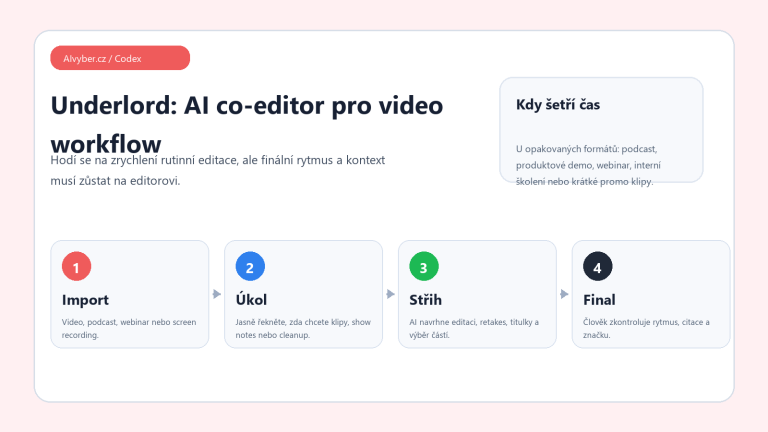
Descript Underlord review 2026: AI video editor for podcasts and clips

Fiverr reviews 2026: how to recognize a quality freelancer and not blow your budget