Meshy AI review 2026: generating 3D models, textures, and low-poly assets
Meshy AI is built around a fast 3D workflow: prompt, model, texture, review, and export. That makes it interesting for small teams that cannot model every variant manually but want more than a visual concept.
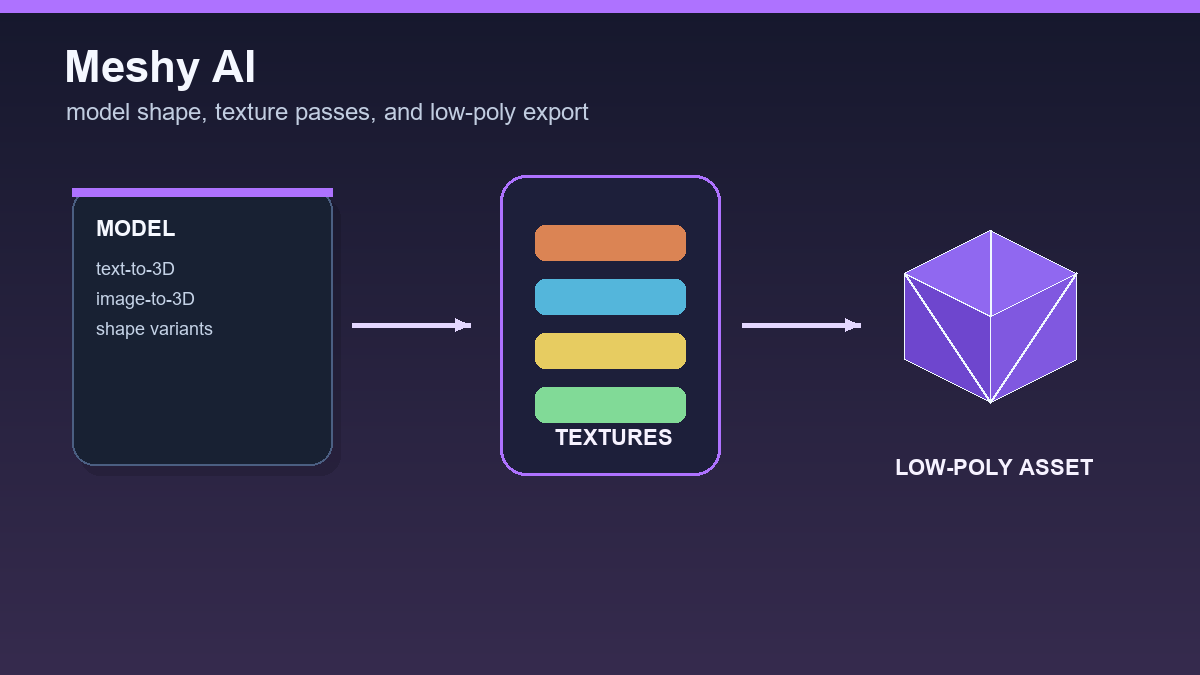

The right expectation is similar to other AI 3D generators: Meshy shortens the path to a first usable object, but it does not remove final technical review. If the asset will be used in a game, animation, or print, topology, materials, scale, and export still need checking.
Who Meshy is useful for
Meshy fits game prototypes, product visualization, simple decorations, stylized objects, and marketplace asset tests. It is especially useful in teams where one person prepares many variants and does not want to run a full manual modeling process for every sketch.
The advantage is the combination of text-to-3D, image-to-3D, and AI texturing. If you have a shape but need a surface, you can work on textures. If you have a sketch, you can start from an image. If you only have an idea, you can start from a prompt.
- Standard output is better for more detailed drafts.
- Low-poly mode is more practical for game prototypes and stylized assets.
- Exports such as FBX, OBJ, GLB, STL, and 3MF help move the model into other tools.
What to check before use
With AI models, a preview is not enough. Open the export in Blender or another 3D editor and enable wireframe view. Check for thin floating parts, duplicate faces, excessive polygon counts, or textures that do not match the UV map.
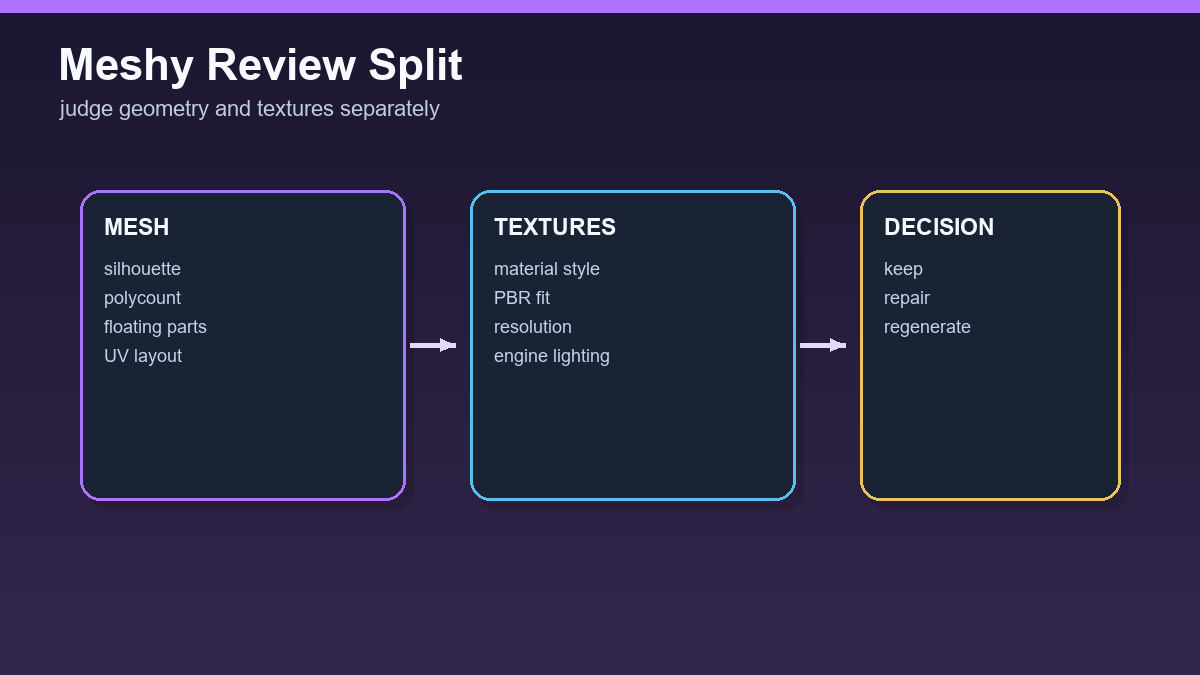
Animated objects need even stricter review. A model that looks good as a static figurine may deform poorly after rigging. For characters, check symmetry, separated limbs, simple silhouette, and clean areas around shoulders, elbows, knees, and neck.
Strong point: fast texture iteration
Meshy is not only interesting for generating shapes. In practice it can save time with textures too: one model can be tested in several styles such as realistic plastic, stylized fantasy wood, worn metal, or clean product material. That is useful when searching for visual identity.
Still, final textures should be verified in the target engine. What looks high contrast in an online viewer can look too dark, glossy, or blurry in Unity, Godot, or Unreal Engine.
Production limits
Meshy can deliver a fast asset, but larger projects need rules: maximum polygon count, scale, file naming, material structure, and a decision about whether a model is a placeholder or production candidate. Without those rules, speed turns into asset-library chaos.
Team recommendation: label every generated model with source, date, prompt, license, and review state. Later you can see why an asset was used and whether it can be safely edited or sold.
Verdict
Meshy AI is a practical tool for fast 3D asset creation and editing. It is strongest in prototyping, texturing, and stylized models. For final production, it still needs a human who can recognize weak topology, verify export, and prepare the asset for the target environment.
How to test Meshy without a false quality signal
With Meshy, separate three things: model shape, texture quality, and export usability. A nice texture can hide weak topology, so inspect the clean mesh before judging the rendered preview. Only after that does it make sense to decide whether texturing genuinely improved the asset or merely made the preview look better.
- Generate the same object as a standard and low-poly variant, then compare polygon count, silhouette, and detail readability.
- Open the export in Blender and check material names, UVs, texture size, and pivot placement.
- If you want Meshy in an app or production pipeline, read the API docs and estimate the credit cost for preview, refine, and texturing steps.
A practical decision metric is simple: how many variants out of ten are usable without manual repair, how many need cleanup, and how many are inspiration only. For team workflows, add average Blender cleanup time. That total shows whether Meshy saves work or only moves the work into the cleanup phase.
Useful links: Meshy Text to 3D API, Meshy API pricing, Meshy plans.
Links in this article
Doporučení ke čtení