MCP in practice: how to connect AI with CRM, invoicing, and the help desk without vendor lock-in
Owners of small and medium-sized businesses today run into the same problem: AI is good at writing, summarizing, and finding connections, but real value only emerges when it gets access to company data and can safely perform a specific action on top of it. Typically: look up a company in the CRM, verify an unpaid invoice, create a ticket in the helpdesk, or pull the correct complaint-handling procedure from the internal knowledge base.
This is exactly where the Model Context Protocol, or MCP, comes in. It is an open way to give a large language model access to external tools and data through a unified interface. For SMBs, it matters mainly for a practical reason: instead of a hardwired connection to one AI vendor or one automation platform, you can build a layer that you can later replace only partially, not entirely. If you are interested in the broader context of choosing models and tools, the overview at aivyber.cz is also useful, as well as thematic articles about AI tools.
In practice, however, MCP is not a magical shortcut. It is not a substitute for architecture, identity management, or data hygiene. It is a protocol that makes sense when you want to connect multiple systems, preserve the option to change the model or client, and at the same time have better control over integrations than with quick but fragile one-off scripts.
In this article, we will look at how to use MCP in SMBs to connect AI with CRM, invoicing, and helpdesk systems without unnecessary vendor lock-in, what exactly to build, where the limits are, and when it is more sensible to stick with a regular API integration.
What MCP is and why it is more interesting for SMBs than yet another one-off connector

MCP is an open protocol that standardizes communication between an AI client and external tools. Instead of every model or application having its own way of connecting to a CRM, database, or internal system, MCP defines a unified way to describe tools and perform operations on them. In practice, this means the same server can offer functions such as find_customer, list_unpaid_invoices, or create_ticket to different AI clients, as long as they support MCP.
For SMBs, the main benefits are these:
- Lower dependence on a single AI vendor: when changing the model or desktop client, you do not have to rewrite every integration from scratch.
- Unified governance: permissions, logging, and auditing are easier to handle in one integration layer than across dozens of ad hoc connections.
- Faster addition of new use cases: once access to the CRM is prepared, it can be used for sales, support, and finance.
What to do: start with a map of specific actions, not a list of systems. List 10 to 20 operations that have real impact: contact lookup, invoice status check, ticket creation, adding a note to a sales opportunity, downloading an article from the knowledge base.
Who it is for: companies with 20 to 250 employees that use at least three separate SaaS systems and deal with recurring questions between sales, support, and administration.
When not to use it: if you need a single automation between two applications, for example transferring a lead from a form into the CRM. In that case, a direct API or an iPaaS tool such as Make or Zapier is usually cheaper and faster.
It is important to emphasize that MCP by itself does not guarantee interoperability at the business logic level. If each department has a different definition of a customer, a different identifier structure, and different data access rights, the protocol will not solve the problem. It only gives you a cleaner technical framework in which to address these things.
Architecture without vendor lock-in: separate the model, tools, and company rules

The most common mistake when introducing AI integrations in SMBs is putting everything into one layer. One chatbot, one vendor, its internal connectors, and its workflow editor. At first it looks fast, but at the first change in model, pricing, or security requirements, you find out that leaving is expensive.
A more resilient architecture has three layers:
- Model layer: for example OpenAI, Anthropic, or another LLM provider.
- Tool layer: an MCP server that exposes specific functions on top of CRM, invoicing, helpdesk, or an internal database.
- Company rules layer: authorization, masking of sensitive data, operation limits, audit logs, approval of sensitive actions.
The good news for SMBs is that this architecture can be built gradually. You do not need to build an internal platform first. Start with one MCP server for two or three of the most important operations and keep the rules outside the prompt. For example, if AI is allowed to create a ticket, the rule “for a VIP customer always add high priority and attach the last two invoices” must be in the server logic, not in the model instruction.
What to do: define which actions are read-only and which change the state of the system. In the first phase, allow the model only read-only operations and add write access only after verifying output quality and auditing.
Who it is for: SMBs that want to avoid a situation where a business process is locked into one chatbot builder or proprietary connector.
When not to use it: if your processes are not yet stable and CRM fields, invoicing workflows, and internal responsibilities change every month. At that stage, you should standardize processes first.
From a technology perspective, Node.js or Python is often used in practice to implement the MCP server, company secrets are stored in a secret manager, and communication with SaaS systems runs through their official REST APIs. For a smaller company, a first operational prototype within 2 to 6 weeks is realistic if API access already exists and someone internally understands the systems’ data models.
How to connect CRM: company lookup, history summary, and note writing without data chaos

CRM is usually the first system a company wants to let AI access. The reason is simple: salespeople and account managers do not ask general questions, but about the specific status of a customer. What open opportunities they have, when the last contact was, who the decision-maker is, what products they use, and whether they have a support issue.
A typical CRM in SMBs is HubSpot, Pipedrive, Salesforce Starter, or Raynet. All of these systems have official APIs, but the API alone is not enough. On top of it, you need a layer that resolves identity and ambiguity. When a user writes “Find Novák’s company from Brno,” the model must not randomly choose the wrong account just because there are several similar companies.
Minimum set of safe CRM functions via MCP
search_company(query, city, ic)– returns a list of candidates, not one hardcoded result.get_company_summary(company_id)– summarizes open deals, last activity, account owner, and basic attributes.list_open_deals(company_id)– returns only relevant sales opportunities.create_note(company_id, text, author)– writes a note only after explicit user confirmation.
What to do: introduce mandatory confirmation for every write operation into the CRM. The model can suggest the note text, but submission should happen only after showing a preview and getting human confirmation.
Who it is for: sales teams, account managers, and customer success teams that need to quickly read context across records but must not rewrite history uncontrollably.
When not to use it: if you have low data quality in the CRM, duplicate companies, and inconsistent fields. AI will then only speed up incorrect work.
Indicative costs consist of three items: development of the integration layer, server operation, and model usage. In a smaller deployment, a simple in-house MCP server can run on a cheap container or PaaS for low single-digit to tens of euros per month. The CRM API itself is often included in the paid plan, but some functions and limits differ by plan. For example, more advanced API limits, webhooks, or custom objects may be available only in higher tiers; the conditions must always be verified with the specific service.
The practical result? A salesperson does not switch between five tabs, but asks a question in natural language and gets a structured answer with links to the source records. This saves minutes on every call and at the same time reduces the risk of the model hallucinating, because it answers based on specific data and tools.
Invoicing and finance: read-only as the first phase, writes only after approval
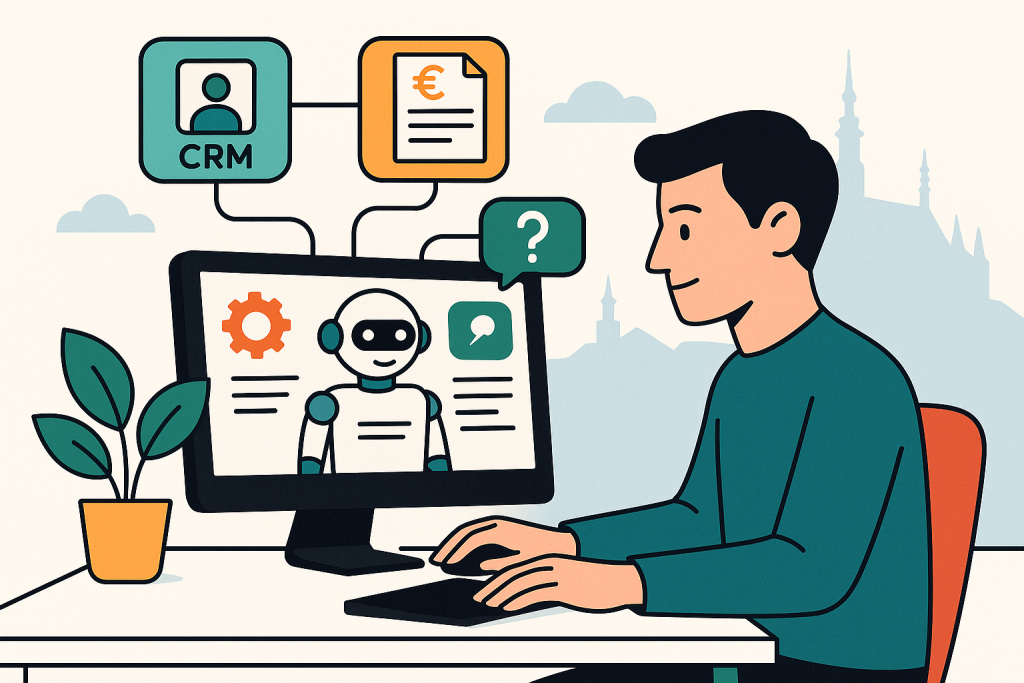
Connecting AI to invoicing is tempting because of the quick return on investment. The user wants to know whether an invoice has been paid, when it was due, who the customer is, whether there is a credit note, or whether a reminder is being handled. But finance is also the area where an incorrect action has the highest reputational and legal impact.
That is why it makes sense to divide deployment into two phases. In the first phase, expose only read functions through MCP. In the second, you can add action suggestions, but still with human approval. In Czech SMBs, in practice this often means connecting to iDoklad, Fakturoid, or Pohoda through official APIs, or through internal middleware if the accounting system does not have a modern public interface.
What makes sense to expose first
find_invoice(invoice_number)– lookup of a specific invoice.list_customer_invoices(customer_id, status)– overview of paid and unpaid documents.get_invoice_status(invoice_id)– due date, payment status, variable symbol, issue date.match_customer_by_ic_or_vat()– more accurate entity identification for invoicing queries.
What to do: in finance, use AI primarily as a layer for lookup and explanation, not for automatically sending reminders or issuing documents without review.
Who it is for: back office, customer support, and account management teams that answer questions every day such as “Did we receive the payment?” or “Which invoice is overdue?”.
When not to use it: if the accounting system does not have a reliable API, audit trail, or separated roles. In that case, it is safer to stick with manual work or prepare an export layer only for reporting.
Roughly speaking: smaller SaaS invoicing systems have pricing in the range of hundreds of Czech crowns per month per user or company, but API access and limits vary. With more robust ERP and accounting solutions, the biggest cost is often not the API itself, but the implementation of data mapping and approval processes. That is why in SMBs it pays off not to start with automation of accounting operations, but with a unified query interface for support and sales.
A typical benefit is immediate: support does not have to escalate every invoicing question to finance. Through MCP, AI requests the document status and the operator gets an exact answer backed by the source. Resolution time is shortened and the accounting department is not overwhelmed by minor verifications.
Helpdesk and knowledge base: the fastest path to measurable benefit
If you have to choose one area where MCP in SMBs usually brings the fastest effect, it is the helpdesk. The reason is simple: support works with recurring questions, a combination of structured data and textual knowledge, and clearly measurable metrics such as first response time, time to resolution, or escalation rate.
Real systems in this category include Zendesk, Freshdesk, Intercom, or Jira Service Management. All of them offer official APIs and usually enough objects that can be safely exposed through MCP: customer, ticket, comments, tags, status, priority, knowledge base articles.
The best first scenario: AI assistant for the operator, not for the customer
The most sensible start is not a public chatbot, but an internal assistant for support staff. It can:
- find the customer’s latest tickets,
- summarize the communication into three points,
- search for a relevant article in the knowledge base,
- suggest a reply in the company’s tone,
- after approval, create an escalation to second-line support.
What to do: start with the workflow “find context and suggest a reply.” Only once you achieve stable accuracy should you add automatic classification and ticket creation.
Who it is for: support teams of 3 or more people that handle recurring questions and need to shorten onboarding for new operators.
When not to use it: if your knowledge base is not up to date or does not exist. The model will then improvise and team trust will quickly decline.
A practical detail that makes a big difference: through MCP, do not expose the entire helpdesk without restrictions, but only a few clearly defined functions, for example get_ticket(ticket_id), search_tickets_by_customer(), search_kb(query), and draft_reply(ticket_id). The smaller and more unambiguous the tool surface, the lower the risk of incorrect calls and the easier the audit.
It is precisely in the helpdesk that the advantage of a standardized layer is clearly visible. If after a year you change the model or internal AI client, the logic of working with tickets and knowledge base articles remains the same. You do not have to rewrite every workflow from scratch, because the business functions are separated from the specific LLM.
Practical scenarios for SMBs: three workflows that make sense to deploy first
The following scenarios are not theoretical examples. They are use cases that make sense for companies with a limited budget, a small IT team, and the need for measurable results within weeks, not half a year.
1. Salesperson before a customer meeting
The user enters the company name. Through MCP, AI looks up the account in the CRM, pulls open opportunities, recent helpdesk communication, and an overview of unpaid invoices. The output is a short briefing: who the contact is, what is being dealt with, whether there is a risk of dissatisfaction, and what to watch out for in the meeting.
Result: the salesperson goes into the meeting with full context, not just CRM history.
2. Support operator handling a question about an unpaid service
The operator opens a ticket. Through MCP, AI checks previous communication in the helpdesk, the status of the latest document in invoicing, and the customer segment or SLA in the CRM. It offers an exact answer and, if needed, recommends escalation to finance.
Result: less switching between systems and fewer internal forwards.
3. Customer success identifies an at-risk client
AI regularly goes through accounts with a combination of signals: multiple open tickets, at least one overdue invoice, and no salesperson activity in the last 30 days. The output is not an automatic action, but a list of accounts for manual intervention.
Result: better prioritization of customer care without having to build a full data warehouse.
What to do: choose one scenario that connects at least two systems and has a clear success metric, for example reducing resolution time by 20% or lowering the number of internal escalations by 30%.
Who it is for: companies that want to validate the benefit on a small sample and only then expand the scope.
When not to use it: if you expect full autonomy without human oversight from the first pilot. The first projects should be assistive, not fully automated.
Security, permissions, and audit: without them, MCP only moves the risk elsewhere
As soon as AI gains access to company systems, it is no longer just about productivity, but about security architecture. In SMBs, this part is often underestimated with the argument that “it is only an internal assistant.” But an internal assistant can see personal data, financial history, and the sales pipeline. If it is not well designed, it becomes a shortcut to data that the user would not normally see.
The minimum that should be standard:
- Role-based access control: the MCP server must respect the same permissions as the original systems.
- Audit log: who called which tool, when, with what parameters, and with what result.
- Masking of sensitive data: for example, full bank details or personal data should be displayed only according to role.
- Confirmation of write actions: no silent changes in CRM, invoicing, or helpdesk.
- Prompt injection limitation: external text from an email or ticket must not automatically change system instructions and permissions.
What to do: introduce a separate audit dashboard or at least log tool calls into a SIEM or central log. For every incorrect action, you need to trace whether the model, data mapping, or permissions failed.
Who it is for: companies working with personal data, financial documents, or contractual documentation, which in practice means most SMBs.
When not to use it: if you do not have user identities resolved and share access across teams. Without a clear identity, auditing makes no sense.
An important note on costs: the security layer often takes more time than the prototype itself. That is not a flaw, but a sign that you are building the project for real operation. The cheapest demo is usually also the most expensive dead end.
Limits of MCP in SMBs: when a regular API, iPaaS, or nothing at all is better
MCP is not a universal answer to integrations. In some cases it is unnecessarily robust, while in others it does not solve the key problem.
The first limit is process maturity. If the company is not clear on who may see what, how a customer is identified across systems, and what the approval steps are, the protocol will not save anything.
The second limit is source data quality. Duplicate companies in the CRM, an outdated knowledge base, and inconsistent invoice statuses will lead to incorrect answers even if the technical integration is perfect.
The third limit is operating economics. For low-frequency tasks, building your own integration layer may not make sense. A one-off report or simple data transfer may be cheaper through a direct API or a tool like Make.
What to do: before deciding, ask yourself three questions: how many systems do I need to connect, how often will the scenarios change, and how expensive would it be to change the AI vendor in a year.
Who it is for: management and IT responsible for whether a pilot becomes a sustainable long-term architecture.
When not to use it: when you only need simple automation between two SaaS applications, do not have an internal data owner, and do not plan to change the AI layer. In that case, MCP is usually an unnecessary luxury.
In other words: MCP makes sense where you want to standardize AI access to multiple tools and reduce future switching costs. It does not make sense as a fashionable middle layer between everything and everything.
How to get started within 30 days: a realistic plan for a small team
Most SMBs do not need a strategy for the next year. They need a first safe and measurable result. The following plan is realistic for a small team with one technically capable person, a business process owner, and a limited budget.
Week 1: choose one use case and three tools
Choose one scenario with a clear metric. For example, a support operator should get context from the helpdesk and invoicing within 10 seconds. Write down exactly which functions are needed and which are not.
Week 2: build a read-only MCP server
Connect only read operations. Verify user identity, audit, and the logic of mapping the customer across systems. No writing, no automatic actions.
Week 3: pilot with five users
Measure answer accuracy, resolution time, and the number of situations where the model selected the wrong customer or misunderstood the context. Fix data and process errors before adding more functions.
Week 4: add action suggestions, not autonomy
The model can suggest a reply, note, or escalation. Writing is performed only after human approval. Only after several weeks of stable operation should you consider partial automation.
What to do: measure specific KPIs: time to find context, average handling time, number of internal escalations, customer identification error rate.
Who it is for: SMBs that want a low-risk pilot with a clear “continue / do not continue” decision.
When not to use it: if the company expects a fully autonomous AI operator to emerge within a month. Such expectations usually lead to underestimating security and overestimating data quality.
FAQ
Is MCP the same as an API integration?
No. An API is the interface of a specific service. MCP is a standardized layer through which an AI client communicates with tools in a unified way. In reality, however, an MCP server usually still uses the underlying APIs of the individual services.
Do I need custom development because of MCP?
In most companies, yes, at least partially. Even if you use ready-made components, you still have to solve data mapping, permissions, logging, and business rules. Without that, it is just a demo.
Is MCP suitable for Czech SMBs with local accounting systems?
Yes, but only if the given system offers a usable official API or a secure integration layer. If the accounting system is closed and without auditable access, it is better to start elsewhere, typically with the helpdesk or CRM.
How much does it cost?
Roughly speaking, it depends on the scope. A small pilot with read-only functions and one or two systems may fit into dozens of hours of work plus operating costs for infrastructure and model usage. A production deployment with permissions, auditing, and multiple systems is many times more expensive. The biggest cost item is usually integration and governance, not the model itself.
How do you avoid vendor lock-in in practice?
Separate tool logic from the model, do not move key rules into prompts, store the audit outside the AI client, and use the official APIs of services. When you want to change the model or client, the integration layer remains.
Conclusion
MCP is interesting for SMBs not because it is another fashionable shortcut, but because it solves a very specific problem: how to give AI access to company systems without locking the entire process into one vendor and one chat application. It makes the most sense where you need to connect multiple tools, preserve auditing, and move from reading to controlled actions.
The best first step is usually not “an AI agent that solves everything on its own,” but a narrow, well-measurable scenario. Typically a helpdesk context lookup, a CRM briefing before a meeting, or invoice verification for support. If the result is less switching between systems, faster responses, and fewer internal escalations, you have a solid foundation for further expansion.
If there is one rule to take away from this article, it is this: first standardize access to tools and rules, only then scale AI. Without this discipline, you will only replace vendor lock-in with lock-in to chaos.
Recommended AI stack for implementation
Choose tools according to your budget and level of automation. Below is a direct overview of services for implementing the project.
| Service | Service description | Offer |
|---|---|---|
| NordVPN | VPN service for privacy protection and secure connections. | Open offer |
| Semrush | SEO and marketing platform for analysis and traffic growth. | Open offer |
| Make | Advanced visual automation for workflows and integrations. | Open offer |
| Hostinger | Web hosting and domains for fast website launch. | Open offer |
| Fiverr | Marketplace for freelancers and external specialists. | Open offer |
| Adobe | Creative tools for graphics, video, and digital content. | Open offer |
| Canva | Online design tool for graphics, presentations, and social media. | Open offer |
| Jasper | AI tool for marketing copy and content campaigns. | Open offer |
Note: We use affiliate links for listed services. If you purchase through them, we may earn a commission at no extra cost to you.
Links in the article
Sources of illustrative images
The custom illustrative image was created using the OpenAI Images API.
Doporučení ke čtení

AI workflow for internal documentation: how to stay organized without manual transcription

Comparison of AI Search 2026: Perplexity vs ChatGPT Search vs Google AI Mode

Fiverr reviews 2026: how to recognize a quality freelancer and not blow your budget