Comparison of AI Search 2026: Perplexity vs ChatGPT Search vs Google AI Mode
AI search is no longer just an add-on to the classic list of links. In 2026, it became a standalone way to find information, compare products, track down sources, and prepare an initial research overview. The three most visible services take different approaches: Perplexity focuses on fast answers with citations, ChatGPT Search combines a conversational interface with web search, and Google AI Mode benefits from the largest web index and integration with Google’s ecosystem.
On paper, they look similar. In practice, however, they differ in how transparently they show sources, how well they maintain context across multiple questions, how much advanced features cost, and when they return a convincing but inaccurate answer. These differences determine whether a tool is better suited for journalistic research, shopping comparisons, a technical query, or a quick summary of a current topic.
If it makes sense to first compare a broader range of tools, the overview of AI tools on AIVýběr is also useful. For the context of generative models, the ChatGPT category is also relevant, where there are follow-up articles about the possibilities and limits of language models.
How the approaches of these three services differ

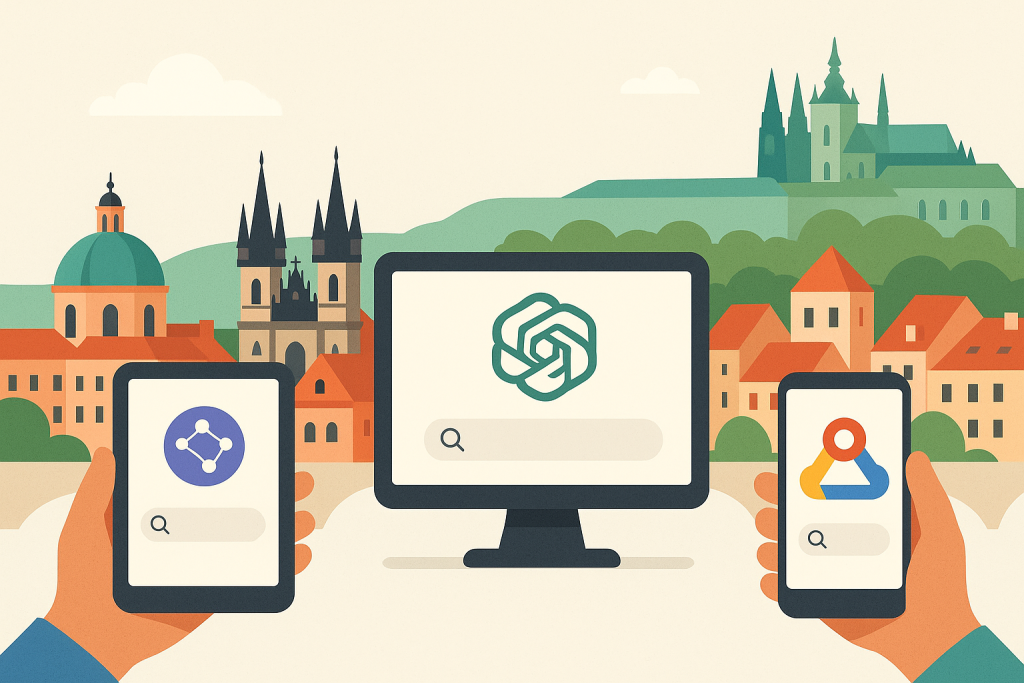
Illustrative context for the topic continues below.
The basic difference is not that one service “does AI” and another does not. The difference is in the architecture of the result. Perplexity builds the answer from the start as a synthesis of web sources and shows citations very visibly. ChatGPT Search is primarily a conversational assistant that can access the web when needed and enrich the answer with links. Google AI Mode is search enhanced by a generative layer over the Google index, knowledge graph, and other Google services.
What to do: before searching, determine whether the goal is quick orientation or verifiable research. Google AI Mode works well for orientation, Perplexity is often more practical for source-based work, and ChatGPT Search is useful for follow-up dialogue and reformulating the query.
Who it’s for: editors, analysts, students, marketers, and regular users who want to click less between dozens of tabs.
When not to use it: if legally binding, medically critical, or accounting-precise information is needed without manual checking of the primary source. An AI answer is not a substitute for original documentation, law, or expert opinion.
From an interface perspective, it is also important how the tools work with context. Perplexity usually maintains the thread of questions well within one conversation and allows narrowing the search area. ChatGPT Search is strong in explanations and follow-up questions. Google AI Mode is closest to classic search: it often offers a summary and at the same time a path to traditional results, maps, products, or videos.
Perplexity: strong citations, fast research, clear answer structure

For many users, Perplexity is the closest thing to the idea of an “AI search engine.” It composes answers from current web sources and provides links for individual claims or blocks. This is a key advantage when it is necessary to quickly find out what the answer is based on. It is also practical to continue with follow-up questions without losing the topic.
The choice of search mode and work with sources is useful. Depending on the available version of the service, it is often possible to focus the search on the web, academic sources, video content, or social sources. For quick research, this shortens the time between the query and verification. At the same time, however, it is necessary to keep in mind that citations are not a guarantee of correct interpretation. The model may correctly link to a source and still summarize its content inaccurately.
What to do: after each answer, open at least 2–3 cited sources and verify whether the conclusion actually matches the text on the page. For disputed topics, also look for a source that Perplexity itself did not present.
Who it’s for: students, journalists, consultants, and product specialists who need initial research with traceable links.
When not to use it: when completeness of results is decisive. Perplexity can select and summarize, but it is not an ideal replacement for systematically going through multiple pages of results on complex topics, for example in detailed legal or investment analysis.
The official website of the service is https://www.perplexity.ai/. In terms of pricing, Perplexity usually offers a free plan and a paid Perplexity Pro option. As a rough guide, the price of the paid plan is around USD 20 per month, but specific terms may vary by region, promotion, or business plans. The paid version usually offers a higher number of advanced queries, access to more powerful models, and broader document-handling features.
Another strong side of Perplexity is that the answer usually does not hide its “research” character. Instead of giving the impression of an authoritative explanation, it rather shows from which places it builds its conclusion. This reduces the risk of blind trust, but does not remove the need for verification.
Where Perplexity makes the most sense
- Initial orientation in a new topic with quick source checking.
- Comparing multiple articles, studies, or product pages into one overview.
- Tracking down where a specific claim actually appeared on the web.
ChatGPT Search: best for dialogue, follow-up questions, and turning results into usable output

ChatGPT Search is not just a search engine in the traditional sense. Its main strength is that it can combine finding information with further processing. The user does not just ask “what is it,” but can smoothly continue: “explain the differences simply,” “make a table,” “choose an option for a small company,” or “rewrite the summary into bullet points for a presentation.” This continuity is exactly why ChatGPT Search is more practical for some users than a purely research-focused tool.
Web search in ChatGPT works with source links and can return current information, but citation transparency is often less “research-oriented” than in Perplexity. The result is a more comfortable conversation, but sometimes less clarity about which claim is supported by which source. This is especially important in more specialized topics, where it is necessary to separate the model’s interpretation from the fact in the source.
What to do: after getting an answer, ask for an explicit list of sources and separately request a summary based only on those links. This reduces the risk that the result will reflect an overly loose synthesis.
Who it’s for: users who want to turn search results directly into output: an article outline, email, table, comparison, or brief briefing.
When not to use it: if the main priority is auditable research with very strict traceability of every source. In such a situation, Perplexity or classic Google with manual checking of original pages is more suitable.
The official website is https://chatgpt.com/ and product information is available at https://openai.com/. In terms of pricing, a free version with limitations is usually available, along with paid plans. As a rough guide, the ChatGPT Plus plan is around USD 20 per month, while higher business or advanced plans may cost significantly more depending on the scope of features and administration.
A major advantage of ChatGPT Search is its work with subsequent processing. For example, if a user is looking for a comparison of laptops, they can immediately follow up after the web query with a request to filter by weight, battery life, or budget. This speeds up decision-making. The weakness remains that a well-written answer may inspire more trust than it deserves if sources are not checked continuously.
Where ChatGPT Search excels
- Turning search results into tables, checklists, and concise summaries.
- Multi-step queries where the assignment is refined during the conversation.
- Combining current web information with explanations at a level the user understands.
Google AI Mode: the broadest reach, strong local results, and integration with the Google ecosystem
Google AI Mode stands on a fundamental advantage: Google has the largest web index, strong local results, product data, maps, images, video results, and connections to other services. If the goal is to find the broadest possible range of options, Google is still usually the most robust starting point. AI Mode builds a layer of summaries, synthesis, and natural language on top of that.
This is especially strong for topics where a web article alone is not enough. Typically local businesses, opening hours, maps, navigation, reviews, product offers, videos, and current news. In these scenarios, Google has the advantage of data breadth that competitors can only partially match.
What to do: use Google AI Mode where it is necessary to combine summaries with classic results, maps, shopping cards, or videos. After the AI summary, open the standard results and check whether relevant alternatives were omitted.
Who it’s for: regular users, marketers, buyers, travelers, and anyone looking for a combination of answers and broad web exploration.
When not to use it: when the goal is deeper source work with precise assignment of claims to a specific paragraph in the source. Google AI Mode is strong in reach, but not always in the clarity of individual citations.
The official entry point is via https://www.google.com/, and Google publishes information about AI search features on its official company pages. With Google AI Mode, it is usually not possible to count on a direct standalone price for regular users, because it is part of search or features available depending on the market, account, and experimental mode. The limitation is precisely regional availability: some Google AI features are rolled out gradually and are not available to the same extent in all countries.
Google’s practical advantage also shows where users need “not just an answer, but also the next path.” The user gets a summary, but can also continue via Shopping, Maps, News, or YouTube. This makes it a very universal tool, even if not always the most convincing for citation-based research.
Where Google AI Mode leads
- Local search: restaurants, services, branches, routes, reviews.
- Shopping research: a combination of summaries, product cards, and e-shops.
- Topics where breadth of results and continuity with other Google services matter.
Comparison by practical scenarios
A simple list of features is not enough. What matters is what each tool does in a specific situation.
1. Quick research on a specialized topic
Most often the winner: Perplexity. Thanks to citations, it is the fastest path from question to sources. It is useful, for example, when looking for differences between standards, API documentation, or new product announcements.
What to do: enter a narrow query and immediately in the second step ask for sources only from official websites, documentation, or studies.
Who it’s for: editorial and analytical work.
When not to use it: when systematic literature review or legal due diligence is needed.
2. Explaining a complex topic in simple language
Most often the winner: ChatGPT Search. It can switch well between levels of detail and explanation style.
What to do: after the first result, add further constraints: “explain for a CFO,” “compare in 4 points,” “state the most important risk.”
Who it’s for: managers, salespeople, students, and internal communication in companies.
When not to use it: when every statement needs to be traced to an exact source.
3. Choosing a product or service
Most often the winner: Google AI Mode. For products, the breadth of the web, reviews, e-shops, prices, and availability matter.
What to do: let it create an initial overview and then manually go through standard results, reviews, and parameters in e-shops.
Who it’s for: regular purchases of electronics, software, equipment, or travel.
When not to use it: if it is a professional purchase with a long approval process and a need to compare detailed contractual terms.
4. Current news and fast-moving events
Most often the winner: it depends on the topic. Google has very broad news coverage, Perplexity is often clear in citations, and ChatGPT Search is strong in subsequent explanation of context.
What to do: always open the original source and verify the publication time. For rapidly changing events, it is essential to check whether the AI is not combining older and newer information into one answer.
Who it’s for: journalists, social media teams, and management monitoring the market.
When not to use it: in crisis communication without subsequent verification from primary sources.
Pricing, availability, and account limits
From the perspective of a regular user, three questions are crucial: how much it costs, what is limited in the free version, and whether the feature is available in the given country. This is where practical differences arise between the services.
- Perplexity: free version + paid Pro plan. As a rough guide, around USD 20 per month. The higher plan usually adds more advanced queries, more powerful models, and extended features.
- ChatGPT Search: available to a limited extent for free as well, while fuller use is usually tied to a paid plan. As a rough guide, ChatGPT Plus is around USD 20 per month.
- Google AI Mode: usually not billed as a standalone service for regular use, but depends on the market, account, and gradual rollout of features.
What to do: before subscribing, verify whether the specific feature really requires a paid plan. For some users, a combination of free Google and one paid AI service is enough.
Who it’s for: freelancers, small businesses, and editorial teams considering subscription ROI.
When not to use it: when the expectation is that a paid version automatically means higher factual accuracy. A higher price usually adds convenience, usage limits, and model capabilities, not a guarantee of truth.
The practical impact is simple: if someone mainly needs source-based research, it makes sense to invest in Perplexity. If they want to directly create tables, overviews, and texts from the results, ChatGPT Plus is more often worth it. If Google remains the main tool and the AI layer is just an add-on, there may be no need to pay anything extra.
Most common limits and mistakes in AI search
The biggest mistake is not technical, but procedural: users take a smoothly written answer as an established fact. All three services can return convincing text that sounds correct, but omits an exception, confuses a product version, fails to distinguish regional conditions, or merges multiple sources into an overly smooth conclusion.
Other common limitations:
- Incorrect source prioritization: the model may prefer an easy-to-read article over primary documentation.
- Temporal inaccuracy: with rapidly changing information, it may not be clear whether a claim is still current.
- Incompleteness: AI often offers the best estimate, not a full list of options.
- Hallucinated details: typically with prices, parameters, licensing terms, or availability by country.
- Mixing regions: especially with prices, legislation, banks, insurance, and healthcare.
What to do: for important queries, introduce a simple rule of three checks: verify the date, verify the primary source, verify the region.
Who it’s for: anyone making decisions with financial, legal, or reputational impact.
When not to use it: without further checking in medicine, law, taxes, security, and contractual relationships.
It is also useful to watch how the service acknowledges uncertainty. If a tool offers a categorical conclusion where sources differ, that is a warning sign. A more reliable answer is usually one that clearly separates confirmed facts from estimates or interpretation.
How to choose the right tool based on the goal
The choice is not ideological. For most users, a combination of multiple services depending on the type of task will work best.
- Choose Perplexity when the goal is quick research with sources and verification of claims.
- Choose ChatGPT Search when the goal is follow-up dialogue and turning results into usable work output.
- Choose Google AI Mode when the goal is broad search, local information, products, and combination with classic Google.
What to do: set a simple decision rule. Research = Perplexity. Explanation and processing = ChatGPT Search. Breadth of the web and local data = Google AI Mode.
Who it’s for: teams that want to shorten search time without introducing complex methodology.
When not to use it: if the expectation is one universal tool for everything. In 2026, the differences between services are shrinking, but specialization is still noticeable.
If someone is just building their own AI workflow, it also makes sense to follow broader overviews on AIVýběr, where it is easier to compare how individual tools fit into everyday work alongside search, writing, and automation.
FAQ
Is Perplexity more accurate than ChatGPT Search?
Not automatically. Perplexity is often more transparent in its sources, which makes checking easier. But that does not mean every one of its syntheses is more accurate. Accuracy always depends on the quality of the query, the sources, and subsequent verification.
Is Google AI Mode meant to replace classic search?
Not completely. It is strongest as a layer on top of classic Google. The user gets a quick summary, but for important topics it is still advisable to continue into standard results and read the original pages.
Which service is best for students?
For initial research and tracking down sources, Perplexity is often very suitable. For explaining complex topics and turning them into an outline or notes, ChatGPT Search works excellently. The ideal is a combination of both.
Is the paid plan worth it?
Only if the user uses AI search regularly for work or study. For occasional queries, free versions and classic Google are often enough. The paid option pays off mainly where it saves time every day.
Are citations in an AI answer a guarantee of correctness?
No. Citations increase traceability, but they do not eliminate the risk of poor interpretation. The correct approach is to open the source and verify whether the answer matches the original text.
Conclusion
In 2026, there is no single clear winner for all situations. Perplexity is strongest where fast source-based research is needed. ChatGPT Search leads when the goal is to immediately produce useful output from the search. Google AI Mode makes the most sense for broad web exploration, local search, and shopping scenarios.
The most important rule remains the same: AI search saves time mainly in the first step, not in the final verification. Anyone who needs to make precise decisions must still check primary sources, date, region, and conditions. The difference between good and bad use of AI search therefore lies not only in which tool is chosen, but above all in how disciplined the verification of the result is.
Recommended AI stack for implementation
Choose tools according to your budget and level of automation. Below is a direct overview of services for project implementation.
| Service | Service description | Offer |
|---|---|---|
| NordVPN | VPN service for privacy protection and secure connections. | Open offer |
| Semrush | SEO and marketing platform for analysis and traffic growth. | Open offer |
| Make | Advanced visual automation for workflows and integrations. | Open offer |
| Hostinger | Web hosting and domains for fast website launch. | Open offer |
| Fiverr | Marketplace for freelancers and external specialists. | Open offer |
| Adobe | Creative tools for graphics, video, and digital content. | Open offer |
| Canva | Online design tool for graphics, presentations, and social media. | Open offer |
| Jasper | AI tool for marketing copy and content campaigns. | Open offer |
Note: We use affiliate links for listed services. If you purchase through them, we may earn a commission at no extra cost to you.
Links in the article
Sources of illustrative images
The custom illustrative image was created using the OpenAI Images API.