AI onboarding of new hires in the company: a practical plan for the first 30 days
Onboarding new hires is paradoxically one of the least standardized processes in many companies. Yet it is often the first 30 days that determine how quickly a new person gets oriented, when they begin delivering stable performance, and whether they stay with the company at all. The involvement of AI can significantly accelerate onboarding, but only if it is not conceived as a flashy add-on, but rather as a precisely designed workflow with clear roles, responsibilities, and checkpoints.
In practice, it turns out that AI onboarding does not mean “letting a chatbot explain everything.” It makes sense primarily where it helps a newcomer quickly find internal information, turn complex company materials into understandable summaries, prepare for meetings, learn terminology, navigate processes, and continuously verify understanding. At the same time, however, AI must not replace the manager, mentor, or security rules.
This article offers a practical plan for the first 30 days. It focuses on specific workflows, checkpoints, and the most common mistakes. The goal is not to describe every possible scenario for using generative AI, but to show how to deploy it effectively when a new employee joins a company.
What AI should realistically improve in onboarding

Illustrative context on the topic continues below.
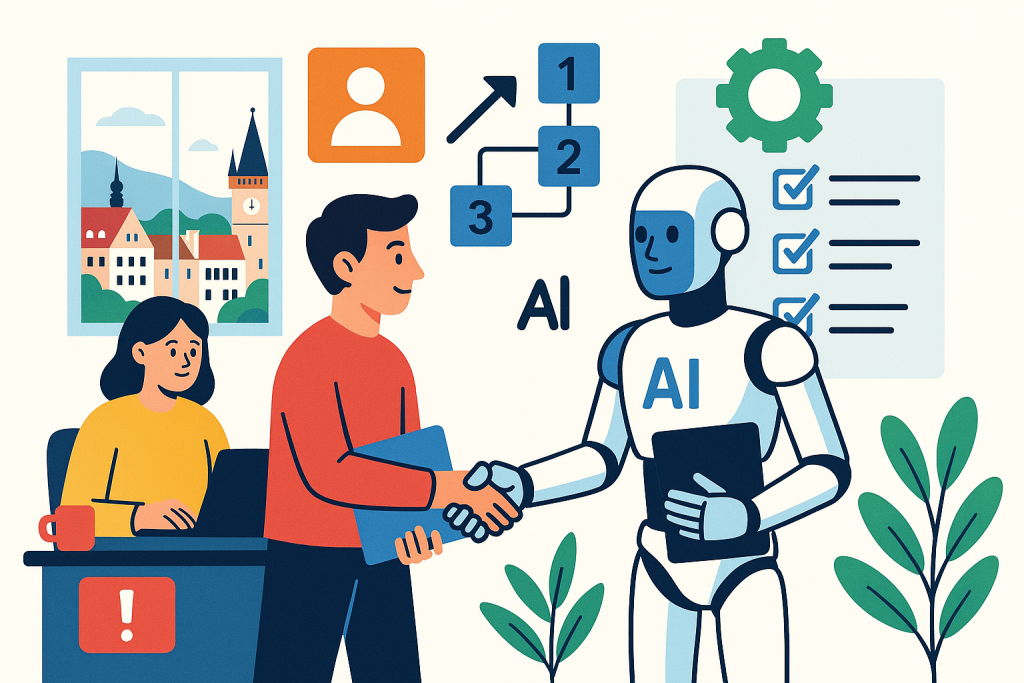
Before a company deploys any tool, it should clearly define what it wants to improve. In onboarding, this most often involves five areas:
- Speed of orientation in internal documents, processes, and abbreviations.
- Consistency of training, so that every newcomer gets a comparably high-quality start.
- Availability of answers to common questions without unnecessarily burdening colleagues.
- Continuous verification of understanding, not just one-off training.
- Shortening the time to first independent value, meaning the moment when a new employee can handle a meaningful task with an acceptable level of support.
If AI does not address at least some of these points, it can easily slip into becoming just another layer of tools without real impact. Onboarding then is not better, only more complicated.
Basic architecture of AI onboarding

Effective AI onboarding is built on a simple principle: the newcomer must have access to a reliable source of internal knowledge, clearly defined rules for working with data, and specific tasks in which AI helps but does not decide for them.
1. Knowledge base
Without quality internal materials, no model will help. The minimum foundation consists of:
- organizational structure and roles,
- description of products and services,
- main internal processes,
- security rules,
- a glossary of terms and abbreviations,
- a list of frequently asked questions,
- a week-by-week onboarding plan.
These materials are typically stored in tools such as Atlassian Confluence, Make or Microsoft SharePoint. For onboarding, it is important that they are up to date, versioned, and easy to find.
2. AI layer over internal information
Only on top of content prepared in this way does it make sense to deploy an AI assistant. Today, companies most often use tools such as ChatGPT, Microsoft Copilot, Google Gemini for Workspace or Claude. In a corporate environment, however, it is essential to verify whether the service is approved for working with internal data and what settings it has for content protection, access rights, and audit trails.
In some organizations, it makes the most sense to use AI directly in the environment where the documents are already stored. A typical example is Microsoft 365 Copilot over the Microsoft 365 ecosystem or AI features in Confluence and Make AI. The advantage is obvious: less friction between tools and a higher chance that the newcomer actually uses approved sources.
3. Human oversight and responsibility
AI onboarding without a clear owner quickly degrades. Responsibility should be divided at least as follows:
- HR or the People team owns the onboarding framework.
- The direct manager is responsible for work goals for the first 30 days.
- A mentor or buddy handles practical orientation and informal context.
- IT or the security team sets the rules for working with AI and data.
AI can help each of them, but it must not blur responsibility. The newcomer must know what they can verify themselves through AI, what belongs to the mentor, and what must be escalated to the manager.
Practical plan for the first 30 days

The following workflow is based on a typical office or knowledge-work environment. It can be adapted for sales, marketing, product, customer support, IT, and back-office roles. The important thing is to stick to the principle of gradual loading: orientation in the first days, then guided practice, and finally the first independent outputs.
Days 1 to 3: orientation, rules, and a safe start
At the very beginning, AI should mainly help with orientation and reducing information overload. A newcomer typically receives a large number of documents, access permissions, and meetings. If the process is not well structured, they quickly get lost.
Recommended workflow:
- The newcomer receives an onboarding page with a list of required materials, a schedule, and contacts.
- It includes a brief guide on how to use approved AI tools in the company and what data does not belong in them.
- The AI assistant is used to turn long internal documents into summaries: what is key, what the terms are, who owns the process.
- After each major block, the newcomer creates a short summary in their own words and uses AI to prepare review questions.
- At the end of the third day, a short check-in takes place with the manager or mentor.
Checkpoints:
- Does the newcomer have access to all key systems?
- Do they know where to find the basic documentation?
- Do they understand the security rules for AI and internal data?
- Can they name the main goals of their role for the first month?
Typical uses of AI at this stage:
- summarizing the internal handbook into bullet points,
- explaining company abbreviations and terms,
- preparing questions for introductory meetings,
- turning extensive documentation into a simple checklist.
Days 4 to 7: understanding the role and first shadowing
In the second part of the first week, AI should no longer serve only as an explainer, but also as a tool for active learning. The newcomer begins observing real work situations: meetings, customer interactions, internal approvals, work with the ticketing system, or preparation of materials.
Recommended workflow:
- After each shadowing session, the newcomer writes down what happened in the process, where the decision points were, and what inputs were needed.
- AI helps compare the observed procedure with the official documentation and highlight ambiguities.
- With the help of AI, the newcomer prepares their own “role map”: main activities, systems used, important contacts, common mistakes.
- The mentor reviews this map and adds context missing from the documentation.
Checkpoints:
- Can the newcomer describe their typical workflow?
- Can they distinguish between a standard process and an exception?
- Do they know which information is binding and which is only recommended?
Week 2: first guided tasks with AI support
The second week is critical. If the company sticks only to passive training, the newcomer may feel they are making progress, but they still are not producing outputs. Here, AI can significantly shorten the path to the first meaningful work.
Recommended workflow:
- The manager assigns 2 to 4 small tasks with low risk but real impact.
- The newcomer uses AI to prepare the procedure, output structure, or summary of materials.
- Each output goes through human review focused on factual accuracy, completeness, and compliance with internal standards.
- After submission, the newcomer uses AI to prepare a retrospective: what went well, where information was missing, what they would do differently next time.
Examples of tasks:
- creating an internal summary from a meeting,
- preparing a draft response to a common customer question,
- producing a competitive overview according to a given template,
- writing a draft of internal documentation for a simple process.
Checkpoints:
- Is the newcomer following the approved way of using AI?
- Can they distinguish a draft from a final output?
- Do they verify facts, or do they blindly adopt text from AI?
- Can they explain why they chose a given approach?
Week 3: more independent work, verification of judgment and quality
By the third week, AI should no longer function as support for every little thing, but rather as an accelerator. The newcomer should be able to handle the basic workflow independently and use AI mainly for research, alternative proposals, structure checks, or preparation of materials.
Recommended workflow:
- The newcomer receives a more complex task that requires combining several sources and their own judgment.
- AI is used to break the problem into steps, identify missing information, and propose a solution outline.
- The mentor or manager evaluates not only the result, but also the way of working: what sources the newcomer used, what they verified, and where they asked for help.
- After completion, a brief “playbook” is created that can also be used for future newcomers.
Checkpoints:
- Can the newcomer work with incomplete information?
- Do they know when to rely on AI and when it is necessary to go to the primary source?
- Is their speed improving without a drop in quality?
Week 4: first stable performance and evaluation of the onboarding model
The final part of the first 30 days should aim for the newcomer to take over a clearly defined part of the agenda. At the same time, it is a good moment to assess whether AI onboarding is actually working, or merely creating the impression of a modern process.
Recommended workflow:
- The newcomer completes one or more tasks with a normal level of supervision.
- The manager evaluates the achievement of goals for the first 30 days.
- A review of onboarding materials takes place: which documents were useful, where AI responded inaccurately, what was missing.
- HR or the People team collects structured feedback and adjusts onboarding for future hires.
Checkpoints:
- Has the newcomer achieved their first independent value in the role?
- Are their outputs consistent with the team standard?
- Is it clear where AI helped and where it ran into limitations?
Practical scenarios for using AI in onboarding
Scenario 1: Sales team
A new salesperson needs to understand the product, customer segmentation, sales argumentation, and the CRM process during the first days. AI can help summarize product materials, compare customer personas, or prepare questions for a discovery call. If the company uses Salesforce or HubSpot, it is advisable to supplement onboarding with precise instructions on what is recorded in the CRM and what must always be verified by a human. AI must not independently generate “certainties” about a customer without support in the data.
Scenario 2: Customer support
In support, fast orientation in the knowledge base and standard responses is essential. AI can turn long help articles into concise procedures and prepare response variants according to the tone of communication. If the team works, for example, in Zendesk or Intercom, onboarding should include clear rules on when an AI-generated response draft can be used and when a case must be escalated to a specialist. It is critical to ensure that AI does not invent non-existent features or resolution timelines.
Scenario 3: Marketing
A new marketer often needs to quickly understand the brand tone, publishing plan, target segments, and approval process. AI works well for summarizing the brand manual, analyzing past campaigns, and preparing content outlines. If the team uses Google Workspace, Canva or Adobe Express, it is necessary to describe precisely what is only a draft and what is already an output ready for approval. In marketing, a common mistake is excessive trust in stylistically smooth but factually inaccurate text.
Scenario 4: Internal IT or product team
A developer, analyst, or product specialist can use AI to navigate documentation, prepare questions about architecture, or summarize records from technical meetings. If the company works, for example, with GitHub Copilot, the newcomer must understand that code suggestions are only supporting material and are subject to standard review, testing, and security rules. Onboarding here must consistently separate productivity support from automatic adoption of suggestions.
Most common mistakes in AI onboarding
1. Deploying AI without quality documentation
If a company does not have an up-to-date internal knowledge base, AI will not improve onboarding, but will only spread ambiguities faster. A model can work with text, but it cannot replace missing process discipline.
2. Unclear rules for working with data
A newcomer is most vulnerable to mistakes in the first weeks because they do not yet know the boundaries. Without a clear list of what data can and cannot be entered into approved AI services, a real security risk arises.
3. Confusing orientation with performance
The fact that a newcomer can quickly summarize a document with the help of AI or ask a smart question does not yet mean they can do their job. Onboarding must lead to real tasks and measurable outputs.
4. Absence of human feedback
AI can respond continuously, but it cannot fully replace managerial feedback. A newcomer needs to know not only what they did, but also why it works or does not work in the company context.
5. Too many tools at once
A common problem is onboarding across several overlapping platforms: chat, wiki, LMS, documents, a standalone AI chatbot, and another assistant in the productivity suite. The result is confusion. For the first 30 days, a smaller number of clearly designated tools is better.
6. Insufficient verification of answer accuracy
Generative AI can formulate confident but inaccurate answers. This is especially dangerous in internal processes, compliance, or customer work. Every onboarding process should explicitly teach what the newcomer must verify with a primary source.
Limits of AI in the first 30 days
AI can significantly accelerate onboarding, but it has clear limits that must be communicated from the start.
- It does not automatically know the company reality. If the data is not high quality or available, the answers will be weak.
- It does not understand power and relationship context. It cannot reliably say how decision-making actually happens in the company outside the official process.
- It is not responsible for consequences. Responsibility for the output always lies with the employee and their supervisor, not the tool.
- It can create a false sense of certainty. Fluent language can create the impression that the answer is correct.
- It is not suitable for all types of information. Sensitive data, personal data, non-public contractual information, or security-critical details are subject to stricter rules.
That is precisely why AI in onboarding should be designed as guided support for decision-making and learning, not as an autonomous authority.
FAQ
What are the first metrics that show AI onboarding is working?
In practice, track especially the time to the first independently completed task, the number of recurring questions about basic matters, the time mentors spend explaining routine topics, the quality of first outputs, and feedback from newcomers after 30 days.
Is it appropriate to give a newcomer access to a general chatbot on the first day?
Yes, but only if it is an approved tool and the newcomer simultaneously receives clear rules for working with data, specific onboarding scenarios, and a list of what must always be verified in internal sources.
Can AI replace a buddy or mentor?
No. AI speeds up orientation and answering routine questions, but it does not replace team context, informal rules, feedback, or the social integration of a new person.
How often should onboarding materials for AI be updated?
The minimum is continuous updating after each new hire and a formal review at least once per quarter. For rapidly changing teams or products, more frequent checks also make sense.
How can you prevent a newcomer from trusting AI too much?
Explicit training helps: show specific cases of inaccurate answers, introduce a list of information that must always be verified, and evaluate not only the work result, but also how the newcomer arrived at the output.
Conclusion
AI onboarding for new hires makes the most sense when it speeds up orientation, improves training accuracy, and shortens the path to first independent value. The point is not to add another fashionable layer of technology to the first 30 days, but to create a guided system: a quality knowledge base, approved tools, clear rules for working with data, specific tasks, and regular human checkpoints.
Companies that manage this framework usually gain more than just faster onboarding. They also gain better internal documentation, clearer processes, and less dependence on the newcomer somehow “figuring it out.” And that is the biggest practical advantage of AI in the first 30 days: not replacing people, but systematically reducing chaos.
Recommended AI stack for implementation
| Service | Service description | Offer |
|---|---|---|
| NordVPN | VPN service for privacy protection and secure connections. | Open offer |
| Semrush | SEO and marketing platform for analysis and traffic growth. | Open offer |
| Make | Advanced visual automation for workflows and integrations. | Open offer |
| Hostinger | Web hosting and domains for fast website launch. | Open offer |
| Fiverr | Marketplace for freelancers and external specialists. | Open offer |
| Adobe | Creative tools for graphics, video, and digital content. | Open offer |
| Canva | Online design tool for graphics, presentations, and social media. | Open offer |
| Jasper | AI tool for marketing copy and content campaigns. | Open offer |
Note: We use affiliate links for listed services. If you purchase through them, we may earn a commission at no extra cost to you.
Links in the article
- Make
- OpenAI
- Claude
- Canva
- Adobe
- Atlassian Confluence
- Microsoft SharePoint
- ChatGPT
- Microsoft Copilot
- Google Gemini for Workspace
- Microsoft 365 Copilot
- Make AI
- Salesforce
- HubSpot
- Zendesk
- Intercom
- Google Workspace
- Adobe Express
- GitHub Copilot
Sources of illustrative images
The original illustrative image was created using the OpenAI Images API.
Doporučení ke čtení

AI for salespeople: an assistant for preparing a discovery call and proposal draft

Fiverr reviews 2026: how to recognize a quality freelancer and not blow your budget

NordVPN in depth: a complete overview of all services, real-world scenarios, and practical recommendations