ChatGPT Team vs. Copilot for businesses: what pays off for smaller teams in 2026
Smaller companies in the Czech Republic today mostly no longer ask whether to deploy AI, but where it will deliver a fast return and not add unnecessary overhead. This is exactly where the choice most often comes down to two paths: ChatGPT Team as a standalone team tool for creation, analysis, and sharing work with AI, or Microsoft Copilot as a layer directly on top of the Microsoft 365 environment. The decision is not just about who gives the “better answer.” Total costs, integration into everyday workflow, work with internal documents, and the security model are also in play.
For a smaller team, the key question is mainly whether it needs AI as a universal work interface for marketing, sales, and operations, or as an extension of the existing ecosystem of Word, Excel, Outlook, and Teams. If the company lives in Microsoft 365 and most important data already sits in SharePoint, OneDrive, and email, Copilot brings different added value than ChatGPT Team. If, on the other hand, the team needs to quickly build custom GPTs, share prompts, generate texts, summaries, and drafts across departments without depending on a specific office suite, ChatGPT Team tends to be the more practical choice.
Price and licensing model: where the real bill is hiding

On paper, the comparison looks simple, but in practice related conditions matter too. According to OpenAI pricing, ChatGPT Team started at USD 25 per user per month with annual billing, or USD 30 with monthly billing; available information from an earlier period also mentioned a lower price starting at USD 20, so it is safest to treat this as an indicative range depending on the current plan and purchase date. Source: openai.com/pricing.
Microsoft 365 Copilot is typically licensed as an add-on to an existing Microsoft 365 license, and the price depends on the specific plan. Microsoft has long listed Copilot as a separate surcharge on top of Microsoft 365, so the real bill is not just “Copilot,” but “Microsoft 365 + Copilot.” Source: microsoft.com.
For a smaller company, this leads to a simple rule: if most people already pay for Microsoft 365 Business Standard or Business Premium and the data is stored in Microsoft’s ecosystem, total TCO must be calculated as the sum of both layers. ChatGPT Team, by contrast, is a more direct line item because it does not require a pre-existing office ecosystem from the same vendor. For broader orientation in enterprise AI tools, overviews at aivyber.cz/ai-nastroje and the thematic hub for ChatGPT are also useful.
Integration and everyday workflow: standalone tool versus a layer over Microsoft 365

The biggest practical difference is where the AI lives. Microsoft Copilot is designed as part of Microsoft 365 applications and directly extends Word, Excel, PowerPoint, Outlook, and Teams. Source: microsoft.com/microsoft-365/copilot. That means the user does not have to leave for a separate interface as often: they can summarize emails in Outlook, prepare a document draft in Word, pull connections from spreadsheets in Excel, or get a meeting recap in Teams.
ChatGPT Team works differently. It is a shared team workspace for working with OpenAI models, shared conversations, and projects. Its strength is not tight integration with one office suite, but universality: brainstorming, text drafting, summarization, style rewriting, input analysis, and creating custom GPTs for recurring tasks. For a smaller company, this is a crucial difference. Copilot shortens work inside Microsoft’s document and communication flow. ChatGPT Team, in turn, speeds up activities that are not tightly tied to one application: creating proposals, FAQs, sales materials, rewriting website copy, research, and internal templates.
In practice, it therefore pays to map the weekly work of specific roles, not just buy a license based on a general impression. If most time disappears directly in Word, Excel, Outlook, and Teams, testing should point toward Copilot. If most outputs consist of free-form text work and rapid switching between tasks, a pilot with ChatGPT Team is more effective. You can find another comparison of a similar type, for example, in the article Comparison 2026: ChatGPT Projects vs Claude vs Gemini for corporate knowledge work.
Working with data: how far the tool can reach into internal documents

Working with company data is the area where the differences show up first. Microsoft Copilot benefits from being able to work over data the company manages in Microsoft Graph and Microsoft 365 services. The practical impact is clear: it can build on emails, calendars, documents, and team communication, if the user has permission to access them. That makes it a strong tool for summaries, finding connections, and creating materials from internal sources.
ChatGPT Team, by contrast, is not primarily built on automatically “seeing” into company documents across the entire office stack. It is strong in working with what the user provides in the conversation, in uploaded files, or within team projects. This is often an advantage for smaller companies that do not want to immediately open AI access to the entire document environment, but only to precisely selected inputs.
So the difference is not only technical, but also procedural. Copilot supports the model of “AI over existing enterprise data.” ChatGPT Team is closer to the model of “AI over selected data and templates.” For a company without clear data hygiene, the second approach is often safer for getting started.
Security, privacy, and compliance: the same word, different responsibility

OpenAI states that for team and enterprise plans, customer data is not used to train models. That is an important signal for companies, but by itself it is not enough. With ChatGPT Team, it is still necessary to define what data users are allowed to upload, who approves use cases, and where human responsibility ends. AI can speed up preparation, but it does not replace content review.
With Copilot, security is even more closely tied to the quality of the existing environment. If a company does not have permissions, sharing, and document classification set up properly, Copilot may simply make poorly managed content accessible faster. In other words: Copilot is safer where Microsoft 365 is managed securely. ChatGPT Team is clearer where a company needs to define precisely what may and may not be uploaded into AI.
Before a pilot, it is worth introducing a simple one-page AI policy. At a minimum, it should include what data is prohibited, who may approve new use cases, how AI outputs are verified, and where final documents are stored. With Copilot, it also makes sense to audit shared folders and external sharing. This is the difference between “we have an AI tool” and “we have a process that can be defended even in front of management or IT.”
Limits and weak spots: where expectations most often diverge from reality

ChatGPT Team and Microsoft Copilot have different limitations, and it is better to know them in advance. With ChatGPT Team, this is mainly about the scope of team collaboration and the fact that the product is designed for work over selected inputs, not as management of the entire enterprise document ecosystem. With Copilot, by contrast, the main limit is not the number of users, but the readiness of the environment: document names, SharePoint permissions, consistent work in Teams, and clean mailboxes.
Both tools share one more weakness: outputs must be verified. This applies to texts, summaries, and analytical conclusions. AI speeds up preparation, but it is not a substitute for responsibility for the content.
For a pilot, it is good to track three metrics: time saved per task, the number of outputs usable without major edits, and the number of errors caught by human review. Without these metrics, the decision can easily drift toward impressions. And that is exactly why it makes sense to run a smaller test before buying licenses at scale.
Practical scenarios for smaller companies in the Czech Republic
Marketing department or agency with up to 15 people
ChatGPT Team usually comes out better where a large number of text variants are created daily: articles, newsletters, ad copy, FAQs, landing page structures, briefs, and style rewrites. It is fast for iterations and for sharing prompts or custom GPTs among colleagues. For broader orientation in marketing use cases, content in the AI marketing category is also useful.
Sales team that lives in Outlook, Teams, and Word
Microsoft Copilot makes more sense where proposals are prepared from email communication, meeting notes, and existing company documents. The value is not only in text generation, but in shortening the path to source materials.
Administration and internal operations
Copilot tends to be stronger when working with meetings, email, and documents. ChatGPT Team, in turn, is suitable for creating internal guidelines, rewrites, training outlines, or quickly explaining more complex topics to employees.
Company with sensitive client documents
Here, governance matters more than the brand itself. If a secure Microsoft tenant with rights management is already in place, Copilot fits in more naturally. If the company wants to send only carefully selected materials into AI and keep the scope of use narrower, ChatGPT Team may be clearer at the start.
How to choose in 2026: brief decision rules
ChatGPT Team is worth it for smaller teams when they need to quickly speed up the creation of texts, research, and internal materials, do not want to depend on Microsoft 365 as the main center of AI work, want a simpler start with a clearly limited data scope, and need to share team templates and repeatable AI workflows.
Microsoft Copilot is worth it for smaller companies when they already use Word, Excel, Outlook, Teams, OneDrive, and SharePoint intensively, the value lies mainly in internal documents, emails, and meetings, they have relatively well-managed permissions and orderly documents, and they want AI integrated directly into everyday office work.
The practical approach is simple: run a two-week pilot with two groups of users and the same tasks. Compare a client proposal, a meeting summary, an article draft, a spreadsheet analysis, and email replies. Evaluate time, quality, and the number of necessary corrections. For the management of smaller companies, this is far more reliable than blindly copying recommendations from American case studies.
FAQ
Is ChatGPT Team cheaper than Microsoft Copilot?
Often yes, but only when comparing the AI license itself. With Copilot, you also need to include the Microsoft 365 license if the company does not already have it or needs to expand it. For both services, it is advisable to work with current pricing, because prices and conditions change.
Is Copilot suitable for small companies with up to 10 people?
Yes, if they truly live in Microsoft 365 and their data and communication are concentrated there. Without that, its main benefit declines.
Can ChatGPT Team work securely with company data?
Yes, but security also depends on internal rules. OpenAI states for team and enterprise plans that customer data is not used to train models. Even so, the company still has to define what data users are allowed to upload.
Which solution is better for marketing?
In most smaller teams, ChatGPT Team tends to be more practical because it is very strong in fast text production and iterations. But if marketing is closely tied to documents and collaboration in Microsoft 365, Copilot can also be advantageous.
Which solution is better for sales and management?
Often Copilot, because it benefits from emails, meetings, documents, and collaboration in Microsoft 365. However, for preparing texts and general materials, ChatGPT Team can also be very effective.
Conclusion
For smaller companies in the Czech Republic, the question is not “which AI is smarter,” but “where will there be less friction and more usable output.” ChatGPT Team is worth it where fast text creation, universal work with materials, and a simple team start without deep dependence on one office ecosystem are needed. Microsoft Copilot is worth it where the company already operates in a disciplined way within Microsoft 365 and wants to extract higher productivity from its own emails, documents, and meetings directly inside everyday tools.
The most practical approach for 2026 is not to choose by brand, but by the specific flow of work. If the center of operations is in Microsoft documents and communication, Copilot has a logical head start. If the company needs faster text production, shared AI workflows, and more cautious work with selected data, ChatGPT Team makes more sense. In both cases, the same rule applies: the winning tool is the one that saves time on real tasks while not increasing data and process risk.
Recommended AI stack for implementation
Choose tools according to your budget and level of automation. Below is a direct overview of services for implementing the project.
| Service | Service description | Offer |
|---|---|---|
| NordVPN | VPN service for privacy protection and secure connections. | Open offer |
| Semrush | SEO and marketing platform for analysis and traffic growth. | Open offer |
| Notion | Workspace for notes, documentation, and project management. | Open offer |
| Hostinger | Web hosting and domains for fast website launch. | Open offer |
| Fiverr | Marketplace for freelancers and external specialists. | Open offer |
| Adobe | Creative tools for graphics, video, and digital content. | Open offer |
| Canva | Online design tool for graphics, presentations, and social media. | Open offer |
| Jasper | AI tool for marketing copy and content campaigns. | Open offer |
Note: We use affiliate links for listed services. If you purchase through them, we may earn a commission at no extra cost to you.
Links in the article
Sources of illustrative images
The custom illustrative image was created using the OpenAI Images API.
Doporučení ke čtení
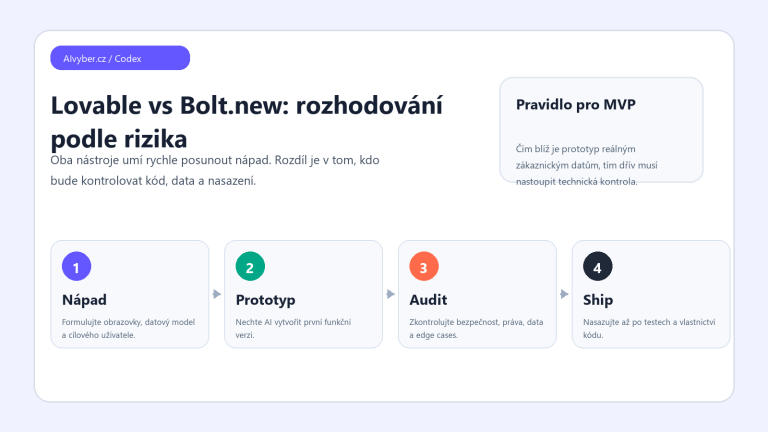
Lovable vs Bolt.new 2026: which AI app builder to choose for MVPs and internal tools

AI Assistant for a Freelancer: A 30-Day Plan to Cut Administrative Work in Half
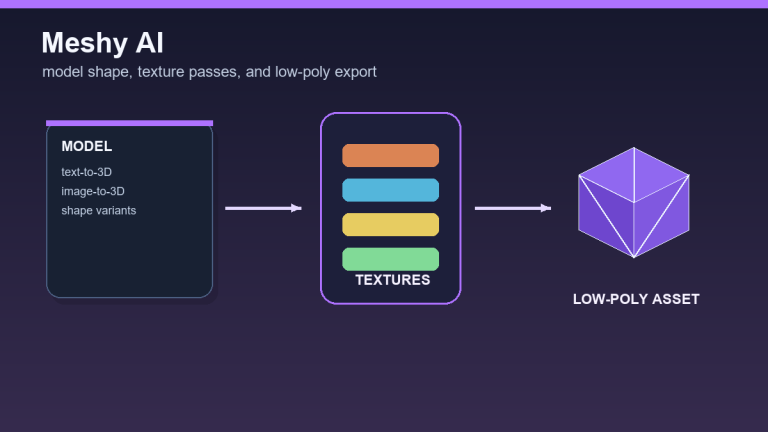
Meshy AI review 2026: generating 3D models, textures, and low-poly assets