Alternatives to ChatGPT for Czech companies: emphasis on data in the EU and team-based access management
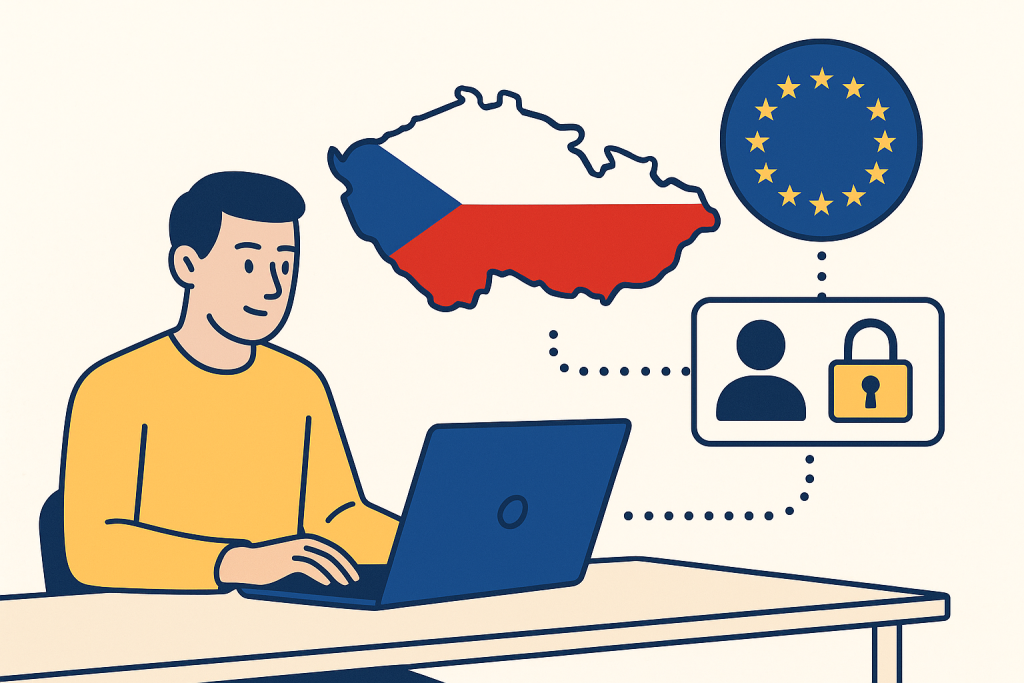
Choosing an alternative to ChatGPT is no longer just a question of text quality in companies. In practice, other parameters decide: where data is processed, whether European data residency can be enabled, how user management works, whether the service supports SSO, audit logs, SCIM, connector restrictions, or a ban on training on company data. These are exactly the points Czech companies most often run into: the legal department wants control over data flows, IT wants centralized access management, and the business wants a tool that people will actually start using.
This overview focuses on real alternatives to ChatGPT that make sense for Czech companies, with an emphasis on data in the EU and team-based access management. We are not dealing with laboratory benchmarks, but with decision-making criteria for procurement and deployment. If you first need to sort out the tool categories themselves, the ongoing mapping at aivyber.cz is also useful. For comparing specific chatbots, the AI chatbots directory is also helpful, where you can quickly compare the focus of individual services.
What really matters in a company: data residency, identity, and audit

Before you start comparing individual products, you need to divide the task into three layers. The first is data residency, meaning where customer data is stored and processed. The second is identity and access management: SSO via SAML/OIDC, automatic account provisioning via SCIM, roles, groups, and MFA enforcement. The third is governance, meaning audit logs, retention policies, sharing restrictions, disabling public links, connectors to internal sources, and settings for whether the provider uses data to train models.
The practical problem is that companies often ask for a “European solution,” but in reality they need a combination of several guarantees. A server in the EU does not yet mean access management is solved. Conversely, excellent SSO solves nothing if the administrator cannot disable the export of sensitive conversations outside the organization.
What to do: write down your minimum security and operational requirements before the pilot. A typical list: EU data residency, SSO, SCIM, audit log, no training on customer data, ability to disable public sharing, DPA, and support for enterprise onboarding.
Who it’s for: companies with roughly more than 50 users, regulated industries, agencies with multiple clients, and teams that want to deploy AI broadly, not just as an experiment by a few individuals.
When not to use this: when you are only doing a short individual test for one user without working with internal documents. In that case, a detailed enterprise checklist is unnecessarily cumbersome.
Microsoft Copilot: a strong choice for companies already built on Microsoft 365

For Czech companies, Microsoft Copilot is often the first relevant alternative if they already live in the Microsoft 365, Entra ID, and SharePoint ecosystem. From the perspective of access management, its main advantage is clear: identities, groups, conditional access, DLP policies, and auditing are things most companies already handle in Microsoft anyway. That significantly shortens deployment.
For business variants, it is important to distinguish between regular consumer services and paid enterprise products. In its commercial offerings, Microsoft builds on so-called Enterprise Data Protection and enterprise guarantees for data processing within the Microsoft cloud. For organizations in Europe, the EU Data Boundary commitment is also important, describing the storage and processing of selected customer data for core cloud services in the EU/EFTA.
In terms of features, Copilot makes the most sense where users need to work within their own tenant: meeting summaries in Teams, working with documents in Word, spreadsheet analysis in Excel, presentations in PowerPoint, or queries over emails and calendars in Outlook. Access rights are governed by existing permissions in Microsoft 365. This is practically crucial: Copilot should not show a user a document they do not have permission to access.
Indicative price: Microsoft 365 Copilot has long been priced on the market at around USD 30 per user per month excluding VAT as an add-on to the corresponding Microsoft 365 license. Prices may vary by region, contract, and licensing type, so treat them as indicative.
When Copilot is the best choice
It works best for companies that already have documents, meetings, and communication inside Microsoft 365 and want to add AI without building a new identity layer. A typical scenario is a sales team that automatically gets a Teams meeting summary, follow-up tasks, a customer email, and CRM materials after a meeting.
What to do: before deployment, check permissions in SharePoint and Teams. Copilot can reveal historical access clutter very quickly because it makes it easier for users to find even what had previously “been lying forgotten.”
Who it’s for: companies with Microsoft 365 E3/E5, Entra ID, and internal documents in SharePoint or OneDrive.
When not to use this: if your data primarily resides outside the Microsoft ecosystem, for example in Google Workspace, Atlassian, and specialized SaaS, and you do not want to build parallel workflows. In that situation, the benefit may be lower than the marketing suggests.
Google Gemini for Workspace: suitable where the company lives in Gmail, Docs, and Meet

The second major alternative is Google Gemini for Workspace. Just like with Microsoft, its main strength lies in tight integration with the office suite and centralized identity management. If a company uses Google Workspace, Gemini makes sense mainly because of Gmail, Docs, Sheets, Slides, and Meet. Users do not go into another isolated tool, but get AI in the environment they already work in anyway.
Access management is based on the Google Admin console: the administrator handles organizational units, groups, security policies, and service management from one place. For companies, it is important that Google states for paid enterprise offerings that customer content is not used to train generative models without consent, which is often a key point in internal approval of the tool.
Gemini is strong in quickly processing email agendas, summarizing documents, creating outlines, and preparing internal materials. In Czech companies, it can work well, for example, in support or recruiting departments, where people spend a lot of time on Gmail communication and shared documents.
Indicative price: Gemini for Workspace pricing varies by edition and region; for enterprise plans, it is typically an add-on item to the Google Workspace license. Specific amounts change over time, so it is safer to treat Google’s official pricing as the reference.
Where Gemini runs into limits
If your company uses Google Workspace only as email and most documents and knowledge are elsewhere, you will get a weaker effect than in a fully integrated environment. As with Copilot, the biggest benefit arises where AI works over your existing information space.
What to do: first test two or three workflows with clear time savings, such as summarizing long Gmail threads or creating meeting notes from Meet. Measure minutes per task, not just subjective “satisfaction with AI.”
Who it’s for: companies built on Google Workspace, marketing teams, recruiting, customer support, and smaller organizations without a complex on-prem environment.
When not to use this: if you need detailed work over internal documentation in Microsoft 365 or have security processes built entirely around Entra ID and Purview. Then it is operationally more worthwhile to stick to one ecosystem.
Anthropic Claude for companies: strong work with documents and projects, but verify regional conditions
Claude has gained attention in companies mainly thanks to its high-quality work with longer documents, clear response style, and project-based organization of knowledge. From a usability perspective, it is often very good for legal, analytical, and content teams that need to summarize extensive materials, compare text versions, and maintain longer context.
For Czech companies, however, it is necessary to carefully verify two things: the availability of enterprise features in your region and the exact data processing conditions. Claude offers team and enterprise variants, including account administration and security features, but when purchasing, you need to check the current DPA, data location, and whether specific EU data residency requirements are fulfilled directly by the service or only by part of the infrastructure.
Claude is also interesting where a company does not want AI just for email and office applications, but for work over extensive documents, internal guidelines, research, or analyses. In such situations, the quality of structured summaries and work with long context is often very strong.
Indicative price: team and enterprise pricing varies by contract and volume. Smaller plans usually run in the tens of USD per user per month, while enterprise offers are generally individual.
What to do: ask the vendor for written confirmation of the current conditions for data handling, retention, and admin features. With Claude, it does not pay to rely on general articles or older discussions, because product terms evolve.
Who it’s for: lawyers, consultants, analytical teams, internal knowledge management, and companies that need high-quality work with longer texts.
When not to use this: if you have a hard requirement for clearly defined EU data residency directly in the terms and do not want to allow any ambiguity. In that case, it is safer to choose a service with a more explicitly described European regime.
Mistral and Le Chat: European origin is an advantage, but enterprise governance needs to be verified in detail
If the European origin of the vendor is essential for you, you cannot leave out Mistral AI. The company is based in France, and for European organizations it is attractive already because it is not an American hyperscaler. But that alone is not enough. In enterprise deployment, you need to separate the image of “European AI” from real enterprise parameters: how team management works, whether SSO is available, what the retention policies are, how auditing is handled, and how exactly data location is defined.
Mistral makes sense especially where a company wants a European vendor, or plans a combination of API and custom development. In that case, it may be more interesting than purely ready-made office assistants because it allows greater flexibility. This applies especially to technology companies, SaaS teams, and organizations that want to adapt AI to internal workflows.
For ordinary non-technical users, however, the maturity of administration may be a more important question than the origin of the model itself. If the tool does not offer management as convenient as Microsoft or Google, internal operating costs may be higher.
What to do: check whether enterprise user management, audit information, and contractually sufficient data processing descriptions exist for your intended deployment method. With a European vendor, do not automatically assume that everything will meet your internal security checklist.
Who it’s for: technology companies, development teams, organizations requiring a European vendor, and companies that want to build their own AI workflows via API.
When not to use this: if you are looking for the simplest possible office deployment, “turn on and use,” for hundreds of employees without internal IT support. In that situation, integrated enterprise suites are usually more practical.
AWS, Azure, and Google Cloud via API: when you need control, not a ready-made chatbot
For many companies, what ultimately works best is not a ready-made chat application, but their own internal interface built on top of a cloud AI service. Typically this means Azure OpenAI Service, Amazon Bedrock, or the model offerings in Google Vertex AI. From a compliance perspective, this is often the best path, because the company can precisely control identity, logging, network access, connections to internal sources, and retention policy.
Azure OpenAI is especially interesting for Czech companies when they want to use OpenAI models, but under Azure enterprise terms and with better integration into existing cloud governance. AWS Bedrock, on the other hand, makes sense where a company wants to choose among multiple models in one environment and connect them to an existing AWS stack. Vertex AI is a strong solution for organizations deeply embedded in the Google Cloud ecosystem.
The advantage of the API approach is obvious: you can build an internal assistant with SSO, document connections, precise roles, restricted export, and logging according to your rules. The disadvantage is also obvious: you have to design, implement, and operate it.
Indicative price: with cloud AI, you typically pay according to token consumption, or according to accompanying cloud services. Total costs therefore depend on usage volume, caching, number of users, and model type. For a smaller internal assistant, they may be lower than broad licenses for ready-made office products; for massive operation, on the other hand, they grow quickly.
What to do: if you have your own IT or a vendor, first design a small internal use case with clear data sources and permissions, for example an assistant over HR guidelines or internal service documentation.
Who it’s for: medium-sized and larger companies with IT capacity, regulated industries, internal portals, helpdesks, and organizations that need detailed control over security and workflow.
When not to use this: if you want to get AI up and running within weeks without development capacity. The API variant brings the greatest control, but also the highest operational demands.
Practical scenarios: how to choose by company type and workflow
Scenario 1: Law firm or compliance team
The priority is working with longer documents, internal guidelines, and restricting access according to case sensitivity. Claude or a custom internal assistant on top of Azure/AWS/Vertex AI is often suitable. If the firm already runs on Microsoft 365 and documents are in SharePoint, Copilot may be more suitable, but only after a thorough permission review.
What to do: test sample contracts, internal guidelines, and anonymized case files. Measure citation accuracy, summary consistency, and whether the tool respects source permissions.
Who it’s for: legal departments, compliance, internal audit.
When not to use this: if you have not yet resolved document classification and storage permissions. AI will only accelerate access to the mess.
Scenario 2: Sales team in Microsoft 365
You need meeting summaries, email drafts, work with offers and spreadsheets. Here, Microsoft Copilot is a very strong candidate because it is built on data from Teams, Outlook, Word, and Excel.
What to do: start with a pilot for 20 to 30 salespeople and set measurement criteria: time from meeting to sending the follow-up email, number of manual edits, and number of Teams summaries used.
Who it’s for: sales, account management, presales.
When not to use this: if sales primarily runs in other systems and Microsoft 365 is only a supplement. The benefit may then be lower than the license cost.
Scenario 3: Marketing and HR in Google Workspace
You need to quickly process emails, text outlines, Meet notes, and collaboration on documents. Here, Gemini for Workspace is the logical choice.
What to do: set up prompt templates for recurring tasks: summaries of candidate communication, campaign outlines, internal announcements, or meeting notes.
Who it’s for: HR, marketing, internal communications.
When not to use this: if you work with highly sensitive data outside Workspace and do not want to move it there.
Scenario 4: A technology company wants an internal assistant over documentation
Here, the API approach via Azure OpenAI, Bedrock, or Vertex AI is often best. It allows you to connect Confluence, internal wiki, ticketing, and source documents with precise roles.
What to do: build a RAG assistant for only one domain, for example support documentation or developer onboarding, and only then expand the sources.
Who it’s for: SaaS companies, product teams, internal support.
When not to use this: if you do not have a team that can continuously handle source data quality, access rights, and monitoring.
The most common limits and blind spots in selection
The first common mistake is confusing hosting location with complete compliance. Even if a service offers data in the EU, you still have to deal with roles, auditing, retention periods, exports, and integration with internal identities.
The second mistake is buying a license without reviewing permissions in source systems. With both Copilot and Gemini, AI can make old access mistakes visible faster than ordinary search.
The third mistake is overestimating a universal chatbot and underestimating specialized workflows. In a company, a tool “for everything” rarely wins. A combination is often more advantageous: an office assistant for routine work and a separate internal assistant for sensitive knowledge bases.
The fourth problem is price. The license itself is usually only part of the budget. Add onboarding, security review, group management, training, user support, and possible cleanup of data permissions.
What to do: in the selection process, insist on a pilot with real data, real roles, and time-saving metrics. Without that, you are deciding based on a demo, not on operations.
Who it’s for: CIOs, CISOs, IT managers, procurement, and team leads who will bear responsibility for the result.
When not to use this: if management expects immediate company-wide adoption without process changes. AI without governance and without ownership on the business side usually slips into ad hoc use.
FAQ
Is it enough for a company that the provider states GDPR?
It is not enough. GDPR is the basic framework, but for practical selection you need to see the DPA, processing terms, retention rules, the regime for training on customer data, audit options, and identity management.
Is a European vendor automatically safer?
Not automatically. European origin may help from a procurement and trust perspective, but you still have to verify enterprise features, contractual terms, and technical access management.
What is more important for a company: model quality or access management?
For individual use, often model quality. For enterprise deployment over internal data, access management, auditing, and integration into the existing identity system usually win. Without them, even a very capable model is operationally problematic.
When does it make sense to go for a custom solution via API?
When you need precise roles, connections to internal systems, your own interface, logging, and control over workflow. Typically in medium-sized and larger companies with internal IT or a vendor.
How long should a pilot be?
Usually 4 to 8 weeks is enough to verify whether the tool saves time in specific processes. A shorter pilot often captures only the initial enthusiasm, not real operational friction.
Conclusion: choose according to the company’s data space, not the tool’s popularity
For Czech companies today, there is no single universal alternative to ChatGPT. If you live in Microsoft 365, it makes the most sense to start with Copilot. If the company operates in Google Workspace, Gemini is the logical candidate. If the priority is working with long documents and specialized knowledge tasks, Claude is worth evaluating. If you require a European vendor or greater flexibility, watch Mistral. And if control over access, logging, and internal workflows is most important to you, a custom interface built on Azure OpenAI, Bedrock, or Vertex AI very often wins.
The decisive question, then, is not “which model is best,” but “where does the company actually work with knowledge, and how does it manage access there.” Once you answer that honestly, the selection narrows significantly. And that is a good thing: in enterprise practice, the right ecosystem is often more important than the difference between two similarly strong models.
Recommended AI stack for implementation
Choose tools according to your budget and level of automation. Below is a direct overview of services for implementing the project.
| Service | Service description | Offer |
|---|---|---|
| NordVPN | VPN service for privacy protection and secure connections. | Open offer |
| Semrush | SEO and marketing platform for analysis and traffic growth. | Open offer |
| Make | Advanced visual automation for workflows and integrations. | Open offer |
| Hostinger | Web hosting and domains for fast website launch. | Open offer |
| Fiverr | Marketplace for freelancers and external specialists. | Open offer |
| Adobe | Creative tools for graphics, video, and digital content. | Open offer |
| Canva | Online design tool for graphics, presentations, and social media. | Open offer |
| Jasper | AI tool for marketing copy and content campaigns. | Open offer |
Note: We use affiliate links for listed services. If you purchase through them, we may earn a commission at no extra cost to you.
Links in the article
Sources of illustrative images
The custom illustrative image was created using the OpenAI Images API.
Doporučení ke čtení

Notion AI vs. Coda AI: which tool can handle internal documentation without chaos
Cursor AI review 2026: an editor for refactoring, code review and documentation

Prompt Injection Tests for a Corporate AI Bot: Minimum Security Baseline